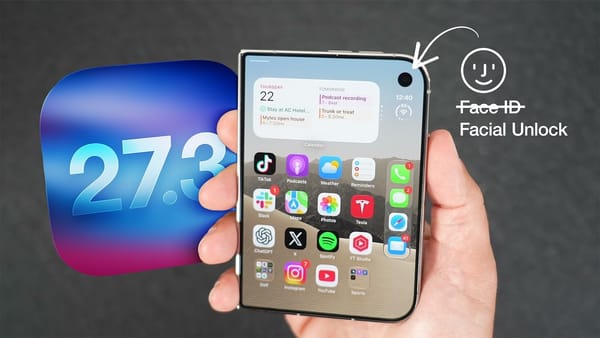
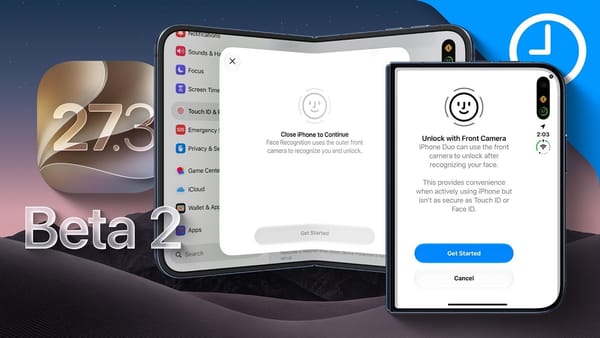
Missed the padlock? In its iOS 27.3 developer beta 2 walkthrough, AppleInsider finds an Accessibility setting that makes the iPhone Duo tap your hand when its outer camera recognizes you. That's particularly handy when you wake the screen just to see what's on it.
Settings to try on the Duo itself
- Face recognition. Under Touch ID & Passcode, the outer camera can register a face while the Duo is closed. Once the filming equipment is out of the way, the phone in the demo recognizes the reviewer before the swipe up. Recent authentication is still required, and Apple Pay still needs Touch ID.
- Haptic confirmation. Look under Face Recognition & Attention in Accessibility. AppleInsider says the tap also works with Touch ID. It gives someone holding the phone a way to tell that authentication succeeded without watching for an icon to change.
- Closing the phone. Display & Brightness now offers Close to Lock. Turning it on stops an app on the inner display from continuing on the outside when you fold the phone. The reviewer had previously needed a shortcut for this.
Once inside, the reviewer puts the update to a different test. The question for Safari has an answer you can check by opening the story Siri finds.
Things to try with the phone already open
- A question about a page. In Safari, the reviewer wants to know whether the site has published its Apple TV review. Siri checks the page and finds the story. A restaurant menu is another example the channel proposes, though the review search is the one you actually see.
- A podcast in the TV app. A search for Smart Home Insider brings up individual video episodes. The app offers to connect to Podcasts, then starts playback in the TV app itself.
- Puzzles in News. The channel reports a wider rollout in Australia, the UK and French Canada. Someone looking for a familiar daily puzzle has a reason to check the News app again.
There's a limit to what this beta walkthrough can tell a heavy Siri user. AppleInsider identifies cloud photo edits among the tasks subject to usage caps and explains that an iCloud+ plan can affect the allowance. It doesn't give a count of how many edits you could make before hitting the limit.