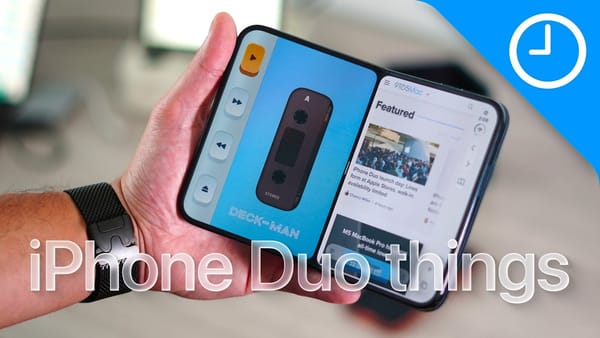
The Clock app again. iReviews opens this eight-app selection with Date Alarm, which lets you choose a specific future date for a wake-up call, then branches into small utilities for reading offline and making screenshots presentable.
Jobs you'd otherwise interrupt your day for
- Date Alarm. The video shows a date picker alongside the alarm's time, label, and sound settings. A future one-off alarm gets an explicit calendar date, while repeating patterns have their own controls.
- Live Timer. Saved timers have names and colors, and the demonstration starts them from the Lock Screen through Live Activities. The useful detail is reusing a prepared timer without rebuilding it in the app.
- Page Cache. Add a webpage address to keep a local copy, then find saved pages through search. iReviews demonstrates Apple's website; the video doesn't establish that every interactive site will remain fully functional offline.
- Dzzz. This groups small file jobs into searchable categories. The demonstrated tools include compressing or merging PDFs, extracting MP3 audio from video, and generating QR codes, so you can look for a task rather than remember a separate utility for each conversion.
I'd pick one repeated annoyance before installing the whole list. iReviews gives Date Alarm's reason to exist in one sentence:
You can actually set an alarm on a date that you pick.
The remaining demonstrations will appeal to iPhoners who want a walking incentive or control over the images they save and share. Each starts with something already on the phone.
Steps, search, and images
- Thru. Daily Health steps advance a character along a selected route, with progress displayed on a map and badges marking activity. The Geneva-to-Nice example turns ordinary walking into progress on a much longer virtual trail.
- Pelorus. A unified results view sits alongside pages for individual search engines. iReviews shows swiping between DuckDuckGo and Google results for the same query, then opening a result for a full-screen view.
- Stillpaper. Choose colors and adjust grain or gradient direction, then add patterns or text. The finished wallpaper saves to Photos, leaving you to apply it to the screen you want.
- Enaly. Place a screenshot inside a device mockup, adjust its position, and choose a color, image, or transparent background. The video also shows device switching and markup tools before saving the finished composition.
Those last two tools produce images you can keep after leaving the editor.
Before relying on a saved result
- Offline reading. Check the particular page after disconnecting; the demonstration covers one site, rather than every login or embedded service.
- Image exports. The mockup and wallpaper tools save finished images to Photos. Keep the original screenshot if you'll want a different device frame later.
A named, reusable Lock Screen timer is where I'd start for cooking.