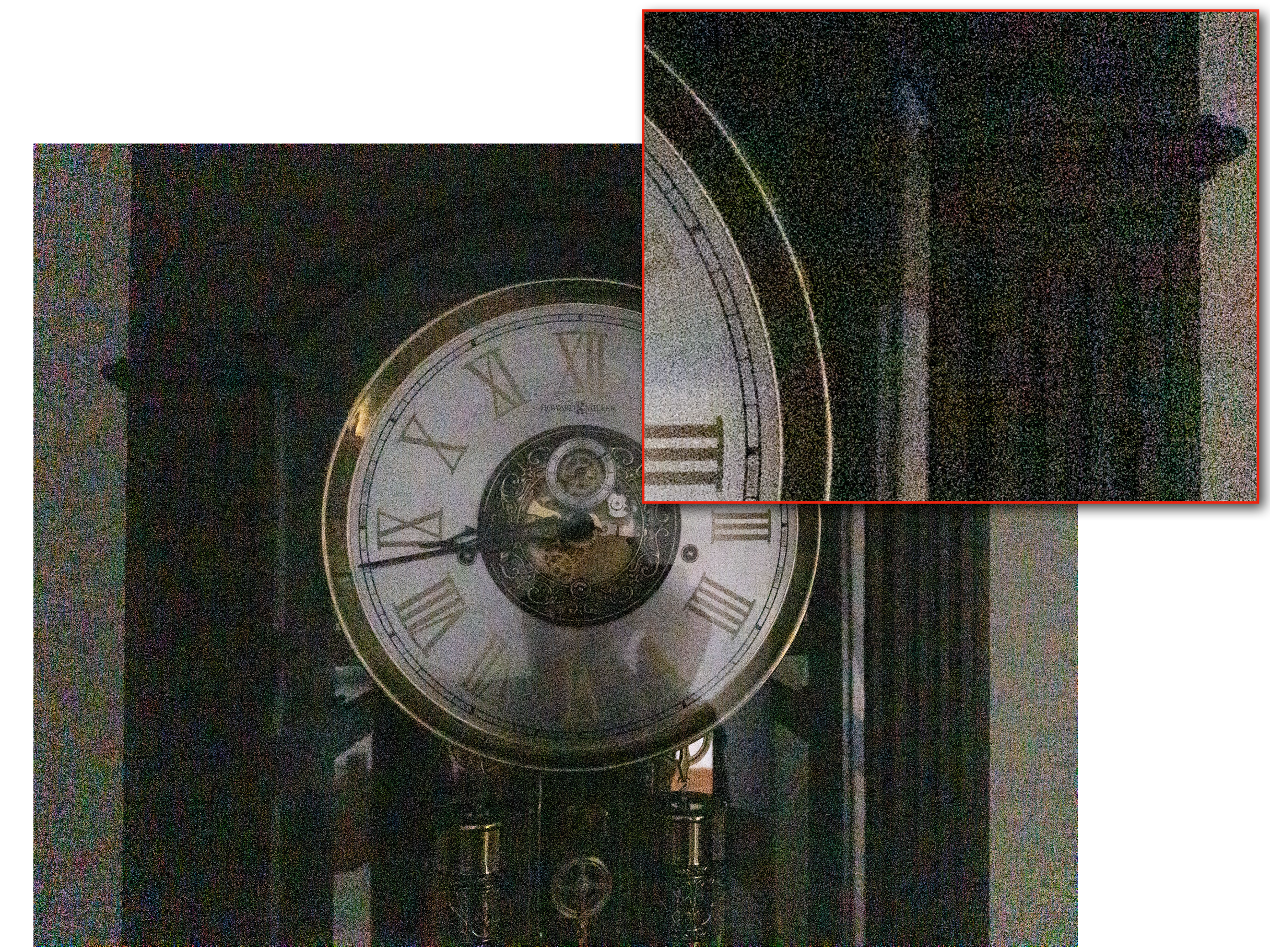
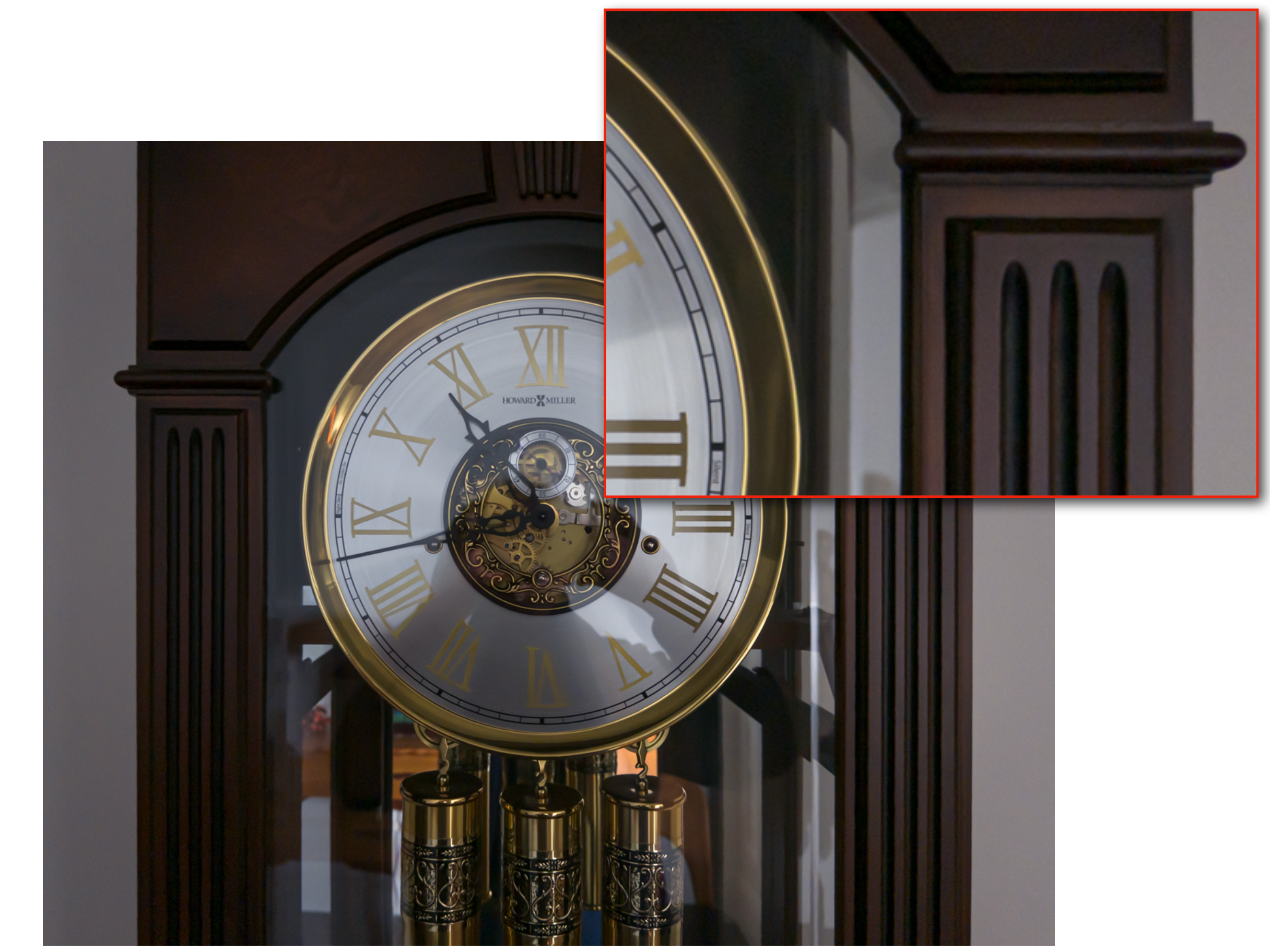
For a low-light camera test, I'd take a familiar clock over a skyline: you already know what the numbers should look like. Project Indigo is an iPhone camera app that can combine up to 32 frames for one photograph. In Adobe's example, you can compare a single exposure with the finished handheld shot and look at exactly the same marks on the dial.
The trick begins with deliberately dark exposures. That leaves some room for bright parts of the scene, while combining the frames reduces the speckling in the shadows. The two clock photos below come from Adobe's technical account. Look at the enlarged area beside the Roman numeral III. In the single frame, colored speckles cover the dark wood; in the merged shot, three narrow grooves stand out.
Timing matters, too. Photo mode aims to catch the moment you press the shutter in ordinary light; Night mode starts gathering longer exposures after the press. That's a reasonable trade for a clock on a shelf. I'd hesitate before choosing it for a child leaning over birthday candles.
One US App Store reviewer wanted to crop a photo without opening another app, a fair complaint if you're taking pictures to send straight to someone. For a picture you expect to edit anyway, I'd choose the camera by how much detail the file gives you.