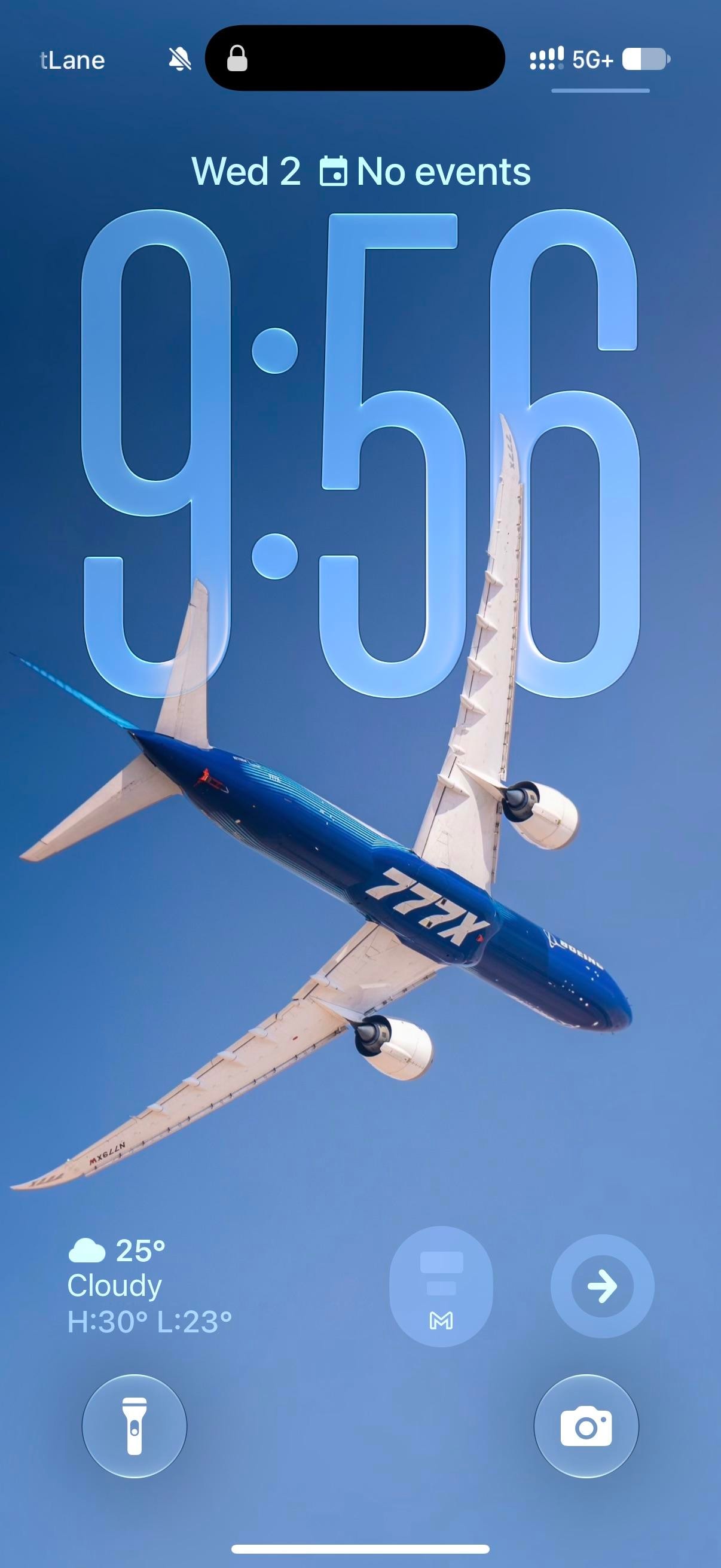
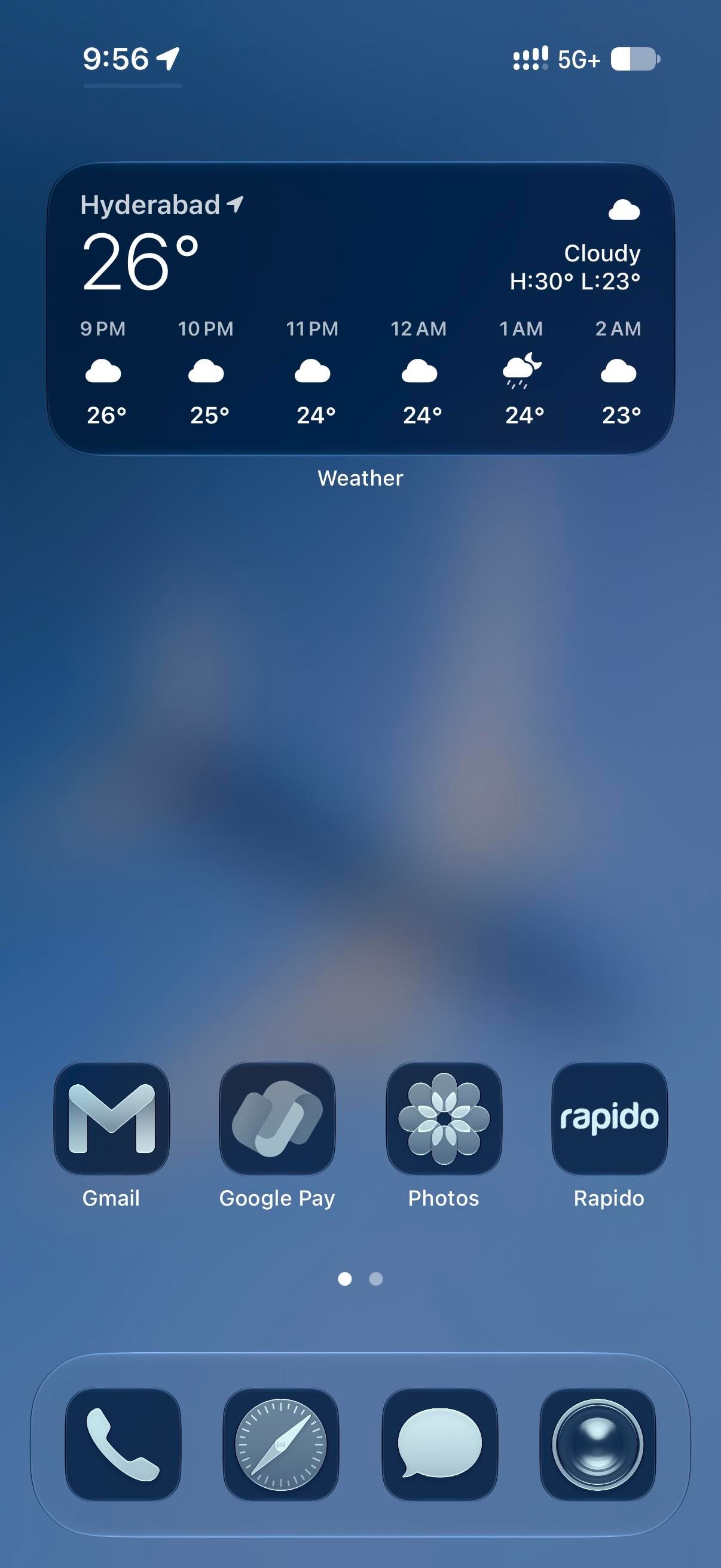
A Boeing 777X banks across a clear sky in the blue-and-white house livery. The clock sits behind it at the stretched size iOS 26 allows, glassy enough that the wing cuts in front of the last two digits. Everything after stays blue. The Home Screen blurs the plane into a gradient, and every icon takes the dark navy tint, Flightradar24 included, for a plane-spotting iPhoner running the whole phone in one hue.
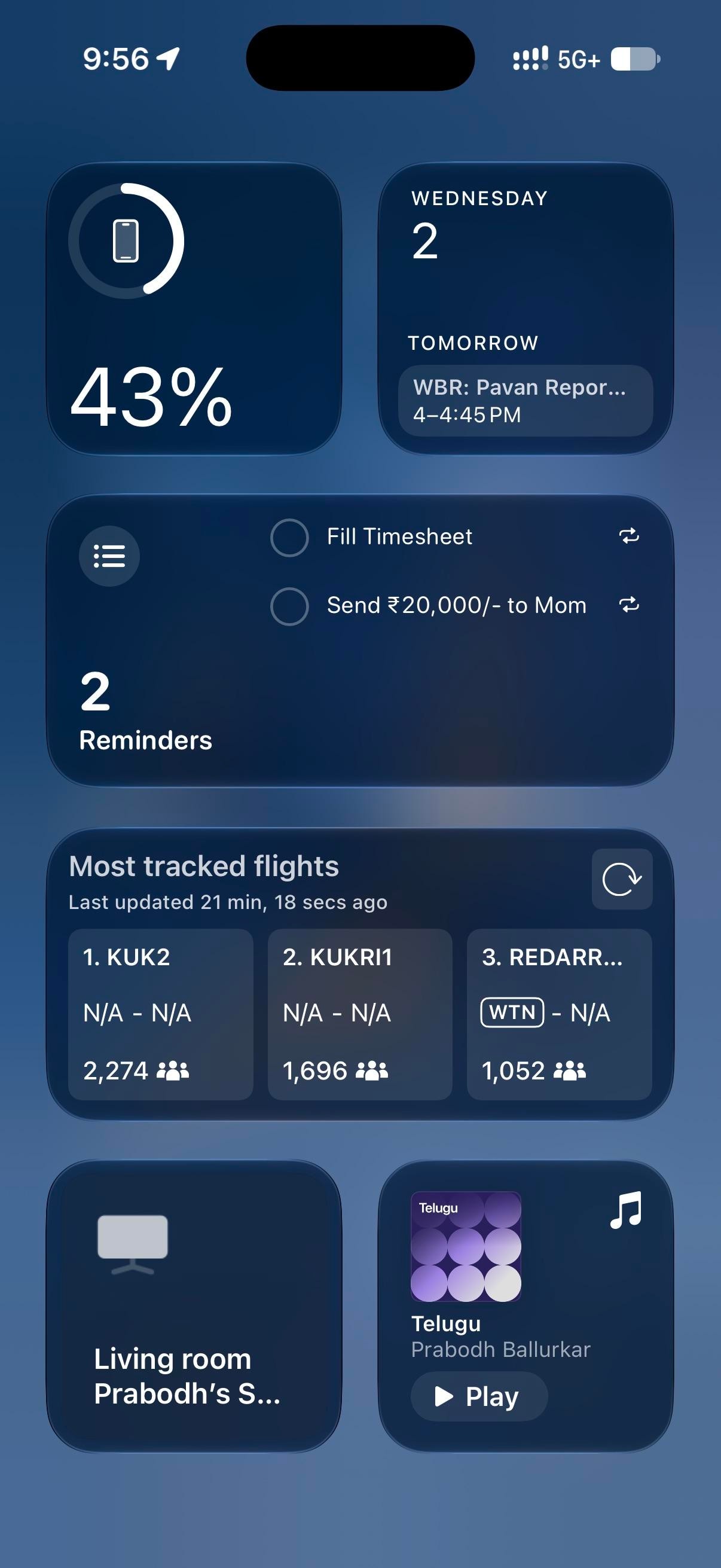
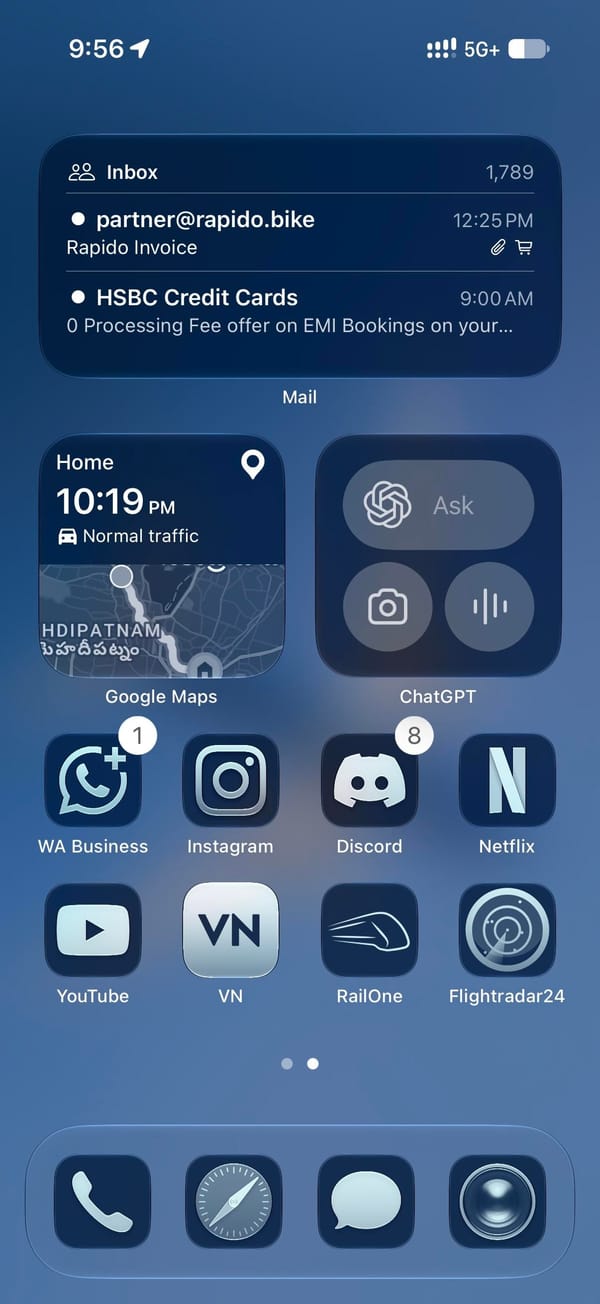
Page one holds a medium Weather widget and one row of four apps pushed down to the dock, leaving the blurred wing across the middle. Page two is denser: a medium Mail widget, small Google Maps and ChatGPT widgets, then eight apps in two rows. Today View, left of page one, is all widgets, led by Flightradar24's most-tracked-flights board over a Reminders list and a battery ring. The Lock Screen keeps its own widgets at the bottom edge, iOS 26 style: a weather readout and two round buttons, a Gmail M and a right-pointing arrow.
On this screen
Flightradar24, the theme's second half, on page two and in Today View
Google Maps, a small widget with the drive-home estimate
ChatGPT, a small widget with Ask, camera, and voice
RailOne and Rapido, trains and bike taxis, beside Google Pay on page one
WhatsApp Business, Instagram, Discord, Netflix, YouTube, and VN on page two
The dock is stock, tinted with the rest: Phone, Safari, Messages, Camera.
Page one is the part to copy, with its four apps parked on the bottom row under a widget you read rather than tap. The tint itself is one switch in the Home Screen's Customize sheet, and to my eye it's a rare tinted setup where third-party icons hold up as well as Apple's.
A plane-spotter's all-blue setup under a Boeing 777X
iOS 26's stretched glass clock sits behind a banking 777X, and every icon below takes the same navy tint, with a widget-only Today View doing the reading.
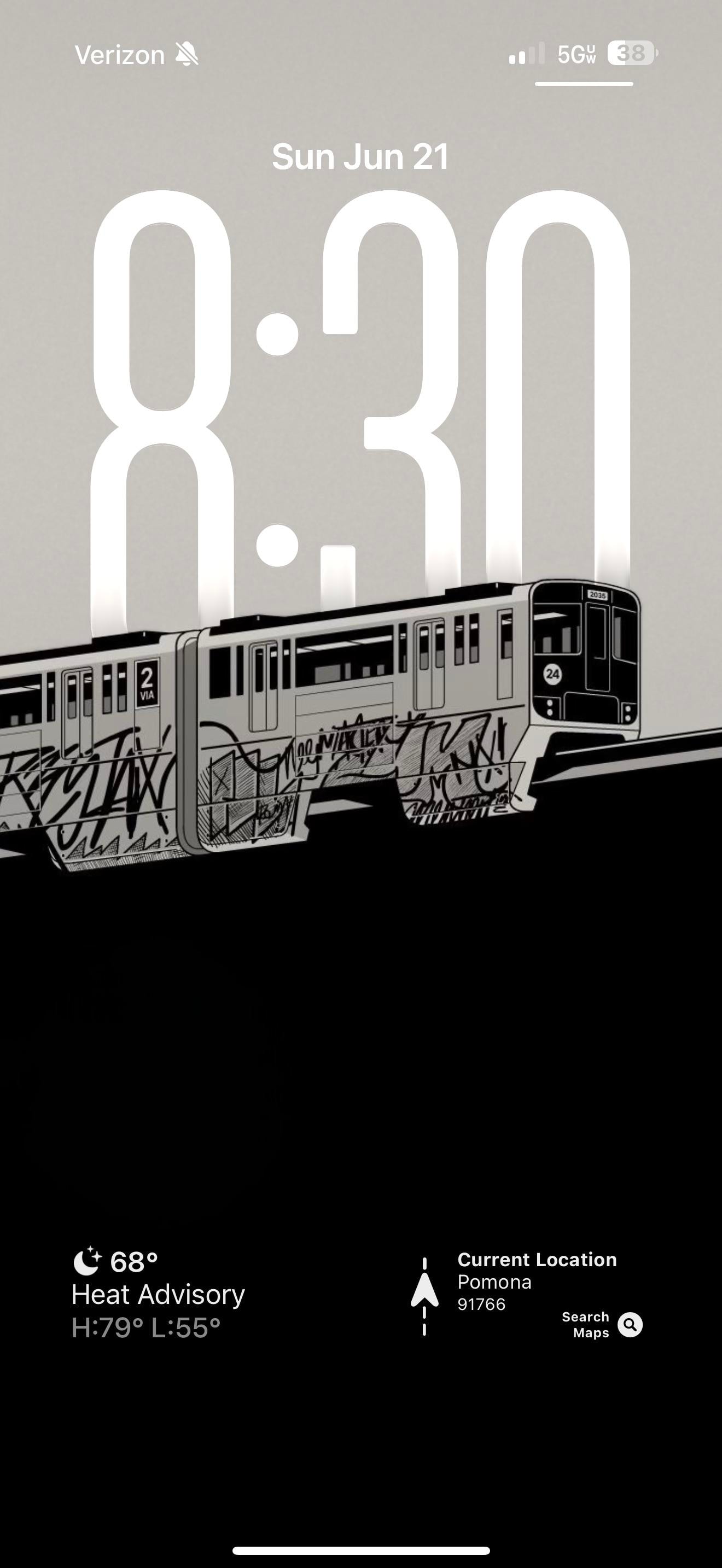
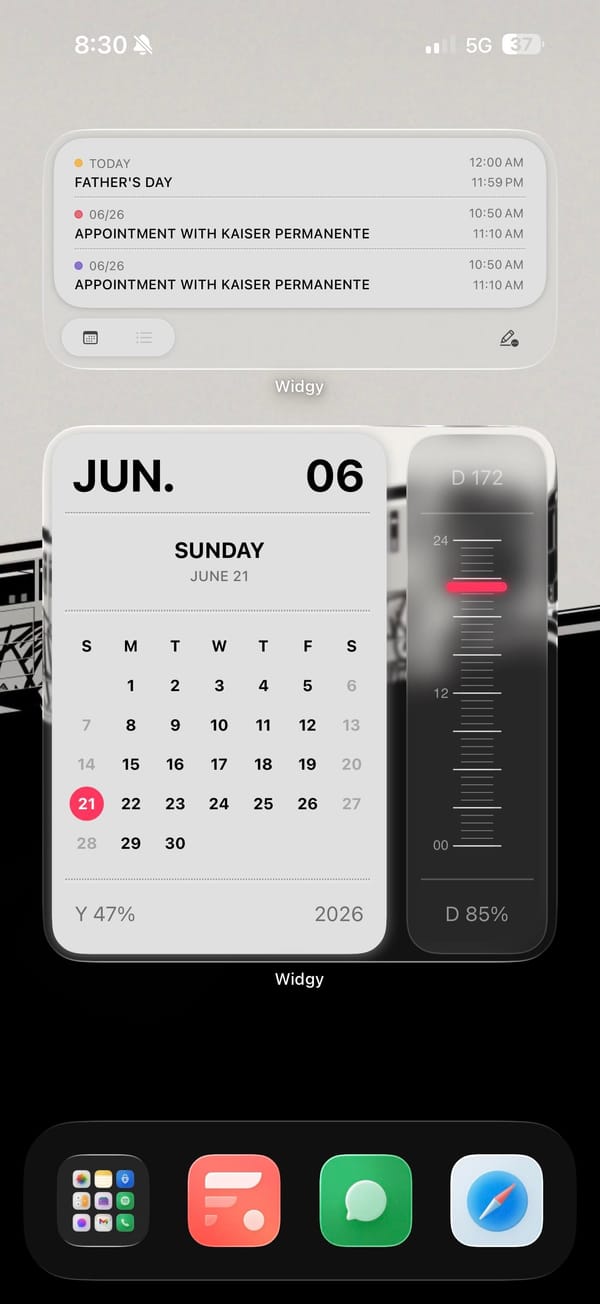
A graffiti-tagged subway car drawn in black and white, stretched across both the lock screen and the home screen. Everything else on this monochrome iPhoner's phone stays in grayscale to match it.
The wallpaper does the heavy lifting, a hand-drawn subway car covered in marker-style graffiti tags. Over it sit three Widgy widgets in the same palette. A month calendar block and an agenda list handle the dates and appointments, while a tall vertical gauge tracks how far through the day you are. That gauge carries one red line, the only color anywhere on the screen.
The dock keeps a little of the color the rest gave up. Fantastical's red tile, the green Messages bubble, and blue Safari sit beside a folder of stock apps like Photos, Notes, and Spotify, so the grayscale is a wallpaper-and-widgets choice, not a full icon-pack overhaul. That makes it a lighter lift than it looks.
Copy it if you like a gritty, monochrome look but don't want to re-skin fifty apps. The wallpaper and two Widgy widgets carry the whole aesthetic, and the stock dock underneath means nothing breaks when an app changes its icon. The vertical day-gauge is the piece worth stealing on its own, a progress bar you actually glance at.
A black-and-white graffiti train runs the look
One hand-drawn subway car in grayscale anchors a monochrome iPhoner setup, where three Widgy widgets add just a single red line of color.
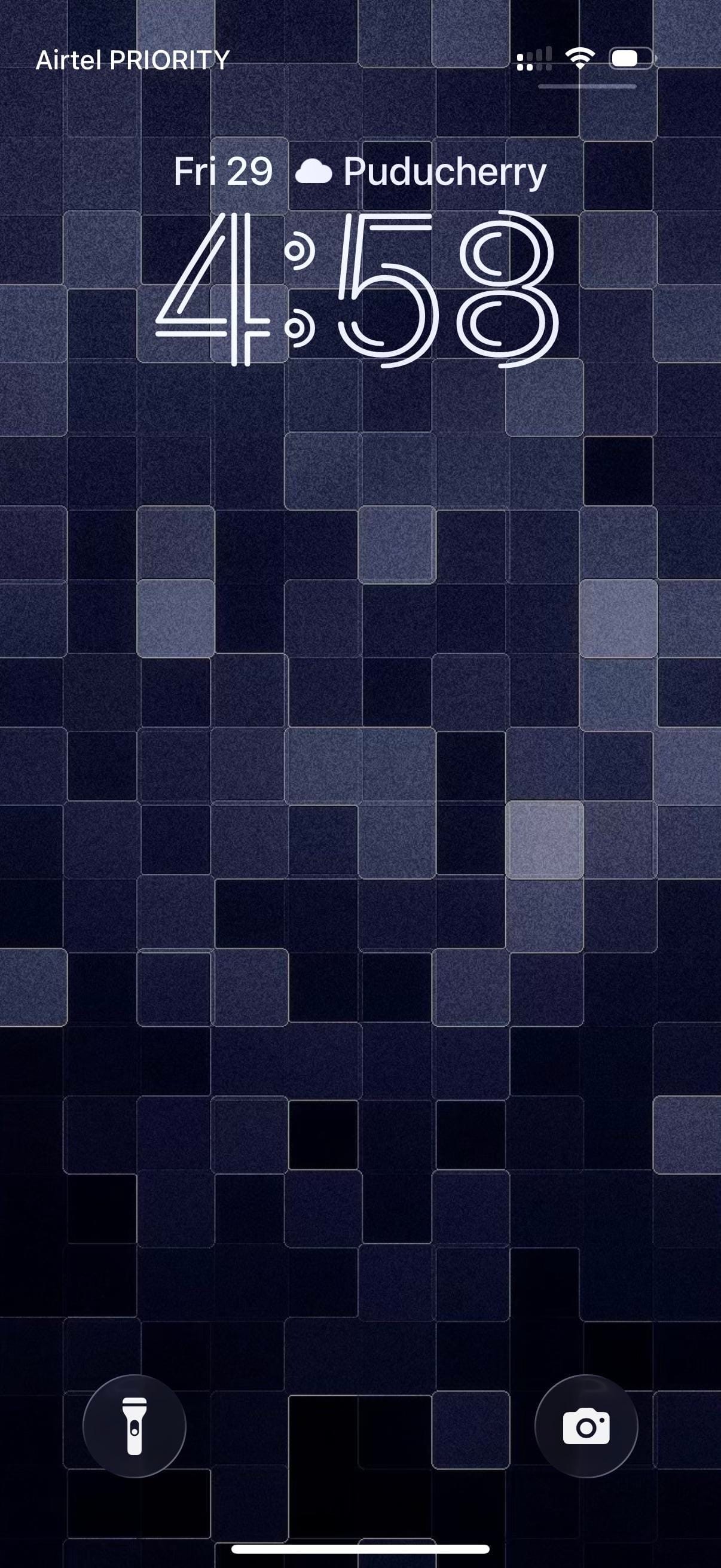
A traveler iPhoner home screen. The wallpaper is a mosaic of deep navy and indigo tiles shifting across four shades of blue-grey, landing somewhere between a pixel grid and a stone mosaic depending on how far back you hold the phone.
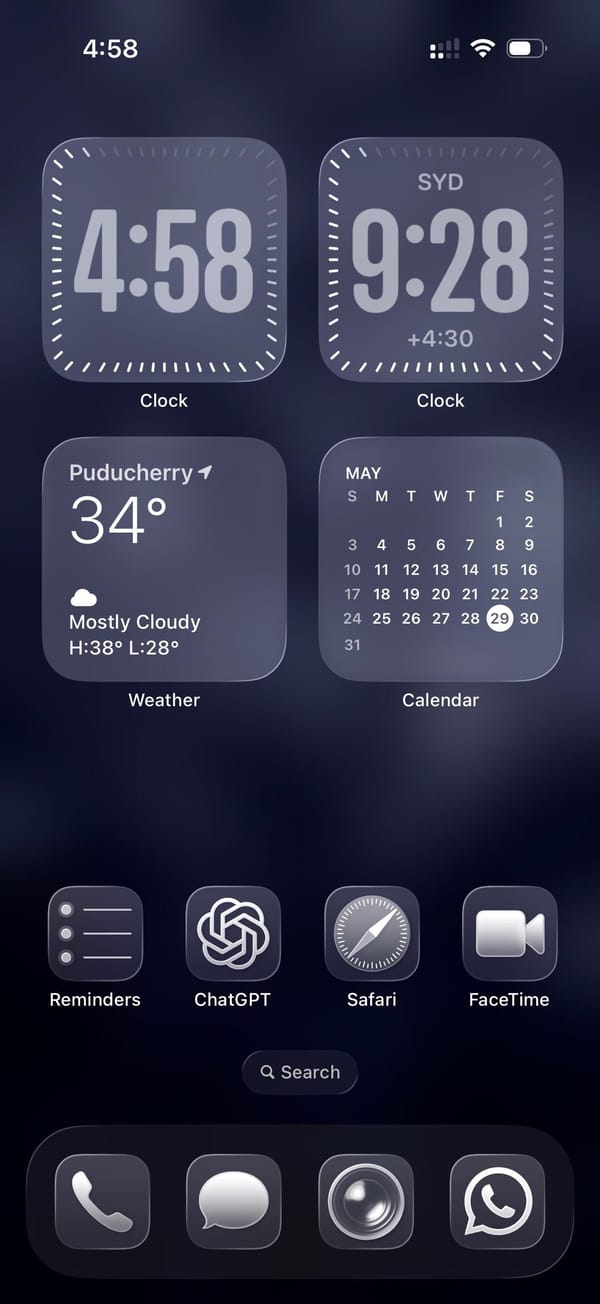
Four medium widgets fill the top two-thirds of the home screen in a 2x2 grid. Two Clock widgets sit at the top: one for local time, the other locked to Sydney, which puts the same face in two different time zones. Below them, Weather and a Calendar month-view take the remaining two slots. A single row of apps separates the widget block from an empty stretch of wallpaper before the dock.
Reminders, ChatGPT, Safari, and FaceTime make up that row. Just stock icons throughout. The dock holds Phone, Messages, what looks like Camera, and WhatsApp, four apps that cover the obvious communication bases across platforms. The whole setup runs in fours, top to bottom.
Worth copying for iPhoners who track two time zones daily and want the clocks on the home screen without building out a full widget stack.
A dual-timezone home screen and a mosaic wallpaper
A traveler iPhoner setup built on dual Clock widgets for two time zones, a deep navy mosaic lock screen, and ChatGPT in the main row.
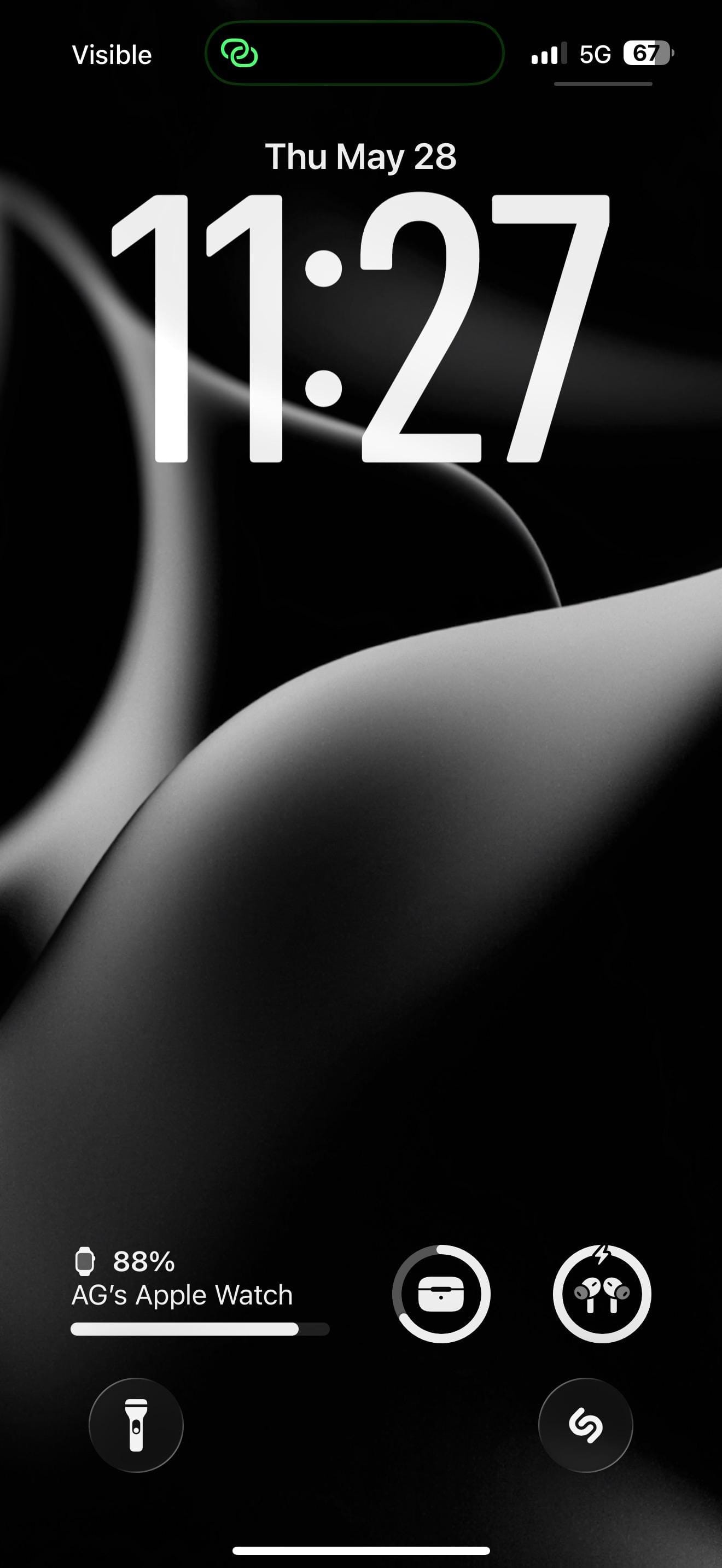
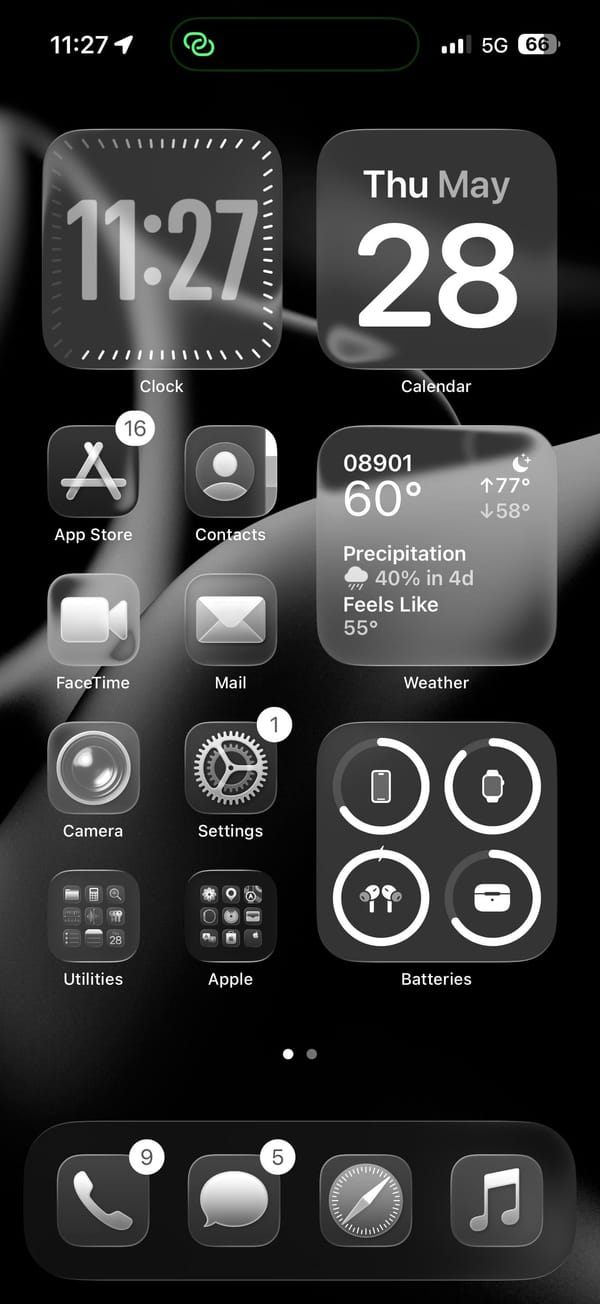
A monochrome iPhoner setup, all icons rendered as near-black shapes on a pure-black background. The lock screen wallpaper is what gives it form: smooth flowing abstract curves that read like fabric folds, a dark petal, or a 3D-rendered surface, depending on how closely you look.
The home screen runs a pair of medium widgets across the top row and fills the right column with Weather and Batteries below. The Batteries widget tracks iPhone, Apple Watch, AirPods, and their case. Four app icons and two folders fill the left column, all rendered as near-black shapes against the wallpaper.
App Store, Contacts, FaceTime, Mail, Camera, and Settings fill the icon column, with Utilities and Apple folders at the bottom row. Shazam sits on the lock screen as a quick-launch shortcut, a tap from whatever's playing. The dock holds Phone, Messages, Safari, and Music. On pure black, the icons read as floating grey shapes, barely distinguishable from the wallpaper between them.
Worth copying for iPhoners who want the darkest possible home screen without customizing a single icon.
Pure-black setup with abstract curves on the lock screen
A monochrome iPhoner on pure black, where smooth abstract curves are the only texture and Apple Watch, AirPods, and Shazam all sit on the lock screen.
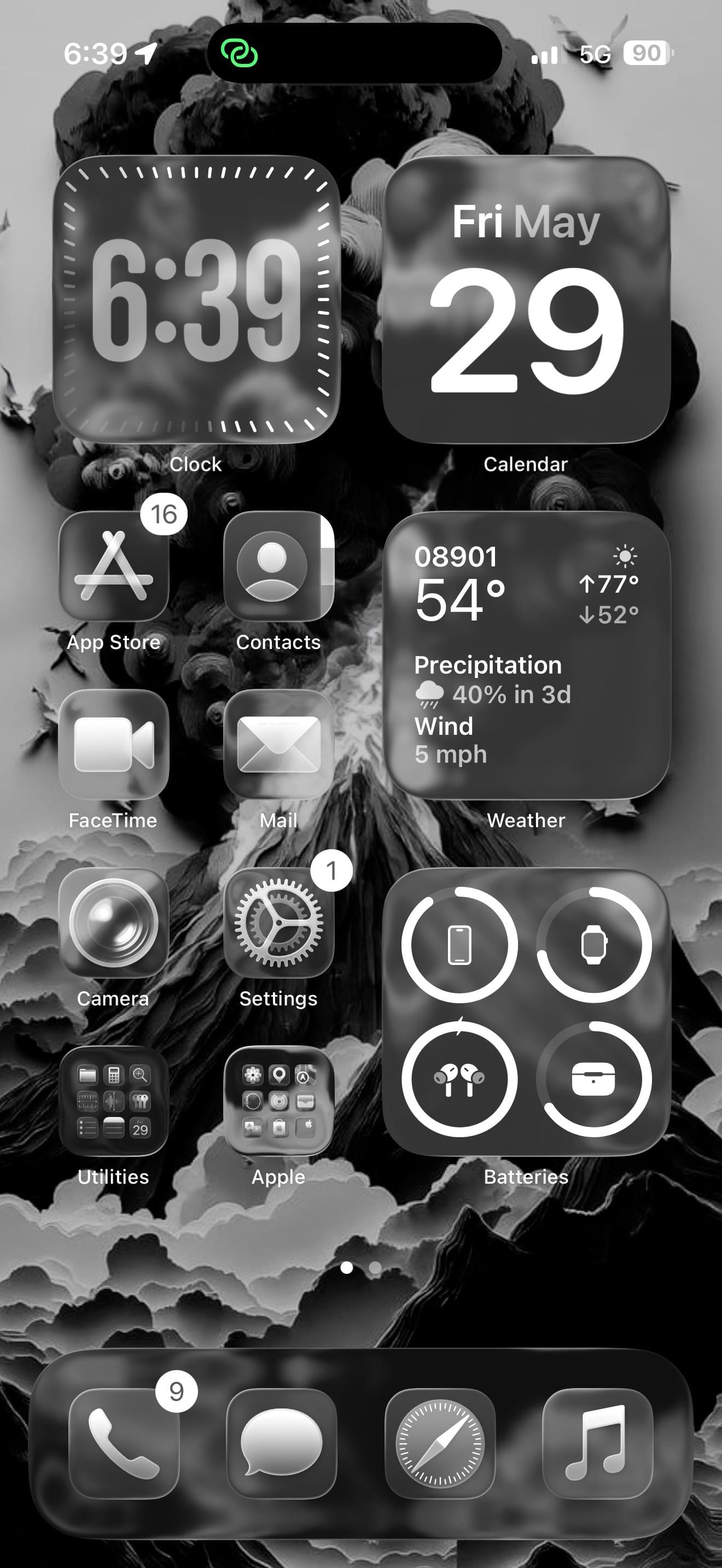
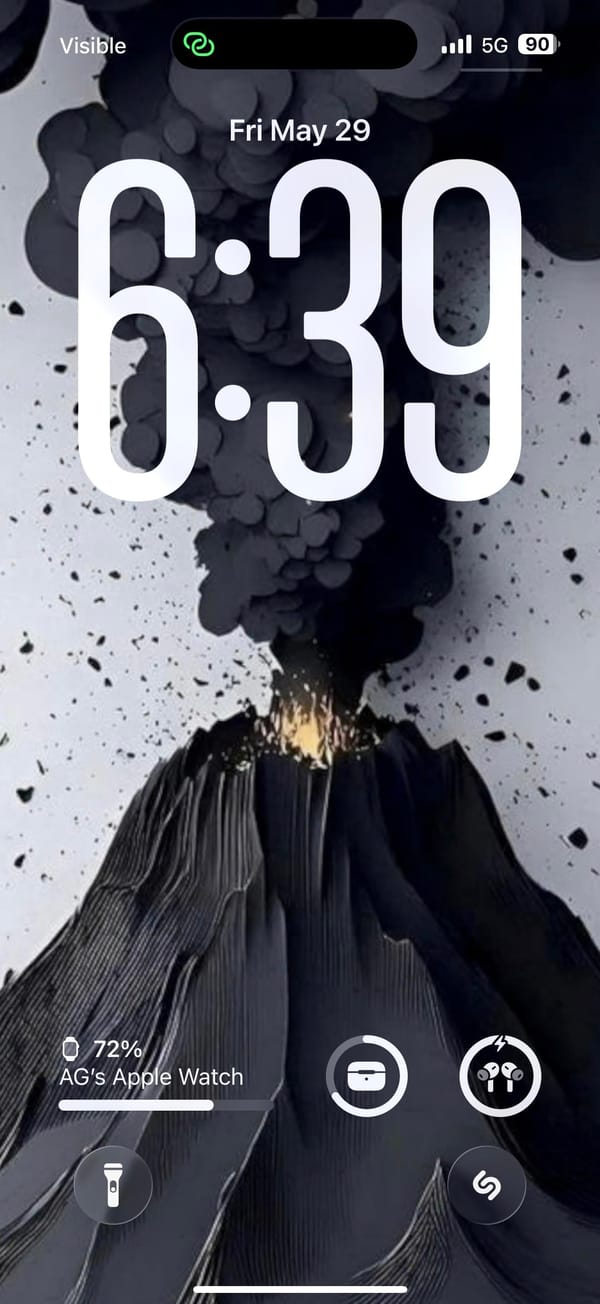
A dark-mode iPhoner, lock screen to home screen, with a volcanic eruption as the wallpaper. The lock screen shows the eruption in full: a dark volcano with an orange-yellow glow at the base and a dense plume of ash-black smoke filling the top half of the image. On the home screen, the same image renders almost entirely in monochrome.
The home screen runs two medium widgets at the top (Clock and Calendar) and fills the right column further down with a detailed Weather widget and a Batteries widget tracking the iPhone, Apple Watch, AirPods, and their case. The left column carries four app icons in two rows. Every icon renders as a dark grey square; there's no color left in the layout once the wallpaper's glow is behind glass.
App Store, Contacts, FaceTime, Mail, Camera, and Settings line the left column. Two folders (Utilities and Apple) sit at the bottom. Shazam sits on the lock screen as a quick-launch shortcut, a tap from whatever's currently playing. The dock holds Phone, Messages, Safari, and Music.
Worth copying for iPhoners who want a dramatic wallpaper to do all the visual work while the layout stays functional and predictable.
Dark monochrome setup with a volcanic lock screen
A dark-mode iPhoner setup built around a volcanic wallpaper, with Apple Watch, AirPods, and Shazam all accessible from the lock screen.
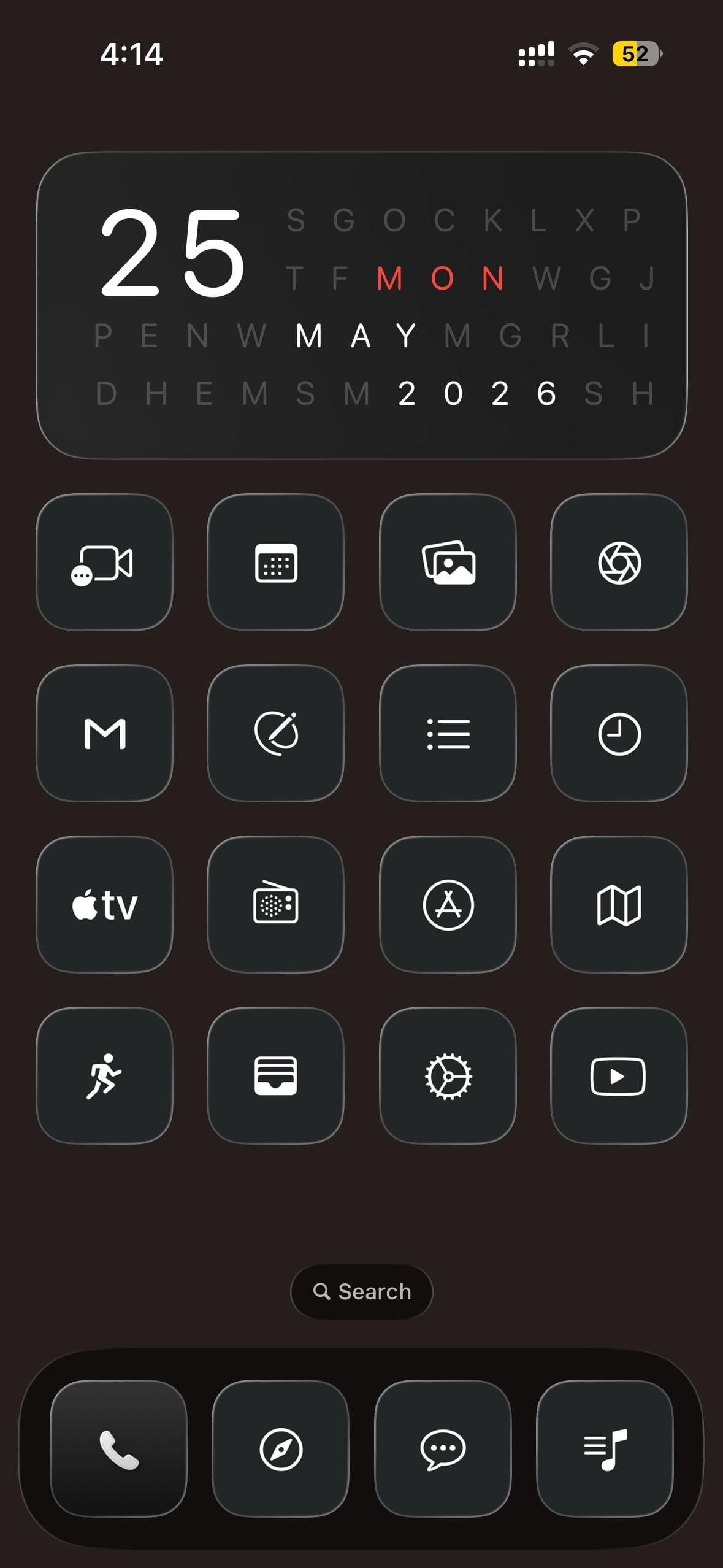
A dark-mode iPhoner home screen built around a cryptic date widget. The widget fills the top half of the screen as a letter-search grid, with the day, month, and year hidden in rows of random letters and highlighted in white and red.
Sixteen custom icons fill a 4x4 grid below, every one greyscale: a dark square with a thin white outline icon inside. FaceTime, a calendar grid, photo gallery, and an aperture icon open the first row; Gmail, a circle-strike, a list, and a clock fill the second; Apple TV, a radio dial, App Store, and Maps make up the third; a running figure, card wallet, settings gear, and YouTube close the bottom. No color anywhere in the layout.
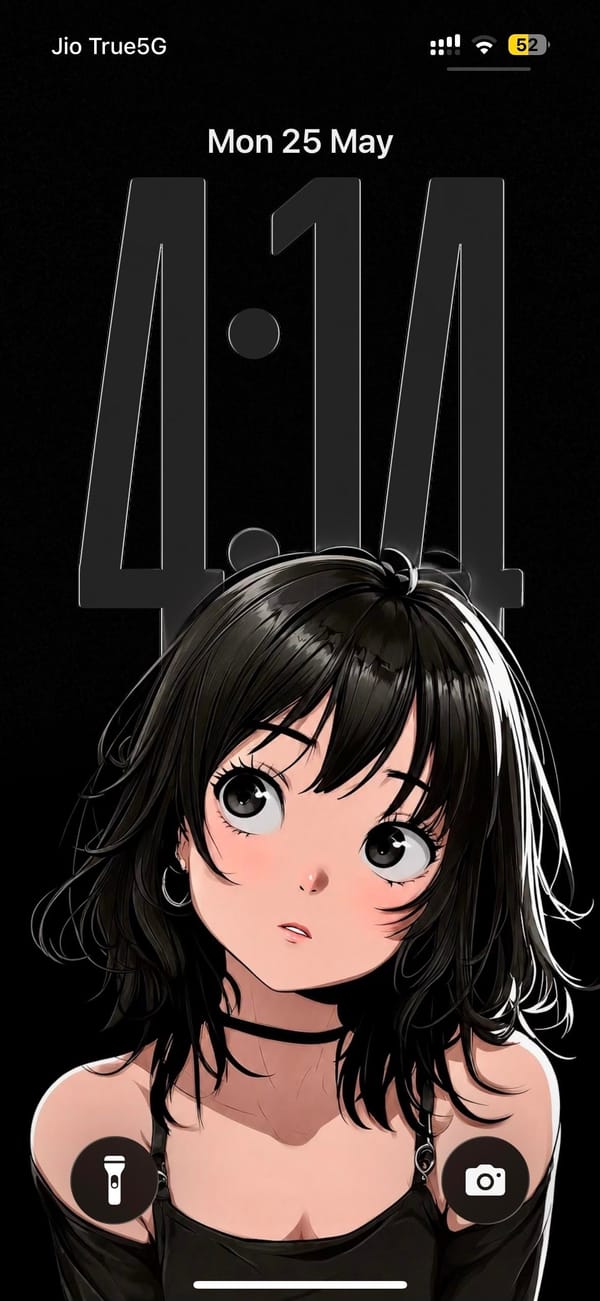
The lock screen sits on the opposite end of the mood. The wallpaper is a manga-style illustration of a dark-haired girl looking upward, rendered in high-contrast black, white, and soft pink on a pure black background. The oversized clock numerals hover as a near-transparent overlay across her face. The dock holds Phone, a navigation app, a messaging app, and a music notes app, all in the same greyscale treatment.
Worth copying for iPhoners who want to run a high-contrast anime aesthetic all the way through, lock screen and icons both.
Dark monochrome icon set and an anime lock screen
A dark-mode iPhoner with a letter-search date widget, a 4x4 monochrome icon grid, and a manga-style anime girl on the lock screen.
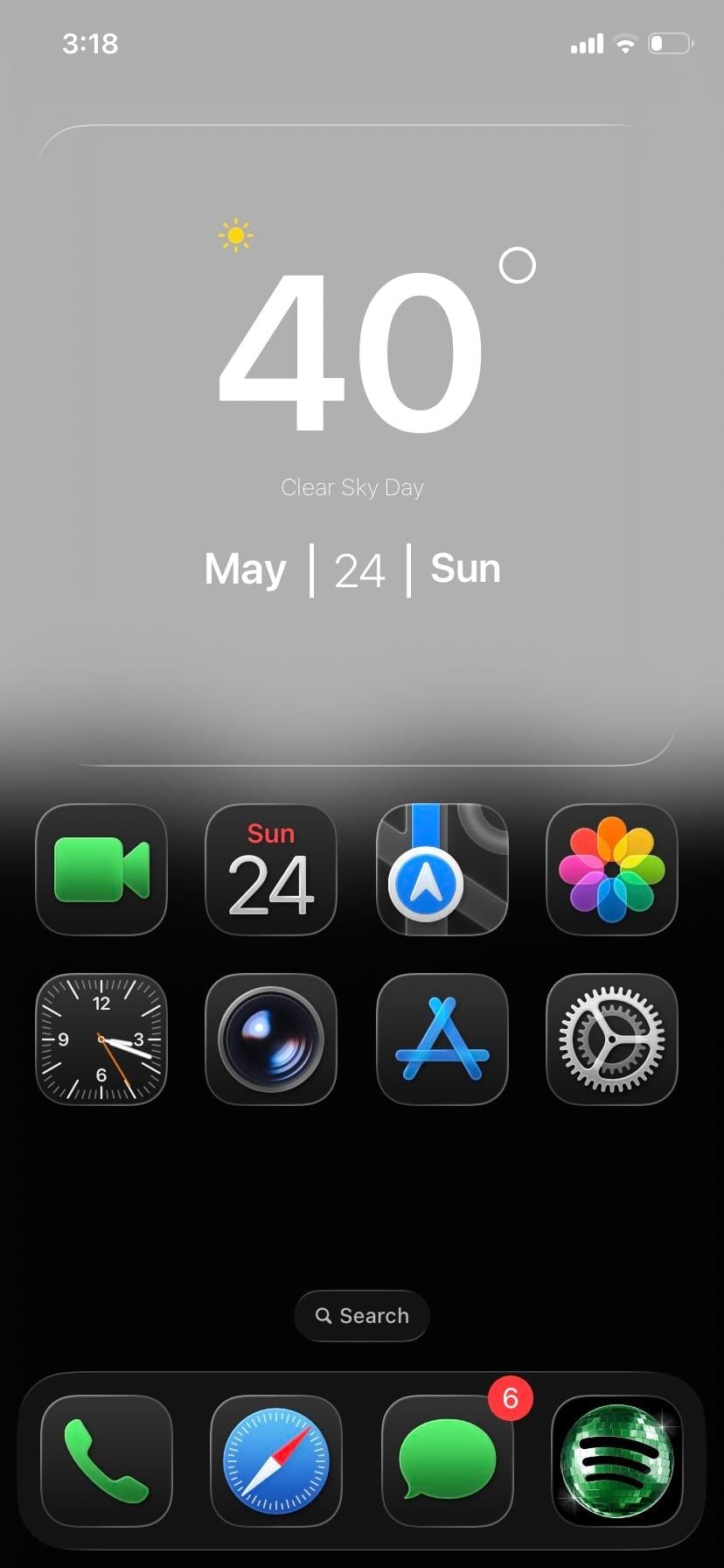
A minimal iPhoner home screen. The wallpaper fades from pure white at the top into pure black at the bottom, with a layer of soft dark mountain silhouettes floating just below the midpoint.
One full-width glass weather widget spans the top, sitting against the white sky portion of the wallpaper. Below it, eight stock icons sit in two rows of four: FaceTime, Calendar, Maps, and Photos in the first; Clock, Camera, App Store, and Settings in the second. The bottom half of the screen is empty.
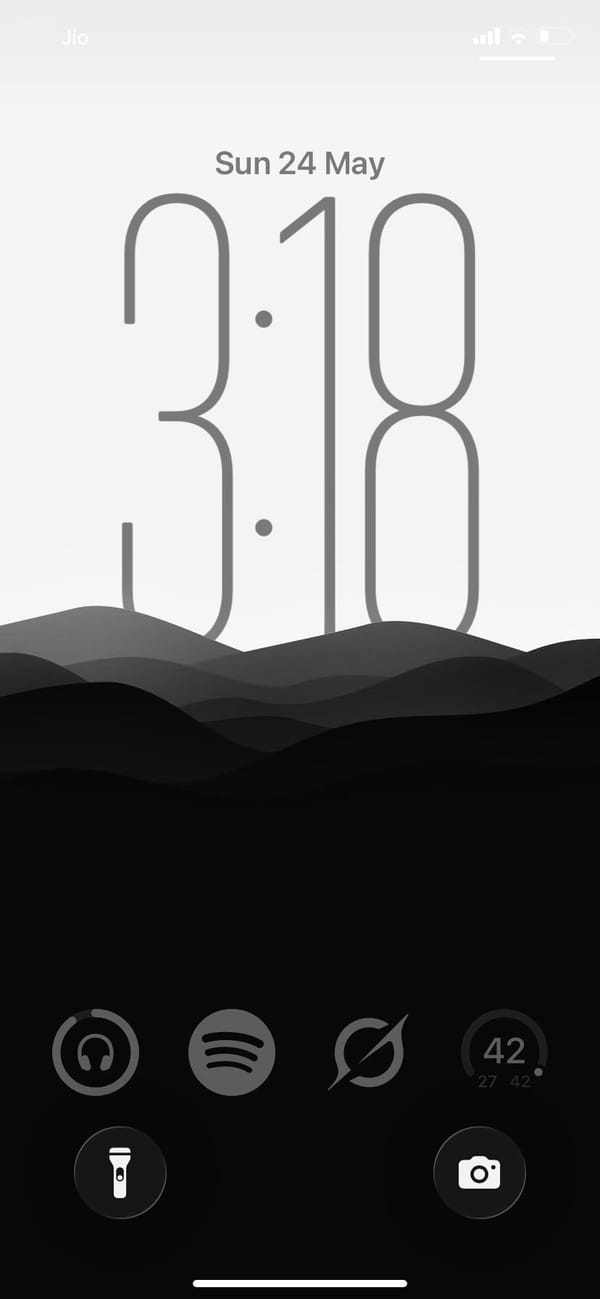
The dock holds Phone, Safari, Messages, and Spotify. That fourth slot has a custom dark-square Spotify icon, the only third-party app in the visible layout. The lock screen uses the same gradient: same mountain silhouette, same white-to-black fade, and a clock rendered in thin hairline numerals that nearly dissolve into the grey. Everything from the widget card to the dock to the lock screen sits inside the same grey-to-black range.
Worth copying for iPhoners who want the fewest possible moving parts and no color anywhere.
Greyscale setup, mountain lock screen, eight apps
A minimal iPhoner on greyscale only: eight stock apps, a glass weather widget, and a mountain silhouette that fades from white to black.
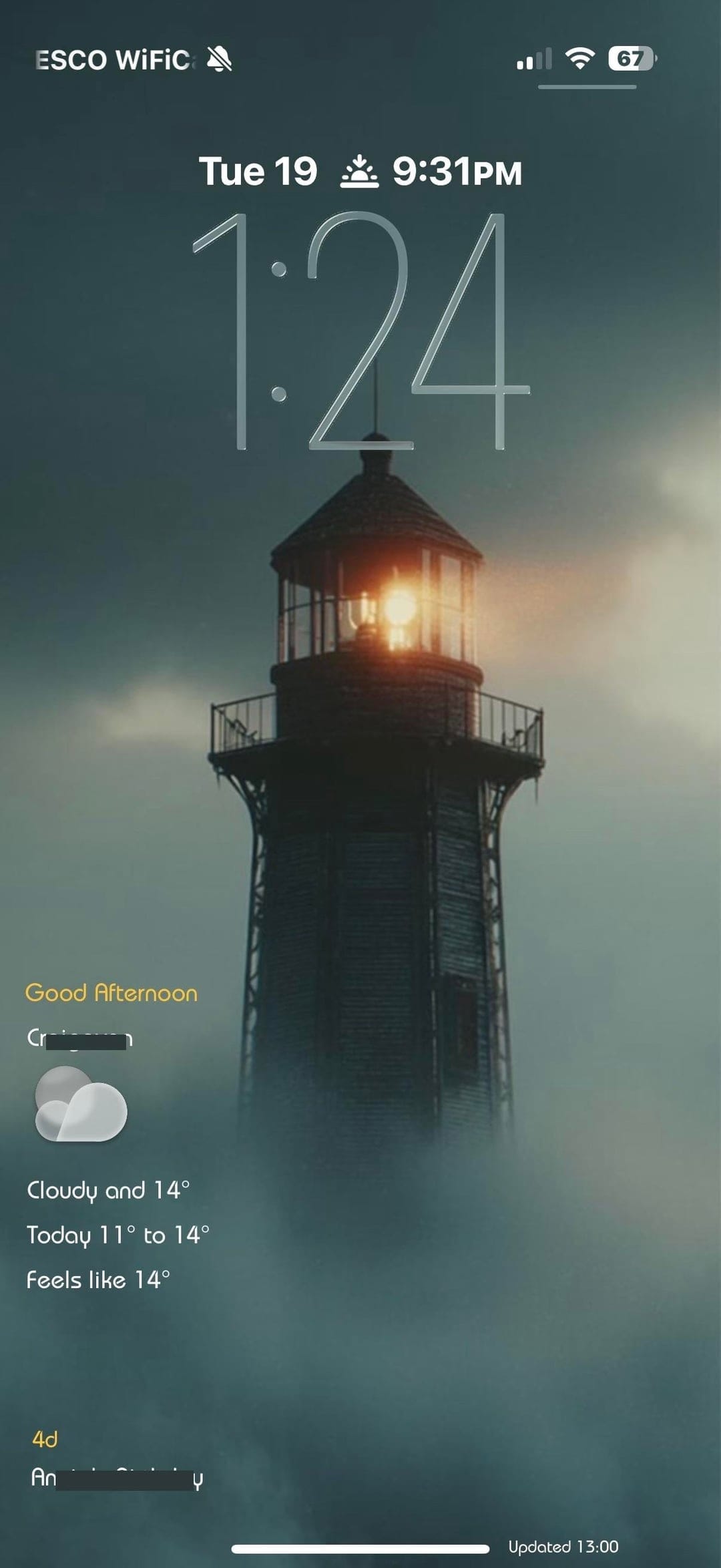
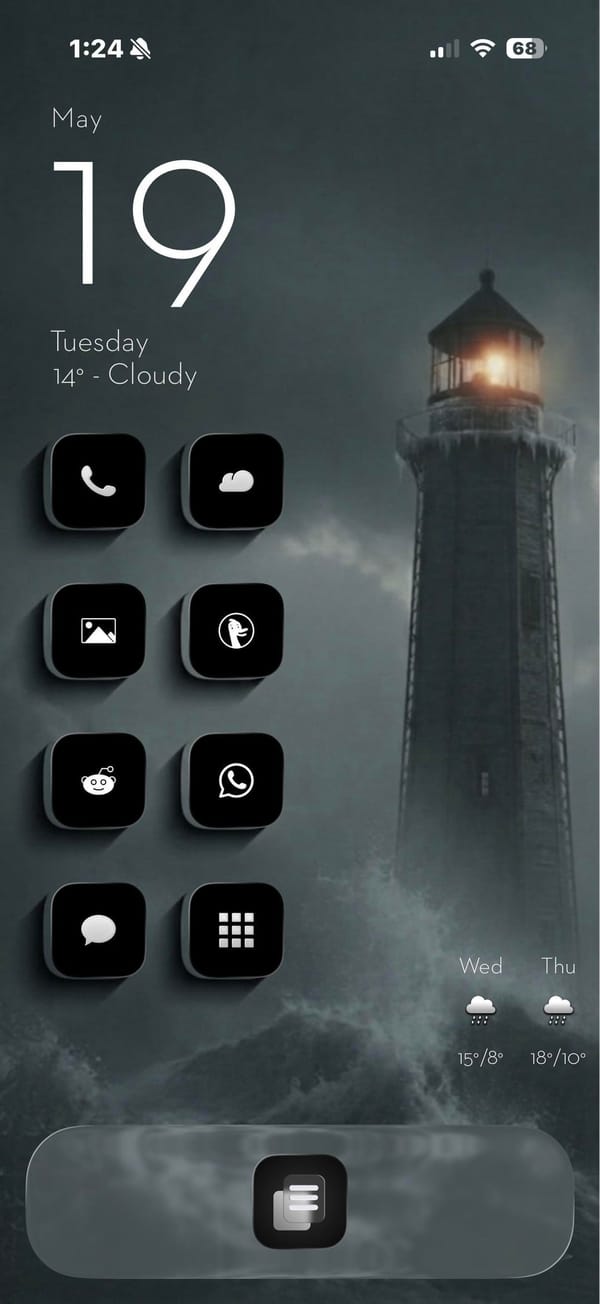
A minimal iPhoner home screen built around a stormy lighthouse photograph. The wallpaper is a moody teal-grey scene: a tall lighthouse at the edge of rocky surf, lit from within against a foggy overcast sky.
Eight black square icons run in a left-column grid, each with a minimal white line icon inside: Phone, a weather app, Photos, DuckDuckGo, Reddit, WhatsApp, Messages, and a grid-view app. The right side of the home screen is left open, giving the lighthouse room to stand in the frame. The single dock app is a list icon centered at the bottom.
A date and weather widget anchors the top left, rendered in plain white text directly on the wallpaper with no background card. That left column continues straight down with the icons below it. The lock screen uses the same lighthouse image with a glass weather widget at the bottom left, showing the current conditions and a two-day forecast. A sunset-time complication sits in the row above that.
Worth copying for iPhoners who want a dramatic landscape photograph to carry the visual weight while the icons stay out of the way.
A stormy lighthouse wallpaper and a minimal black icon set
A minimal iPhoner with eight black line-icon apps, a stormy lighthouse wallpaper on both screens, and a detailed weather widget on the lock screen.
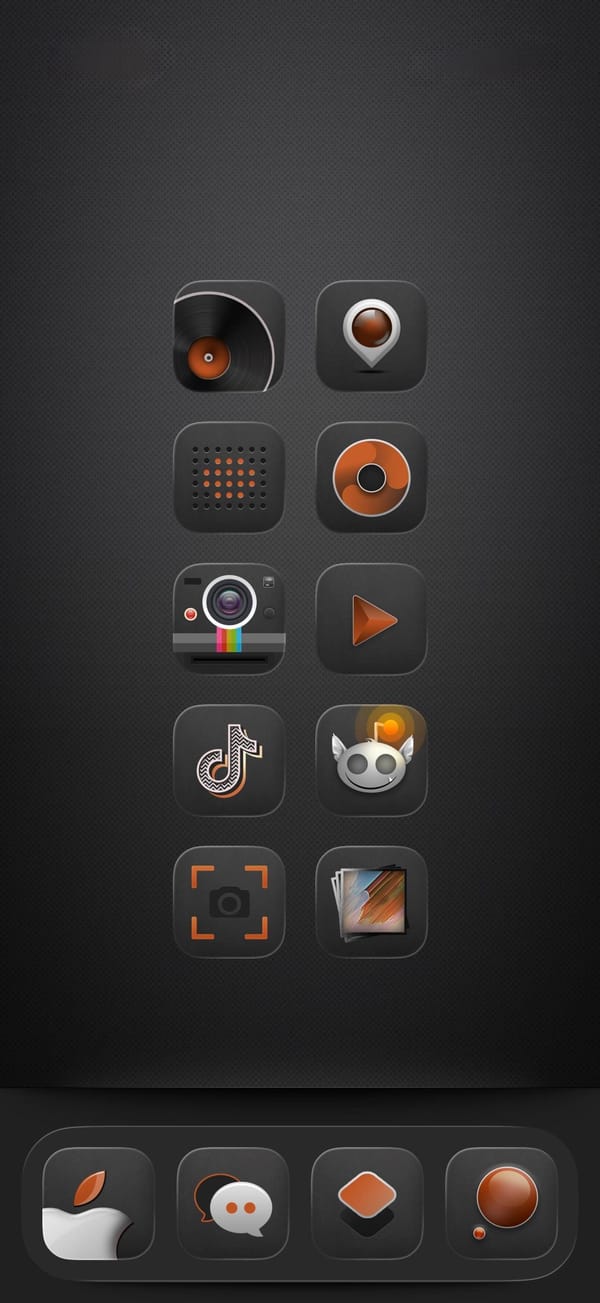
A dark-mode iPhoner home screen on a near-black carbon-fiber texture, designed entirely around a custom audio-equipment icon pack. Every icon wears the same amber-and-black treatment: a vinyl record, a speaker, a Polaroid camera, a music disc, a play button, and several more all in the same two-color vocabulary.
The layout runs ten icons in two columns of five with no widgets and no folders, leaving nothing between the user and the icon set. The dock has just four custom icons, none of them immediately identifiable without the label. Every default icon has been replaced.
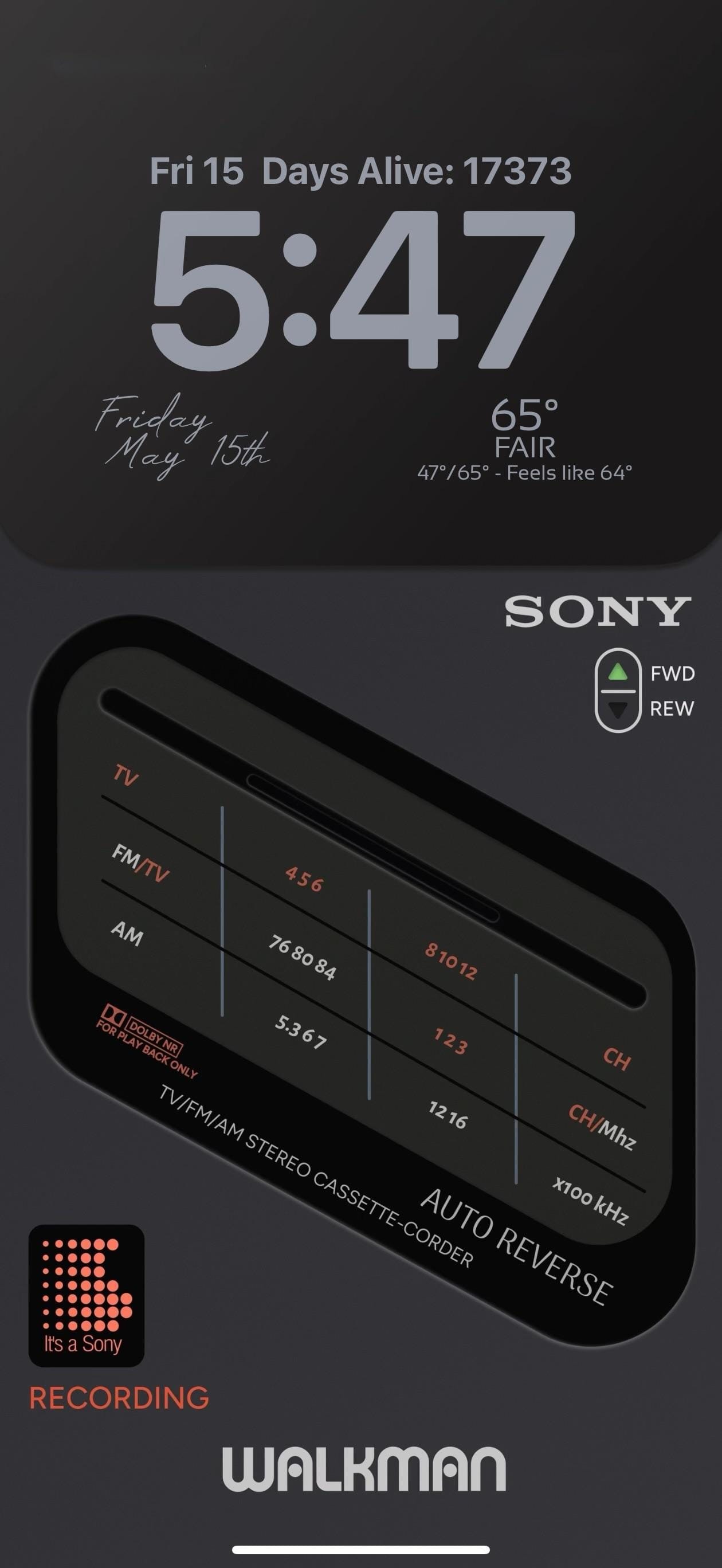
The lock screen is the showpiece. A full-screen photorealistic image of a Sony TV/FM/AM Stereo Cassette-Corder fills the screen: detailed tuner frequency scales, a Dolby NR label, an AUTO REVERSE badge, and a FWD/REW selector. "WALKMAN" runs in bold white letters at the very bottom. A small "It's a Sony" dot-matrix pixel widget in orange-red and the word "RECORDING" in matching text sit at the lower left.
Worth copying for iPhoners who want the retro audio aesthetic to run from every icon all the way to the lock screen.
Dark amber icon pack and a Sony Walkman lock screen
A dark-mode iPhoner setup with a custom audio-equipment icon pack in amber and black, and a photorealistic Sony Walkman cassette player on the lock screen.