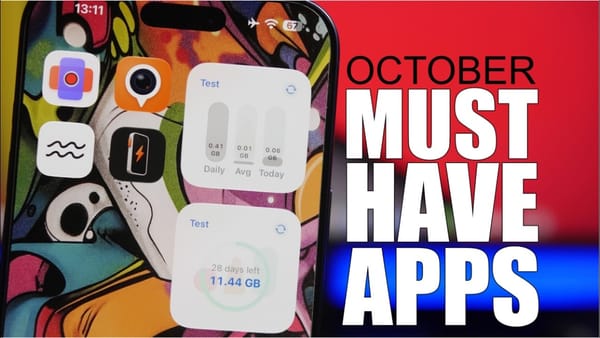
"The wallpaper here does most of the job," iReviews says of one of its five iOS 27 Home Screen setups. Three of them work that way. The other two hang on a single widget in the extra-large size that iOS 27 brings to the iPhone Home Screen, by the video's account.
The five setups
- Dark band starts from a colorful wallpaper with a black strip where the icons sit, zoomed until the strip fits the row. Dark or clear icons suit it, by iReviews' account, and light ones clash; the extra tint that darkens the wallpaper comes off.
- Clear Liquid Glass sets large, clear icons over a busy, colorful wallpaper, with Liquid Glass fully transparent and borders on. Finding apps gets harder, the video admits.
- Two-tone tint needs a wallpaper with two main colors, and large tinted icons matched to one of them.
- Widgy dashboard is one extra-large Widgy widget holding the date and calendar events next to app links that open on tap. Widgy's Explore tab can filter designs to that size, and r/widgy has more.
- Dumb phone swaps icons for one widget that lists app names as plain text under the date and time, with the dock emptied and a dark wallpaper behind. The launcher app goes unnamed in the narration and the description, and the point, as iReviews pitches it, is less time on the phone.
On its own phone, iReviews keeps Liquid Glass at the most transparent setting.
Liquid Glass actually makes a big difference, especially when you pair it with a colorful wallpaper.
The controls behind all five sit in a few places.
- Clear and Tinted are icon styles in the Home Screen's Customize menu. iReviews uses the large size with both.
- Manual tint takes over when Tinted picks the wrong color: drag the color slider in the same menu until it matches the wallpaper.
- Liquid Glass has its own slider in Settings, under Appearance.
- Show Borders outlines every interface element, icons and dock included. Its button goes in Control Center, or the switch sits in the appearance settings.
Of the five, the dark band is the one I'd copy first, and any iPhoner on iOS 27 can build it from a wallpaper and the Customize menu. Its icons also stay readable, which the video concedes the clear setup can't promise.