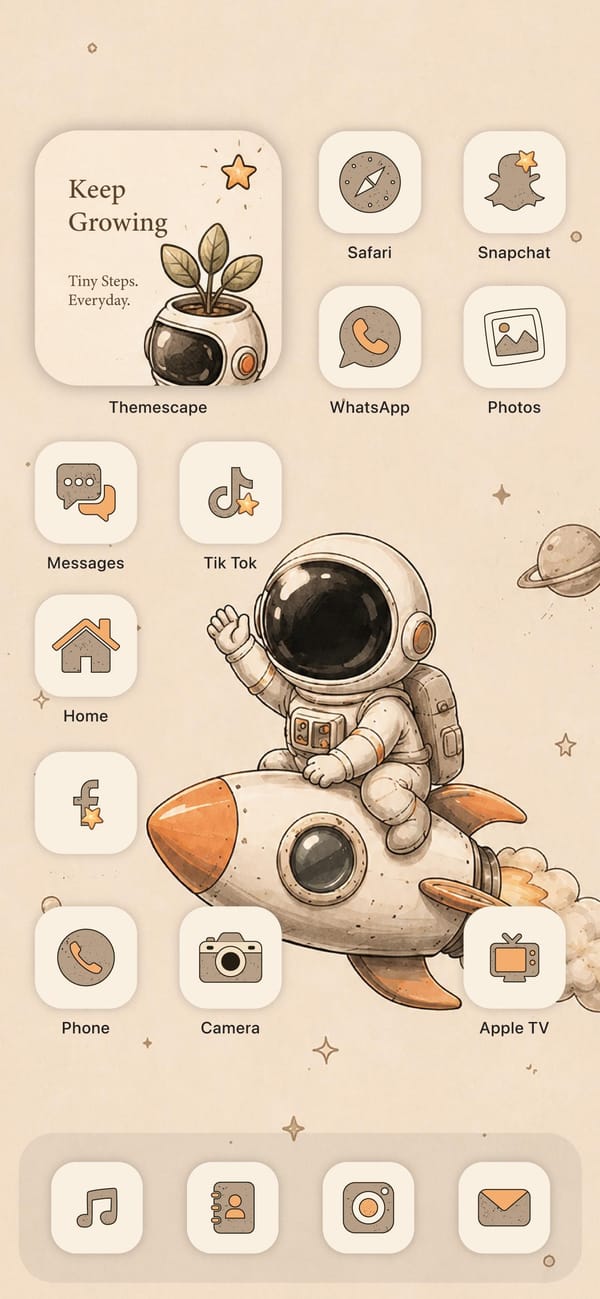
Every app on this screen has been redrawn by hand. It's the cozy end of iPhone theming, a warm beige setup for an aesthetic-first iPhoner, led by a cartoon astronaut waving from the back of a rocket.
The whole look comes from one icon pack, Themescape, which restyles every app in the same soft cream-and-tan look with orange accents. The wallpaper is a watercolor astronaut riding a rocket, stars and a little Saturn scattered across a beige sky, and the off-white icon tiles blend right into it. A widget up top reads Keep Growing, a plant sprouting from an astronaut helmet, so even the motivational card stays on theme.
Even the utilities get the treatment. Safari's compass, the Snapchat ghost, the WhatsApp phone, TikTok's note, and a little house for Home are all drawn in the same tan line art, and the dock swaps in matching Music, Contacts, Instagram, and Mail tiles. Nothing here is stock. It's a full re-skin, the kind that takes an afternoon in a theming app and some patience with the Shortcuts redirect custom icons still need.
There's a cost to all this charm: the soft contrast and word labels make apps slower to spot, so it fits an aesthetic-first iPhoner who puts mood ahead of quick access. What you get back is a phone that feels calm and handmade, a storybook you happen to text from.
A beige astronaut theme drawn entirely by hand
The Themescape icon pack restyles every app in soft cream and tan, wrapped around a watercolor astronaut wallpaper for an aesthetic-first iPhoner.
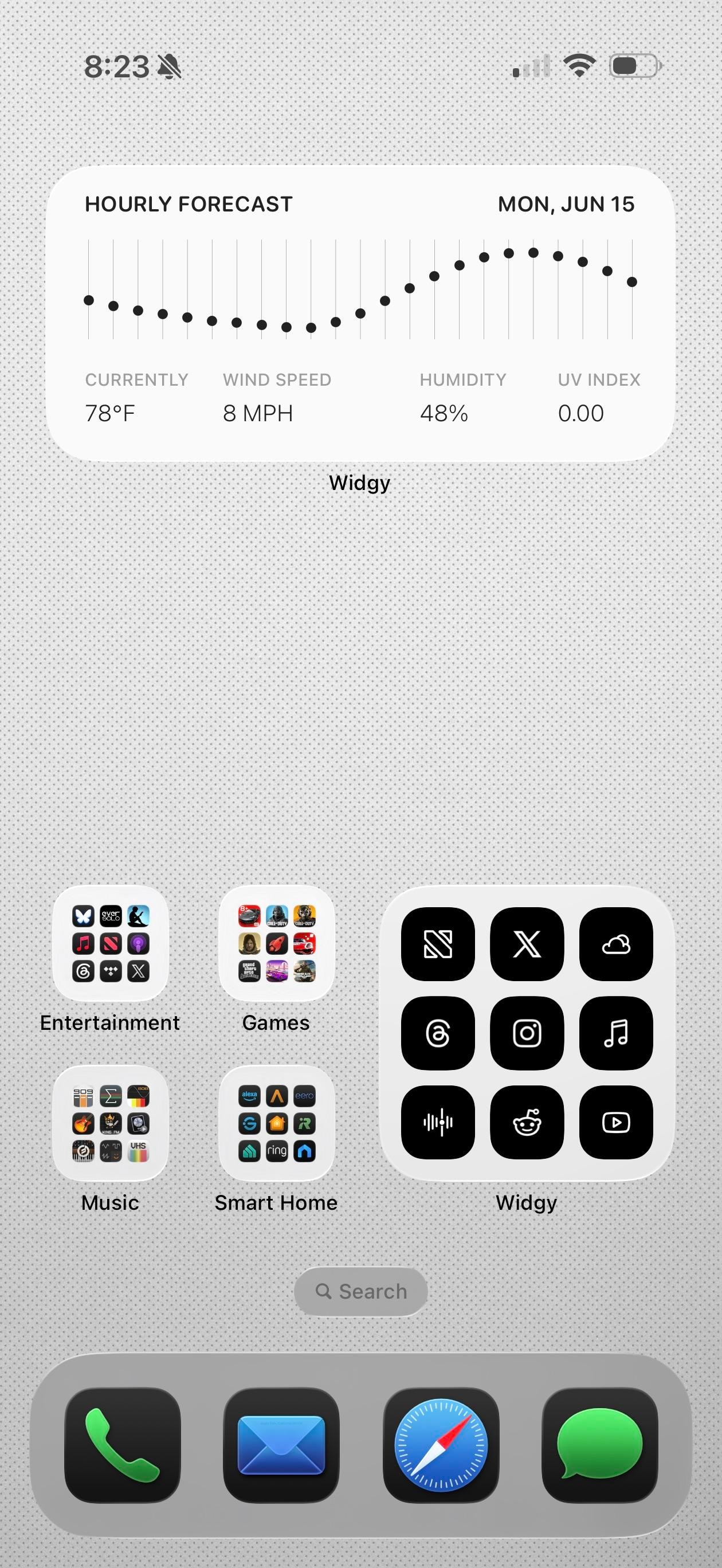
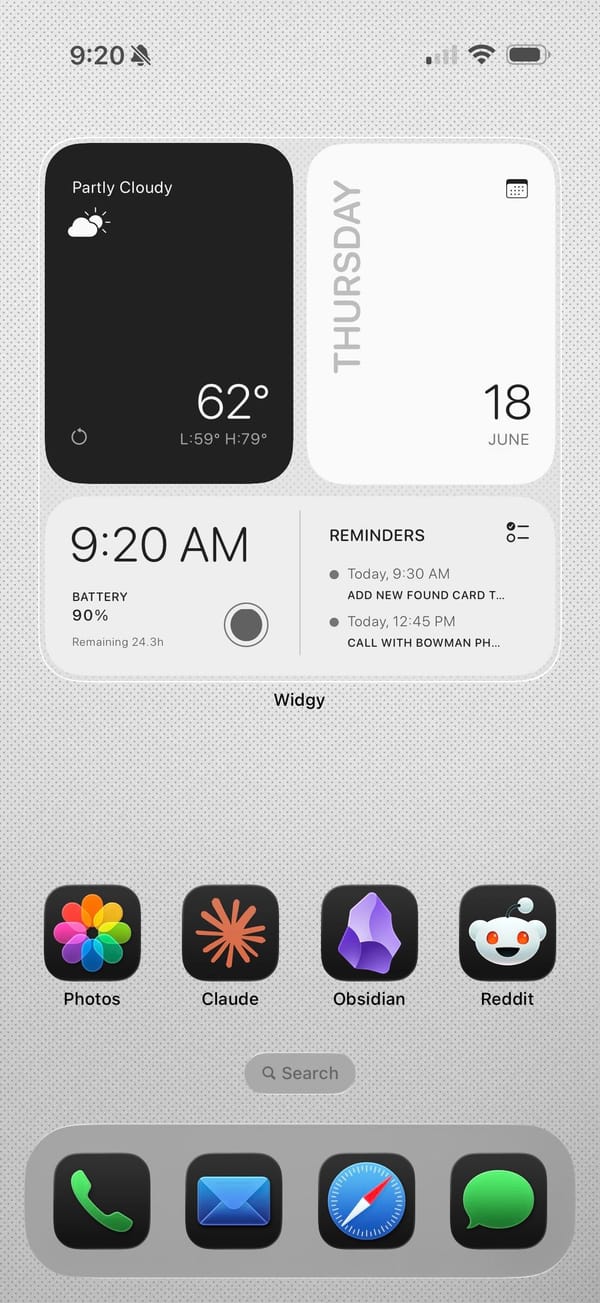
Claude, Obsidian, and Reddit in the app row tell you the story. This is a productivity iPhoner's setup, a clean light-gray canvas built on Widgy widgets and a notes-first workflow.
The background is a pale dotted grid, almost graph paper, which keeps the whole thing feeling like a workspace. Widgy runs the top of both pages: an hourly forecast graph on one, and a weather block, a big Thursday calendar, and a time-and-battery panel with the next reminders on the other. The widgets are black on white and information-first, no decoration, so the data is the design.
The apps split between color and grayscale. Folders for Games, Music, Entertainment, and Smart Home keep their real icons in full grids, while a separate Widgy folder holds black glyph versions of X, Threads, Instagram, and NetNewsWire for the apps checked most. Down in the row, Photos, Claude, Obsidian, and Reddit stay in full color, and the dock stays stock with Phone, Mail, Safari, and Messages. It's a power user's compromise, pretty widgets up top and fast icons where speed matters.
Worth copying if you live in a notes app and want the home screen to read like a control panel, not a photo gallery. The Widgy widgets don't build themselves, but once they're set they show the whole day at a glance.
A light Widgy dashboard for Obsidian and Claude
A productivity iPhoner keeps Obsidian, Claude, and Reddit one tap away, under Widgy widgets that turn a plain gray grid into a control panel.
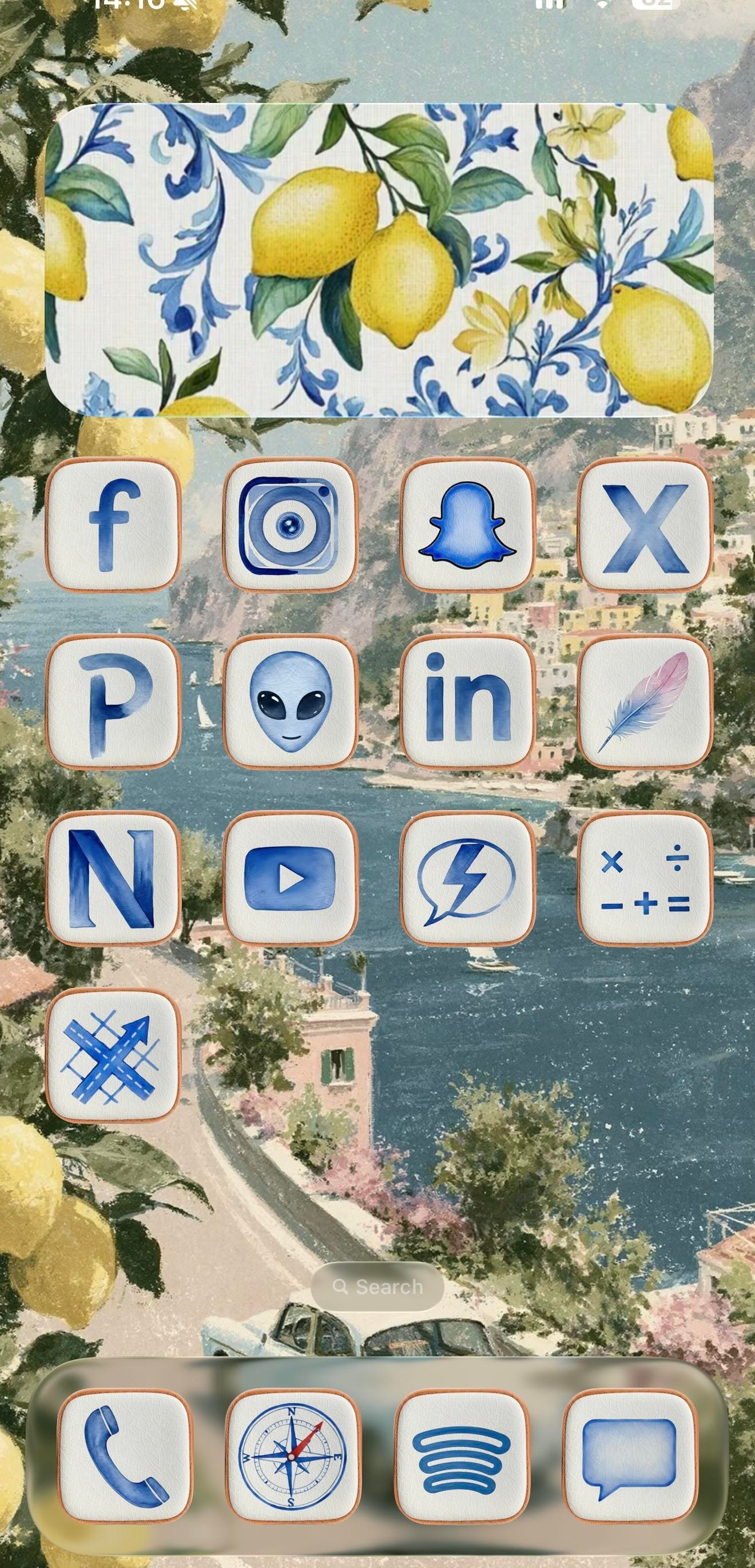
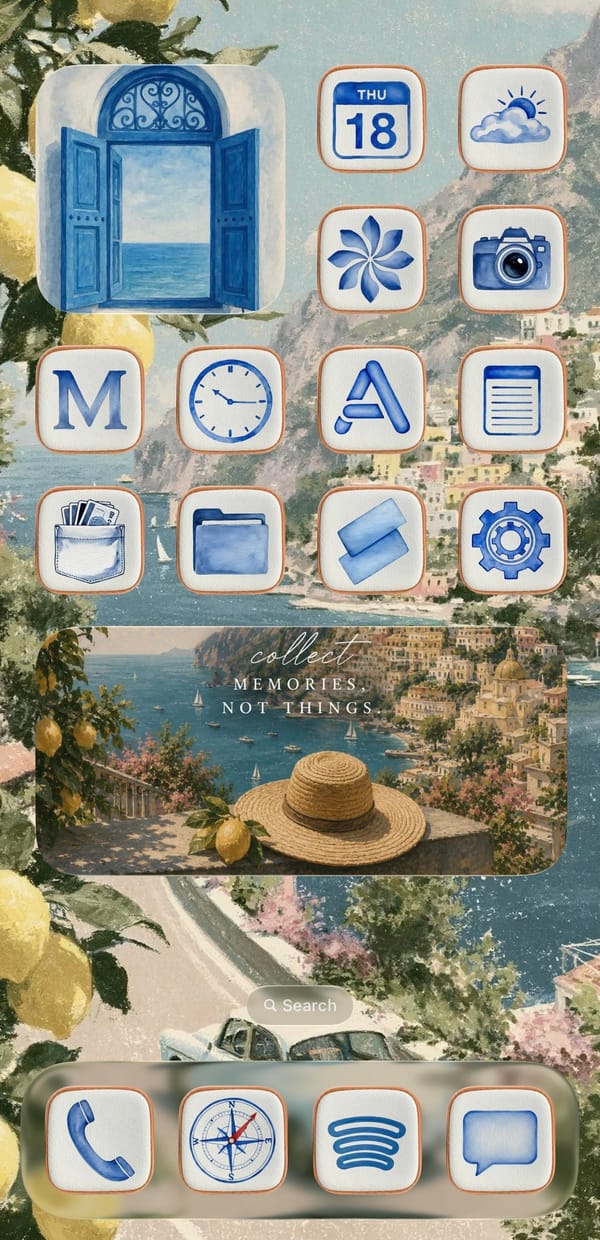
This is a setup for the iPhoner who'd rather be on the Amalfi Coast. Every surface leans into one watercolor Italian summer, from a painted Positano coastline to the lemons spilling in at the edges and the blue-and-white Sicilian tilework on the widgets.
The wallpaper is the anchor, a soft coastal painting of cliffside town, blue water, and a winding road that carries unbroken across both home pages. On top of it sit cream icon tiles with thin terracotta borders, each holding a blue watercolor glyph in place of the stock art. Decorative widgets do the rest of the mood work: a lemon-and-tile panel on page one, an open blue shutter window on page two, and a wide 'collect memories, not things' travel card over a straw-hat-and-lemon scene. It reads as a cohesive theme rather than a wallpaper with icons dropped on top.
Under the theme, the app lineup tells a more online story than the aesthetic lets on. Page one is almost entirely social: Facebook, Instagram, Snapchat, X, LinkedIn, YouTube, and a Pinterest P, alongside a few I can't name with confidence, a grey alien face, a lone feather, an N-monogram tile. Page two turns practical, with Calendar, Weather, Clock, Notes, Wallet, Files, and Settings under the same watercolor treatment. The dock holds four anchors across both pages: Phone, the stock Compass, Spotify's curves, and Messages.
Worth copying if you're an aesthetic-first iPhoner who wants a vacation on the Lock Screen without installing a single new app. The trick is consistency, one painted scene and one custom icon set repeated until the phone reads like a postcard. Pick the theme before the apps, and the rest falls in line.
An Amalfi Coast theme in watercolor blue
A traveler-at-heart iPhoner wraps a social-forward grid in blue watercolor icons, lemon tiles, and a painted Positano coast that runs across both pages.
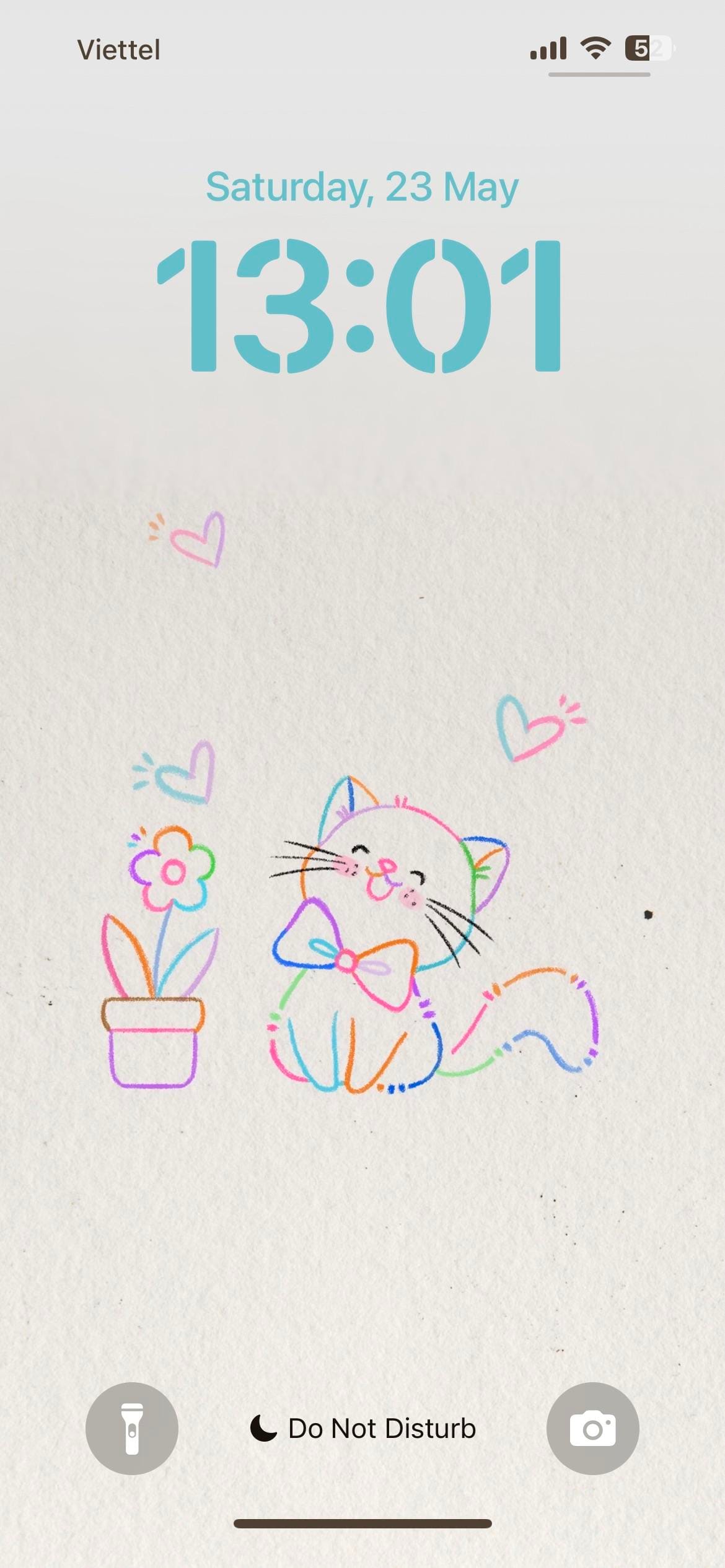
A themed iPhoner from the lock screen to the dock. The wallpaper is a light paper-texture illustration: a bow-tied cat and a potted flower in multicolor line art, surrounded by small hearts in pink, blue, and purple.
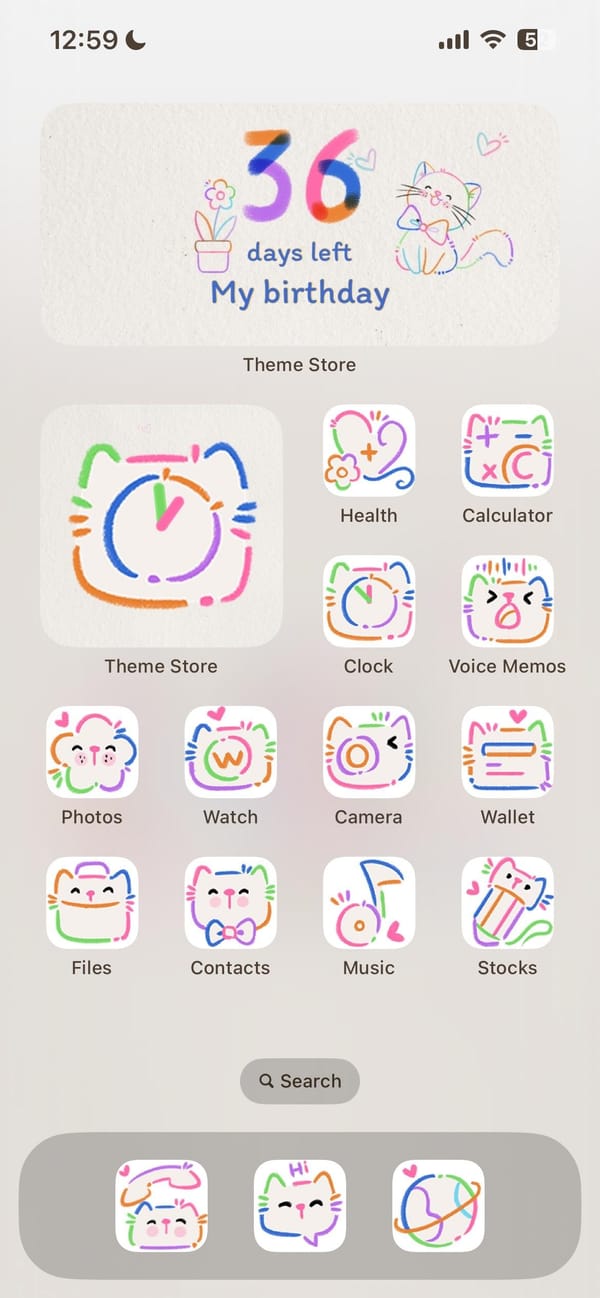
The same illustration carries from the lock screen directly into the home screen, which is one of those rare setups where both surfaces actually agree. Every system icon has been replaced with a doodle-style version: white rounded squares with hand-drawn cat faces, flowers, and abstract motifs in looping lines of orange, green, blue, pink, and purple. Nothing breaks the palette.
Theme Store sits as the oversized feature icon, which explains how this was built. Underneath it, the standard iOS set (Health, Calculator, Clock, Voice Memos, Photos, Watch, Camera, Wallet, Files, Contacts, Music, Stocks) wears the full doodle treatment. A birthday countdown widget at the top of the home screen doubles the cat-and-flower illustration as functional art. The dock holds three apps in the same hand-drawn style.
Worth copying for iPhoners who want a setup with no visual leaks, where the theme doesn't stop at the wallpaper.
Colorful cat doodles, lock screen to dock
A themed iPhoner setup where the same doodle-cat illustration runs from the lock screen through every icon to a birthday countdown widget.
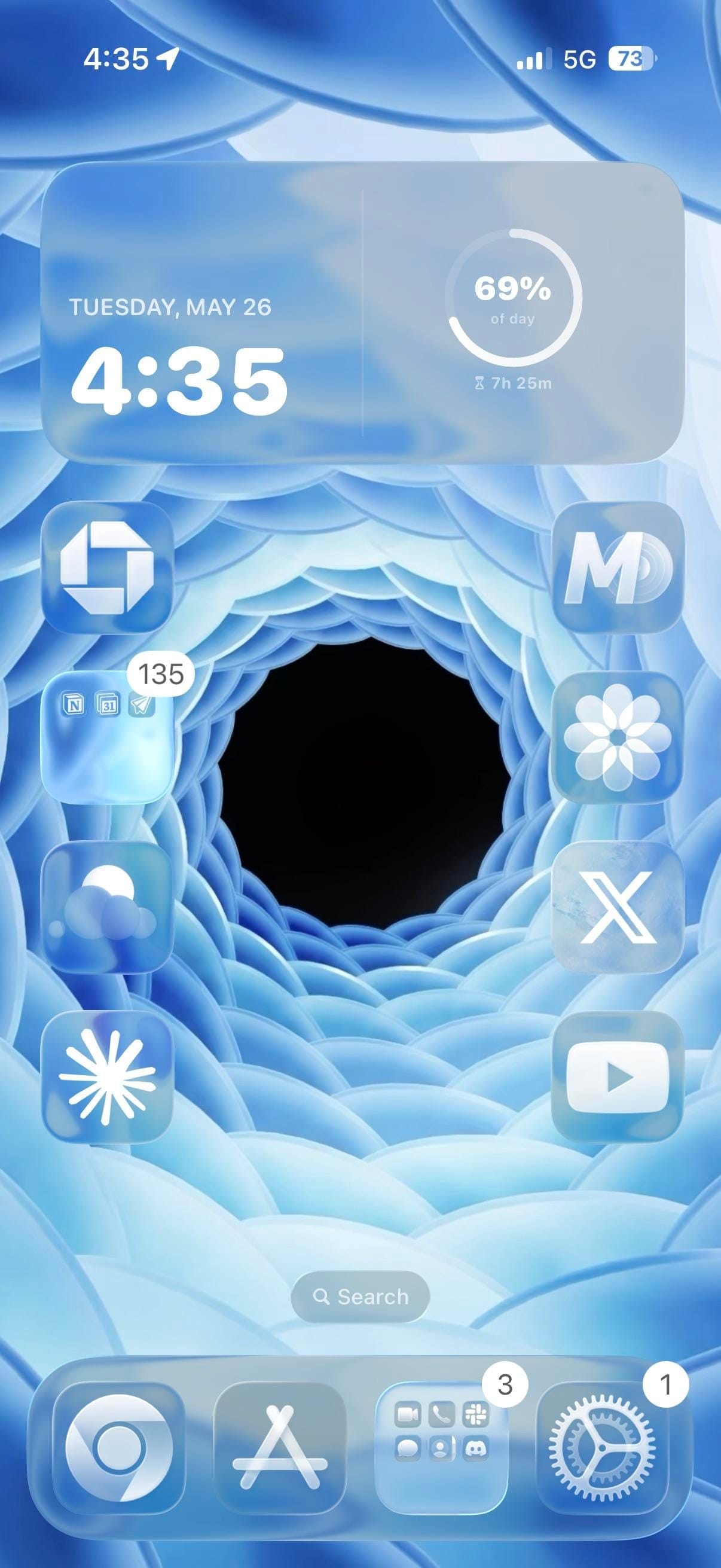
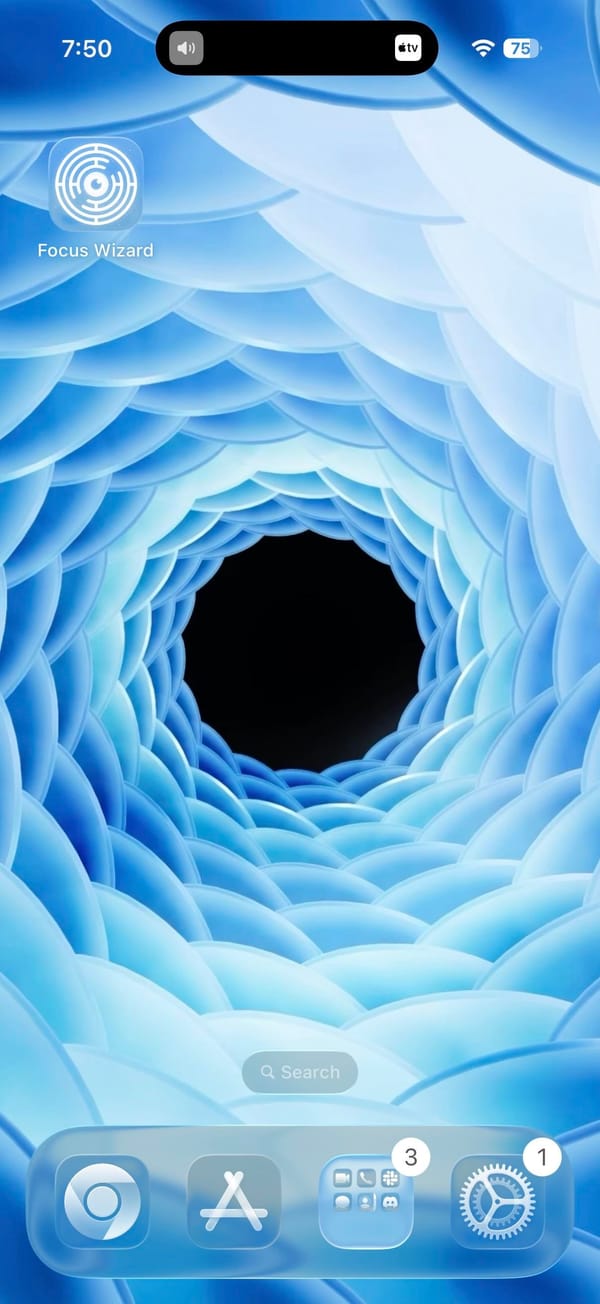
A minimal iPhoner home screen, laid out to let the wallpaper do all the work. The image is a 3D-rendered blue spiral: concentric rings of frosted petal-like shapes curving inward to a dark void at the center. Apps line the left and right edges, leaving the center of the screen open.
One extra-large widget takes the full top row. It shows date, time, and a circular progress ring tracking how far through the day you are. Below it, apps line both edges in single-file columns of four, leaving the spiral center of the wallpaper completely uncovered.
Chase and a productivity folder sit in the left column. The folder contains what looks like Notion alongside a calendar and a notes app. The right column runs MD, Craft, X, and YouTube from top to bottom, with Claude at the bottom left and Perplexity in the dock alongside App Store, a social folder, and Settings. Focus Wizard appears on a second page that leaves the vortex entirely unobstructed.
Worth copying for iPhoners who want a home screen where the wallpaper is the centerpiece, not an afterthought.
Blue vortex wallpaper, minimal layout, AI apps on both sides
A minimal iPhoner home screen where the apps frame the edges of a blue spiral vortex, with Claude and Perplexity in the main layout.
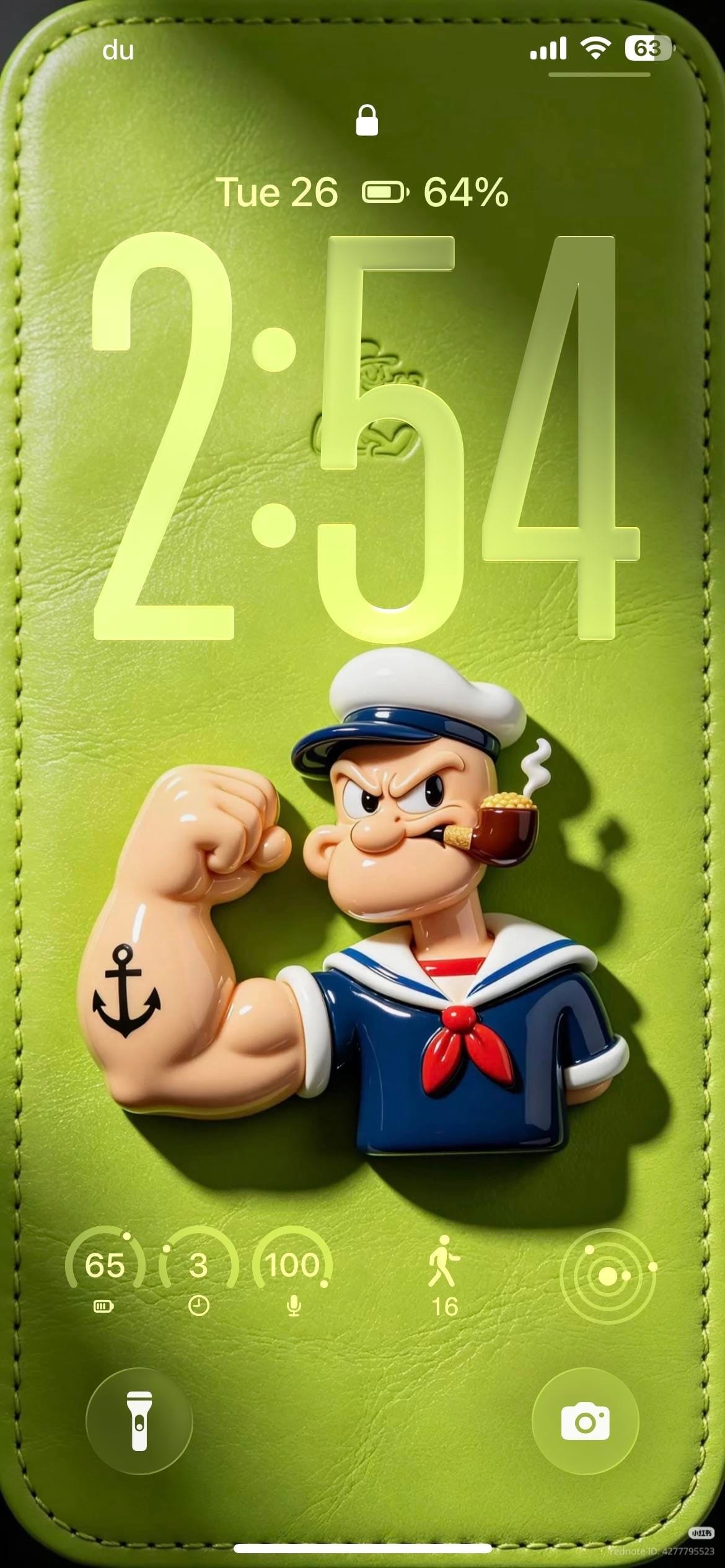
A themed iPhoner, all green and Popeye from the lock screen to the dock. The lock screen wallpaper is a photorealistic 3D render of the sailor himself: flexing his tattooed forearm on a green leather-textured surface, pipe in mouth, casting a shadow against the soft background.
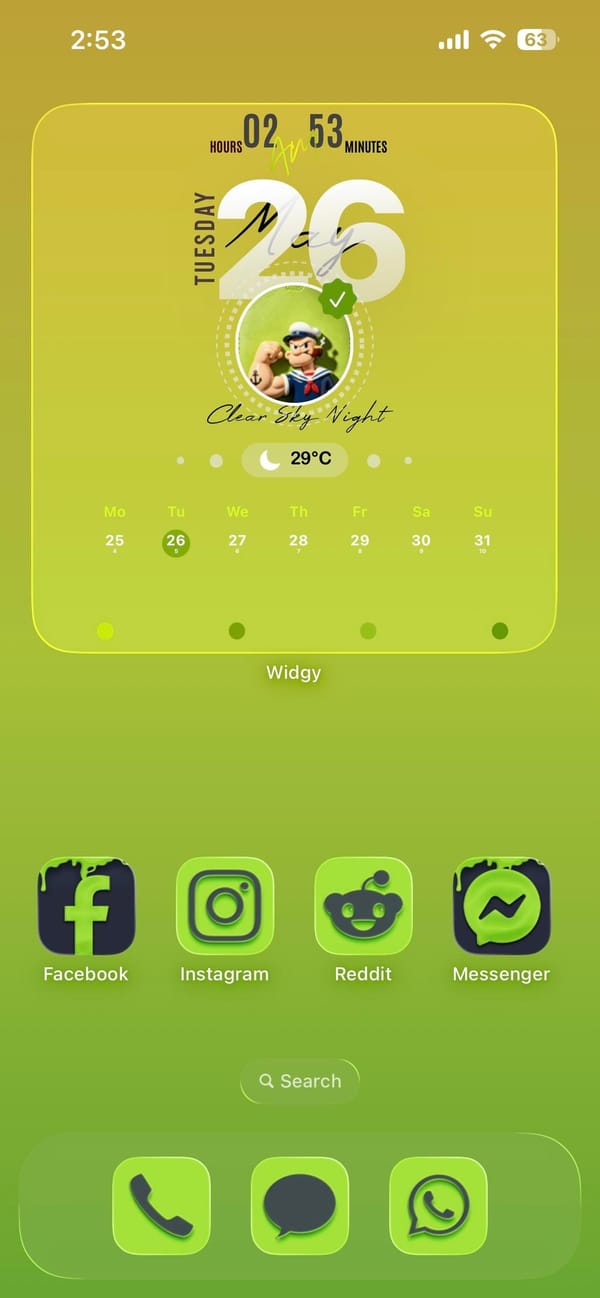
The home screen carries the character forward through Widgy. A full-width widget displays a circular Popeye portrait alongside a day-view calendar and a weather carousel, and a single row of social apps below it keeps the lower half of the screen open for the yellow-green gradient.
Facebook, Instagram, Reddit, and Messenger fill that row, all wearing custom icons in deep green with dark backgrounds matched to the wallpaper. The dock holds Phone, Messages, and WhatsApp. Every visible app has been tinted or replaced to stay within the green palette. The lock screen adds a row of circular widgets for battery, steps, and a few quick indicators, all in the same lime outline style as the leather background.
Worth copying for iPhoners who want a single character or color theme to run from the lock screen all the way into the icon set.
Popeye themed lock screen and green icon set
A themed iPhoner setup built around Popeye, with a 3D sailor figure on the lock screen, matching green custom icons, and a Widgy portrait widget.
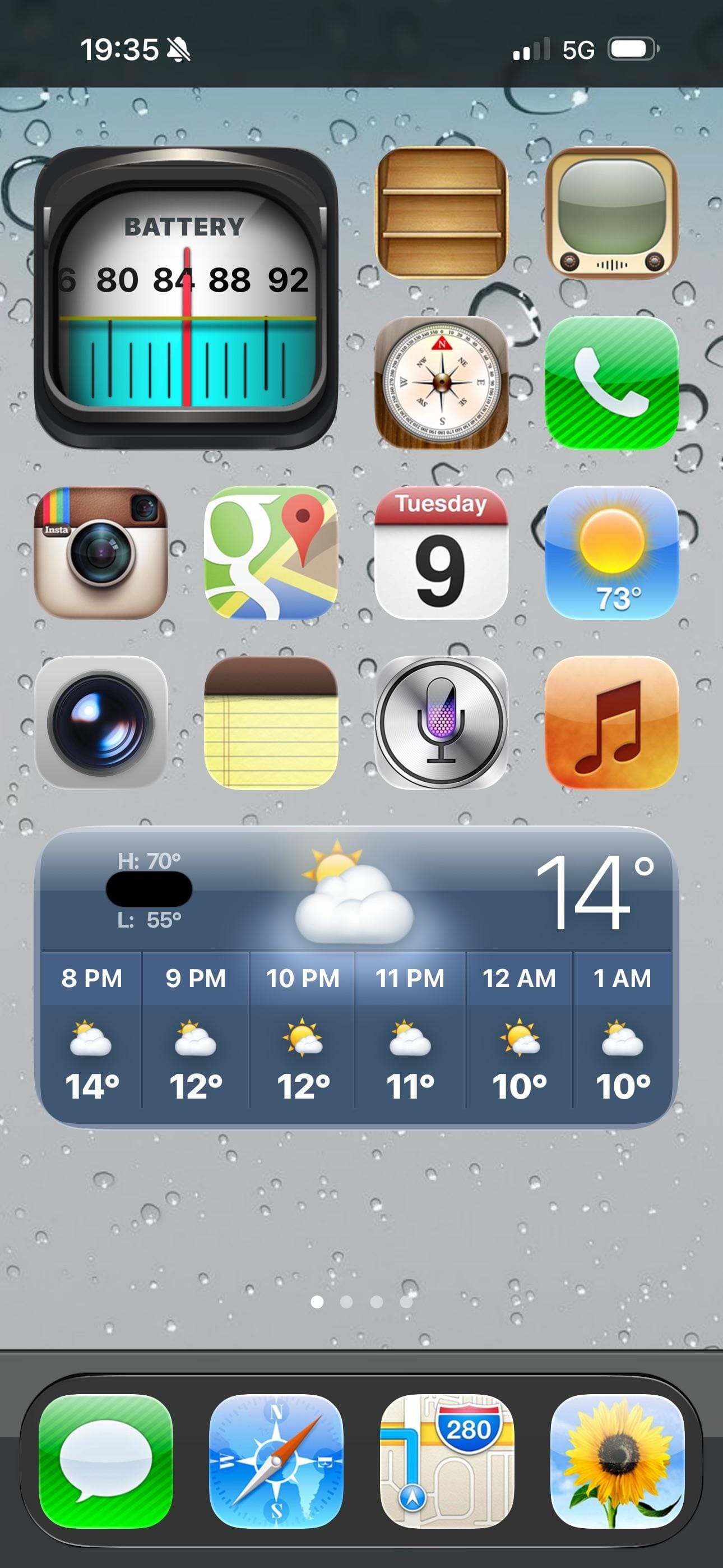
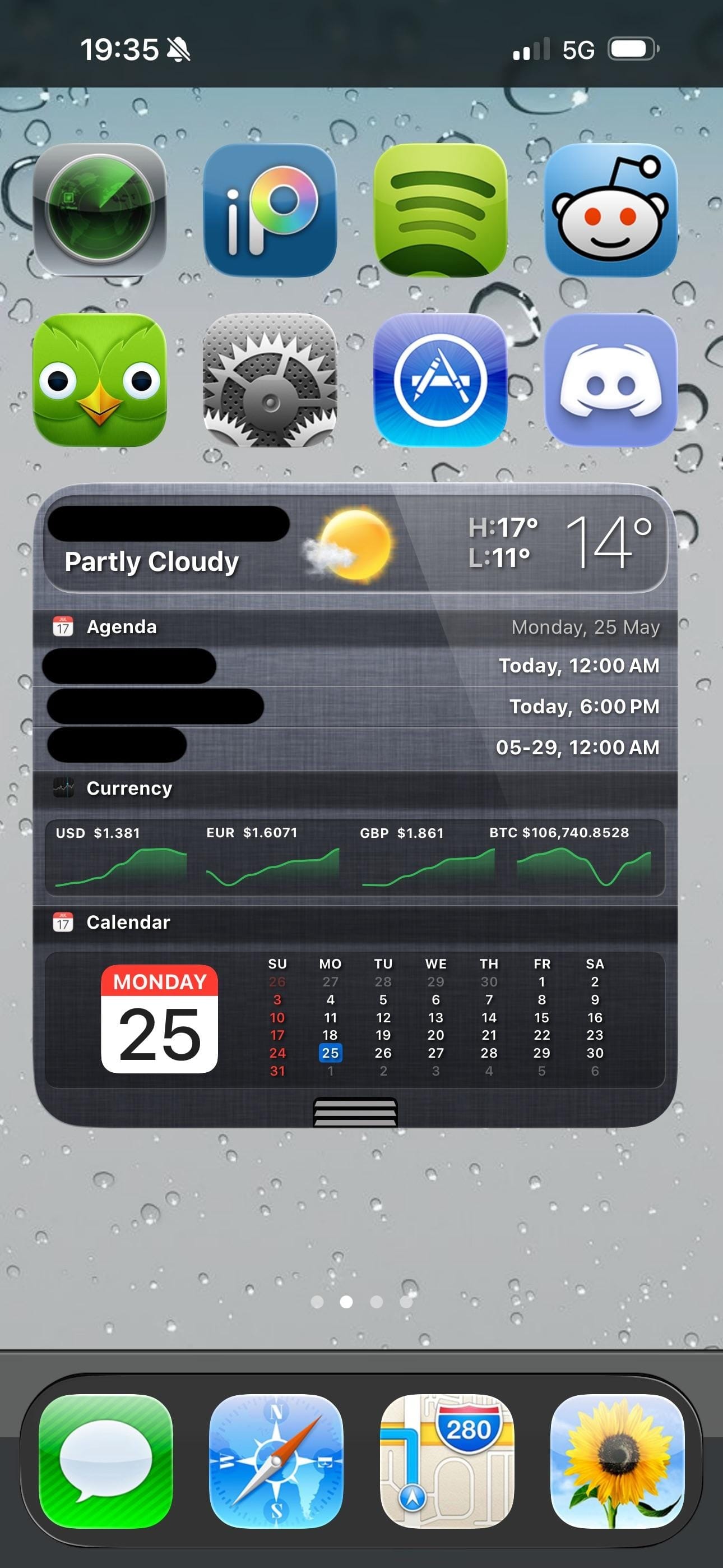
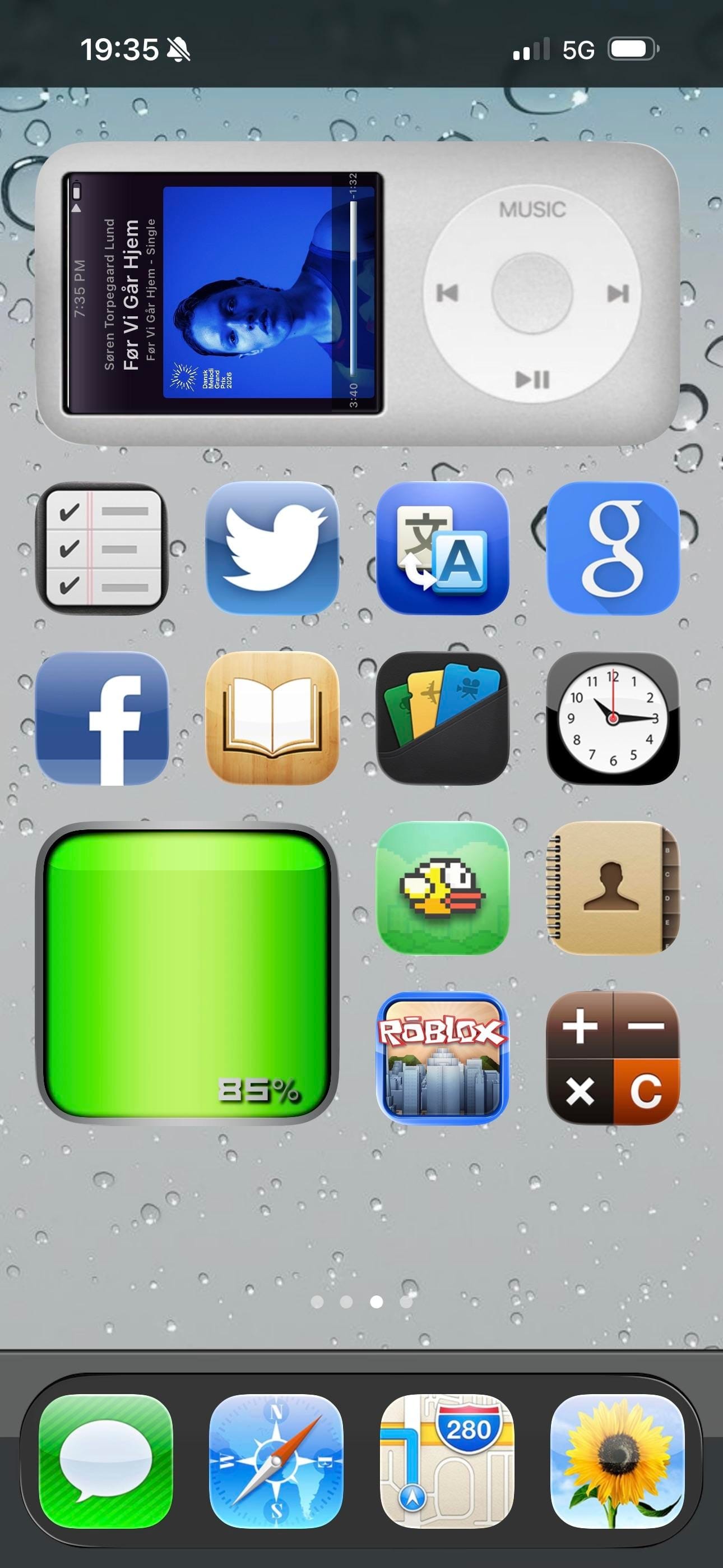
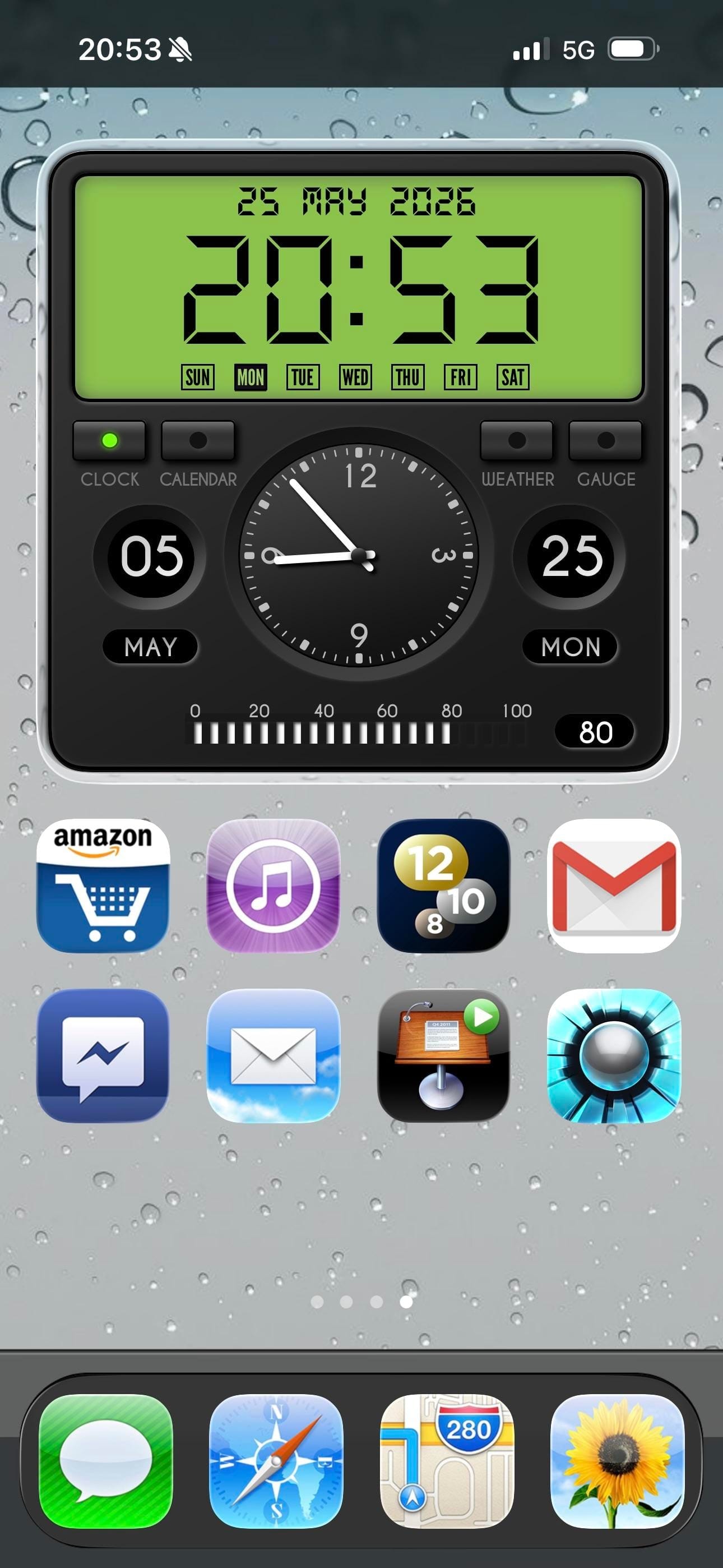
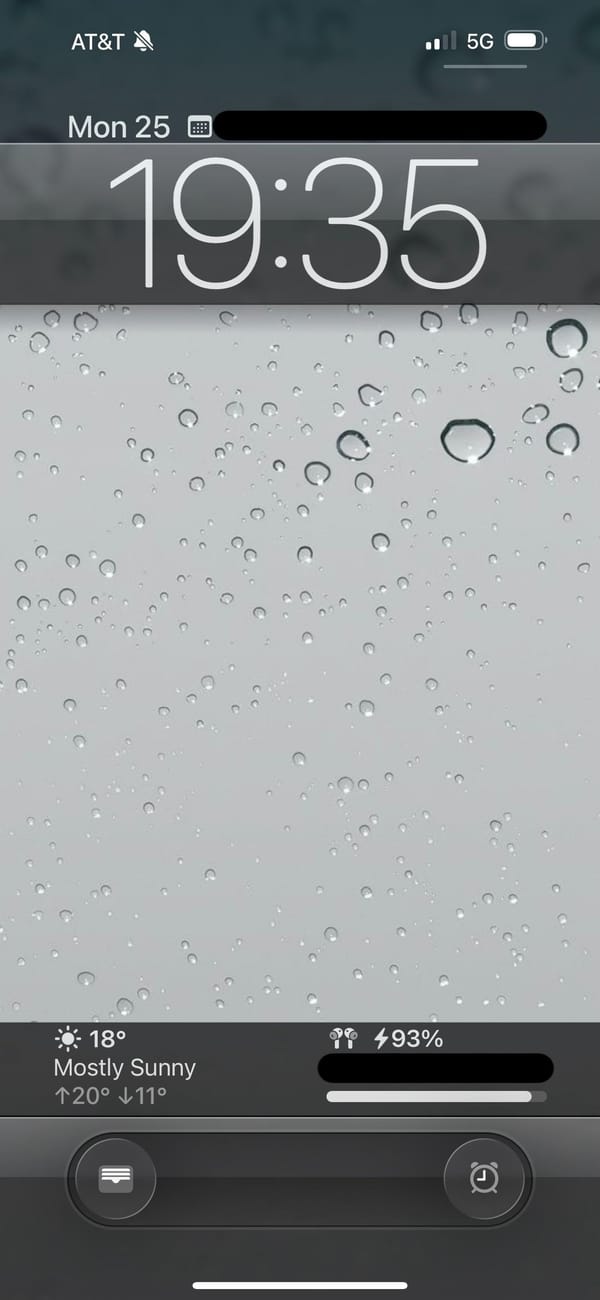
A retro iPhoner setup that goes all the way back. The lock screen wallpaper is a close-up macro of rain on glass, hundreds of grey droplets on a silver surface. On the home screen, every icon is rendered in the old skeuomorphic style: textured, dimensional, shaded like something you could actually touch.
Four pages of icons cover the whole range of the iOS 6 era: a wooden iBooks-style bookshelf, a retro television icon, the old Compass with its parchment-style surround, the original Instagram camera, and the old Maps icon with its road-map styling. The old Weather, Notes, Siri, and Music icons appear exactly as they shipped more than a decade ago. A rain-on-glass wallpaper carries across every page and the lock screen, making the visual continuity between screens unusually consistent.
Page three is the highlight: an iPod classic widget fills the top half of the screen, complete with a scroll wheel and album art from a currently playing track. A Flappy Bird icon sits two rows below it. Further pages bring a currency widget tracking USD, EUR, GBP, and BTC, a skeuomorphic clock and calendar widget, and a green battery readout styled like an old status bar. Modern apps including Duolingo, Discord, Reddit, and Spotify sit alongside the vintage icons without much friction.
Worth copying for iPhoners who miss the era when every icon looked like a real thing, not a flat colored square.
iOS 6 revival home screen with an iPod widget
A retro iPhoner setup that brings back iOS 6 skeuomorphic icons across four pages, with an old-school rain lock screen and an iPod classic widget.
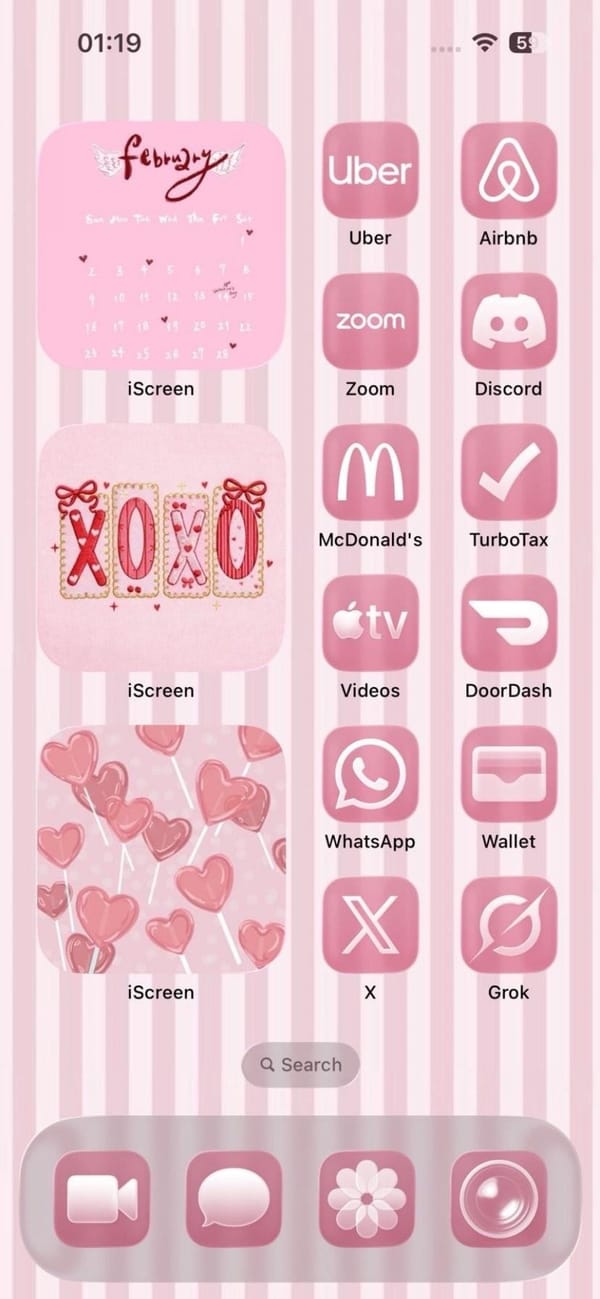
A colorful iPhoner home screen in a single candy-pink palette. The wallpaper is vertical pink and white stripes, and three iScreen widgets stack down the left column: a February calendar with wing motifs, an XOXO decorative frame, and a pink heart lollipops illustration.
The right column runs twelve apps, all tinted pink: Uber, Airbnb, Zoom, Discord, McDonald's, TurboTax, Apple TV, DoorDash, WhatsApp, Wallet, X, and Grok. The dock holds FaceTime, Messages, a flower icon, and Camera, each in the same rose-pink wash. Nothing on the home screen breaks the palette.
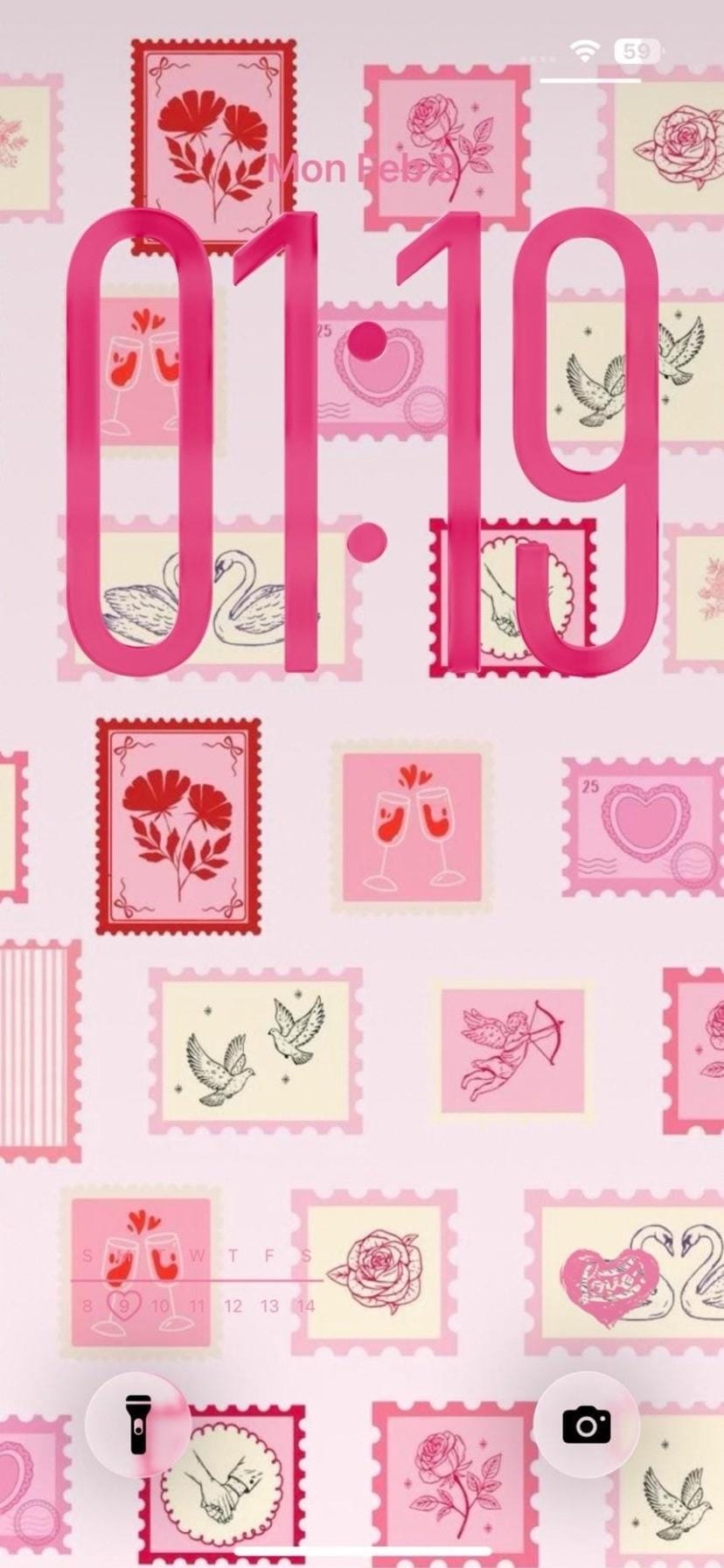
The lock screen takes a different approach to the same theme. A collage of illustrated postal stamps in pink and cream fills the wallpaper, each stamp with a Valentine motif: roses, swans, champagne glasses, a Cupid with a bow. Bold pink clock numerals overlay the stamps, matching the app tints exactly. It's the same one-note palette expressed twice over.
Worth copying for iPhoners who run a tight single-color scheme and want it to hold from the wallpaper all the way into every icon.
A candy-pink home screen with a stamp collection lock screen
A candy-pink iPhoner home screen with iScreen Valentine widgets, pink-tinted icons from Uber to Grok, and a postal stamp collage lock screen.
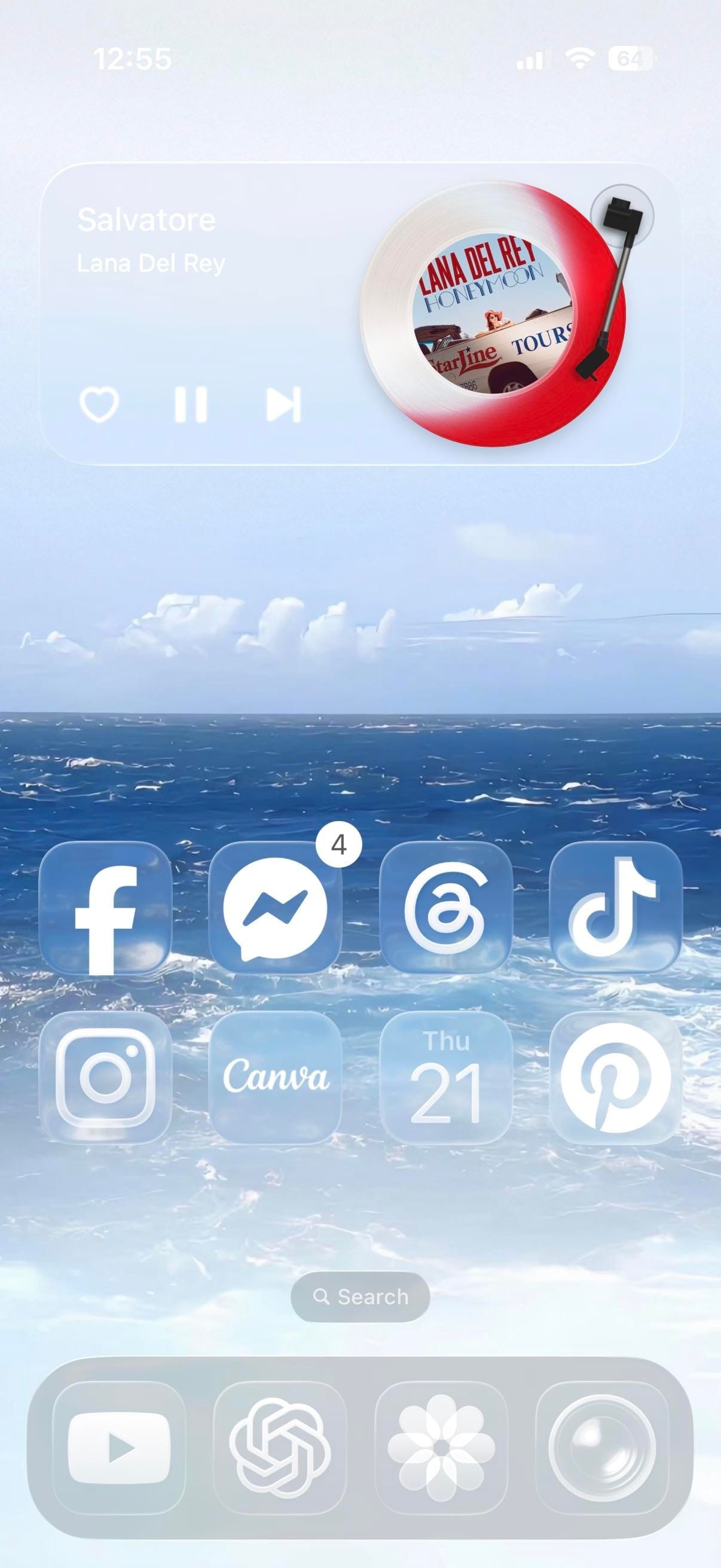
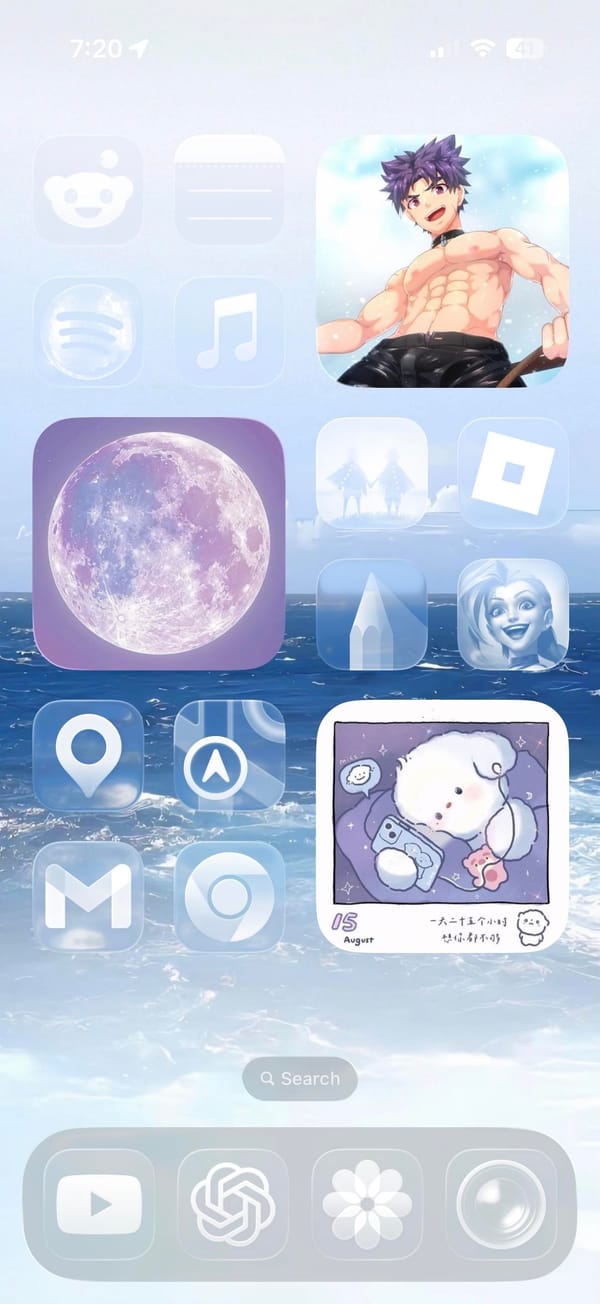
A music-first iPhoner home screen on two pages, both using the same light blue ocean-and-clouds wallpaper. The first page pairs a large anime character widget on the right with a purple full moon widget and music app on the left; the second swaps those out for a vinyl record music player widget showing Lana Del Rey album art at the top.
That second page is the more distinctive of the two. A rectangular music widget fills the top third of the screen with an illustrated turntable and spinning album art, playback controls below. Two rows of social and creative apps follow: Facebook, Messenger, Threads, and TikTok in the first row; Instagram, Canva, Calendar, and Pinterest in the second.
The first page takes a different angle. A large illustrated anime character occupies the full right column as a widget. The left column holds Reddit, a plain placeholder icon, Spotify, and Music, with the purple full moon widget centered. The dock carries through both pages: YouTube, ChatGPT, a flower icon, and Camera.
Worth copying for iPhoners who want the music widget to be the visual centerpiece, with the ocean wallpaper doing the atmospheric work.
Ocean wallpaper home screen with a Lana Del Rey music widget
A music-first iPhoner setup with a Lana Del Rey vinyl player widget on one page and a large anime character widget on the other, both on an ocean wallpaper.
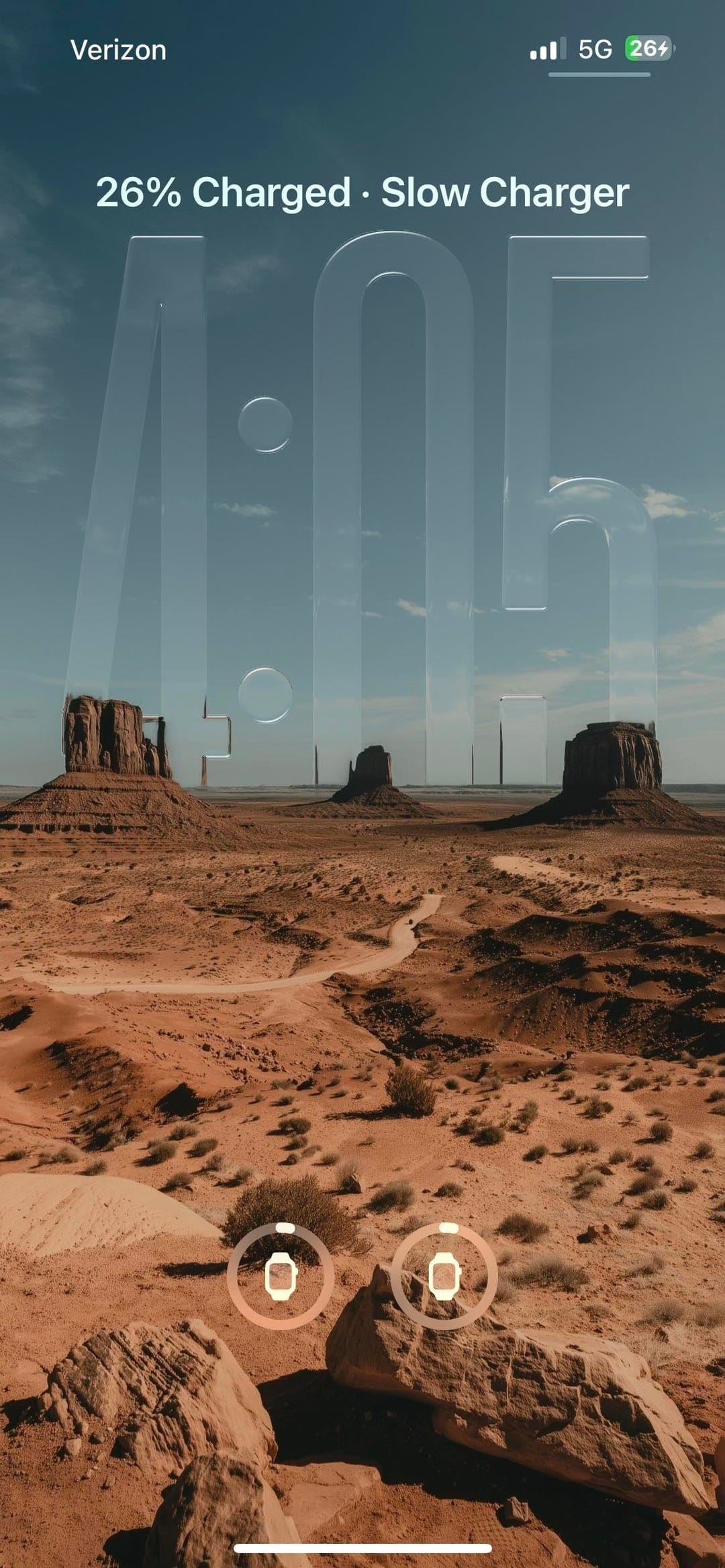
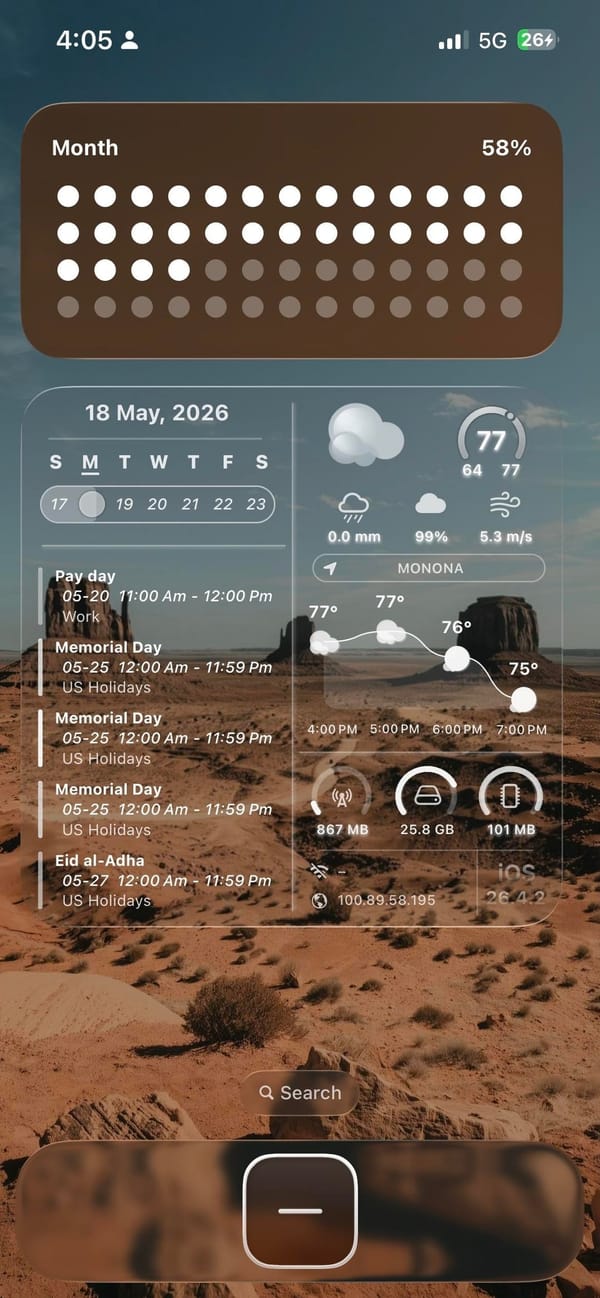
A widgets-first iPhoner home screen on a Monument Valley desert wallpaper. The landscape photograph stretches across both the home screen and the lock screen: red sandstone mesas against a blue sky, shot from ground level with sparse desert scrub in the foreground.
Two large widgets dominate the layout. The top slot is a full-width habit tracker showing a monthly dot grid, warm brown dots for completed days fading to lighter circles toward the end of the month. Below that, the home screen splits into two medium widgets side by side: a calendar with upcoming events in agenda view, and a weather panel with a detailed system info readout alongside the forecast.
The single dock app is a dark rounded square with a minus icon, probably a quick-add shortcut. On the lock screen, the same desert photograph places oversized glass-engraved time numerals across the midpoint of the sky. Two Apple Watch battery rings sit at the bottom of the lock screen. The setup as a whole prioritizes information over empty space, more dashboard than home screen.
Worth copying for iPhoners who want to track habits, appointments, and weather from a single glance without leaving the home screen.
Desert wallpaper, habit tracker, and a full calendar widget
A widgets-first iPhoner home screen with a Monument Valley desert wallpaper, a monthly habit tracker, and a combined calendar and weather panel.
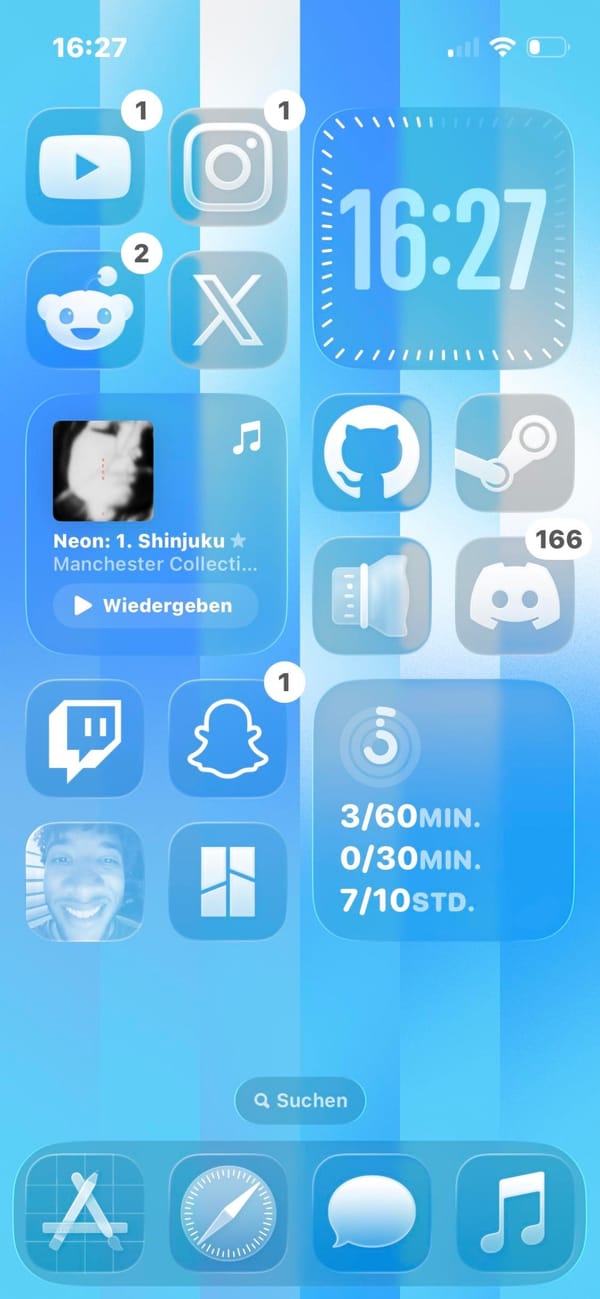
A developer iPhoner home screen on a sky-blue and white vertical stripe wallpaper. The layout pairs two icon columns on the left with two widgets on the right: a large clock at the top and a screen-time tracker at the bottom.
YouTube, Instagram, Reddit, and X sit in the left column's top slots; Twitch and Snapchat follow below, with a contact photo and a grid-view app at the bottom. The right column holds GitHub, Steam, a lens icon, and Discord below the clock. A music widget sits in the middle of the left column.
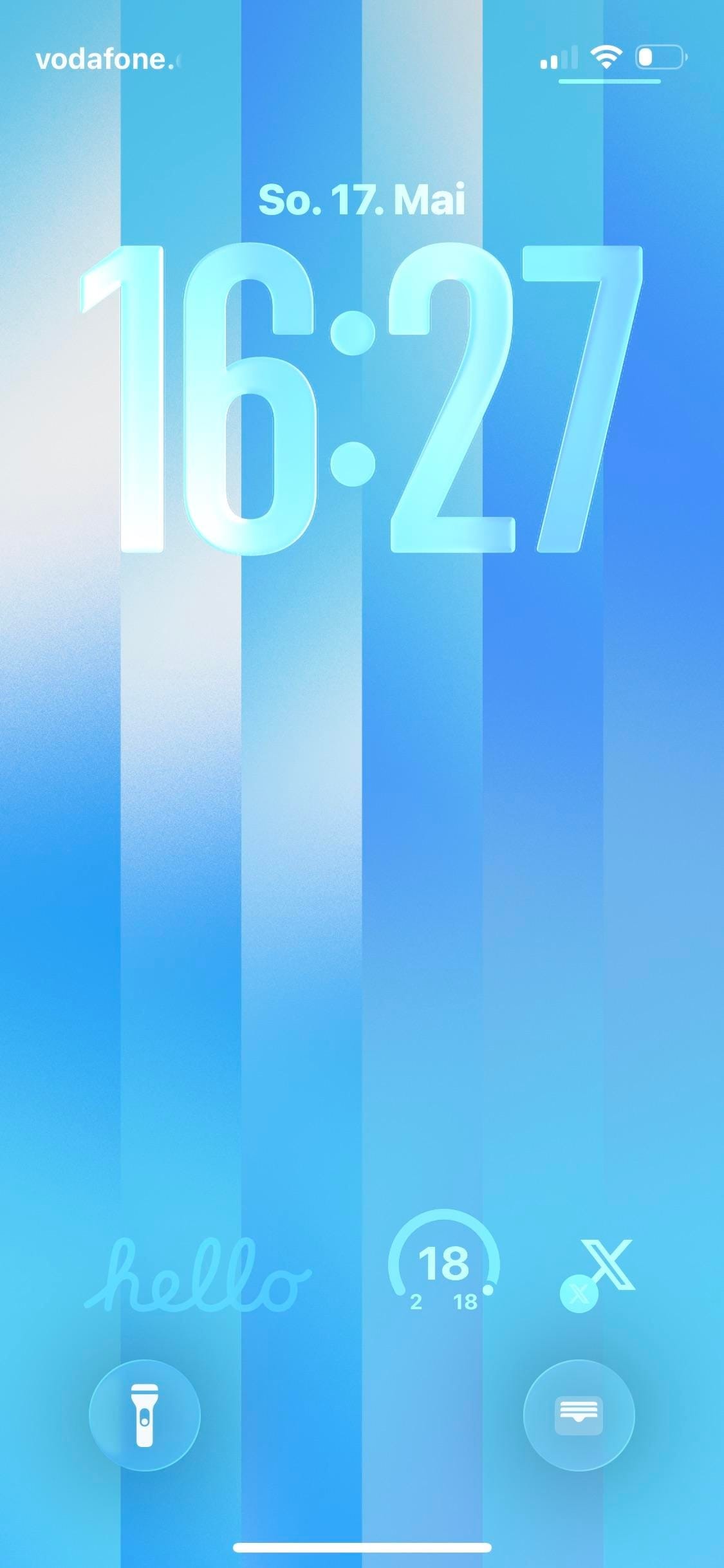
The screen-time widget at the right column's bottom tracks multiple goals with labels in German units. The dock holds App Store, Safari, Messages, and Music. The lock screen uses the same vertical stripe wallpaper, this time with 3D glass-carved numerals sitting inside the stripes. Three small widgets at the bottom: a script-text hello, an activity ring, and an X shortcut.
Worth copying for iPhoners who want their developer tools (GitHub, Steam, Discord) all on one page next to a clean glass clock widget.
A developer iPhoner on a sky-blue stripe wallpaper
A developer iPhoner home screen on a sky-blue vertical stripe wallpaper, with GitHub, Steam, Discord, and Twitch alongside a screen-time tracker widget.