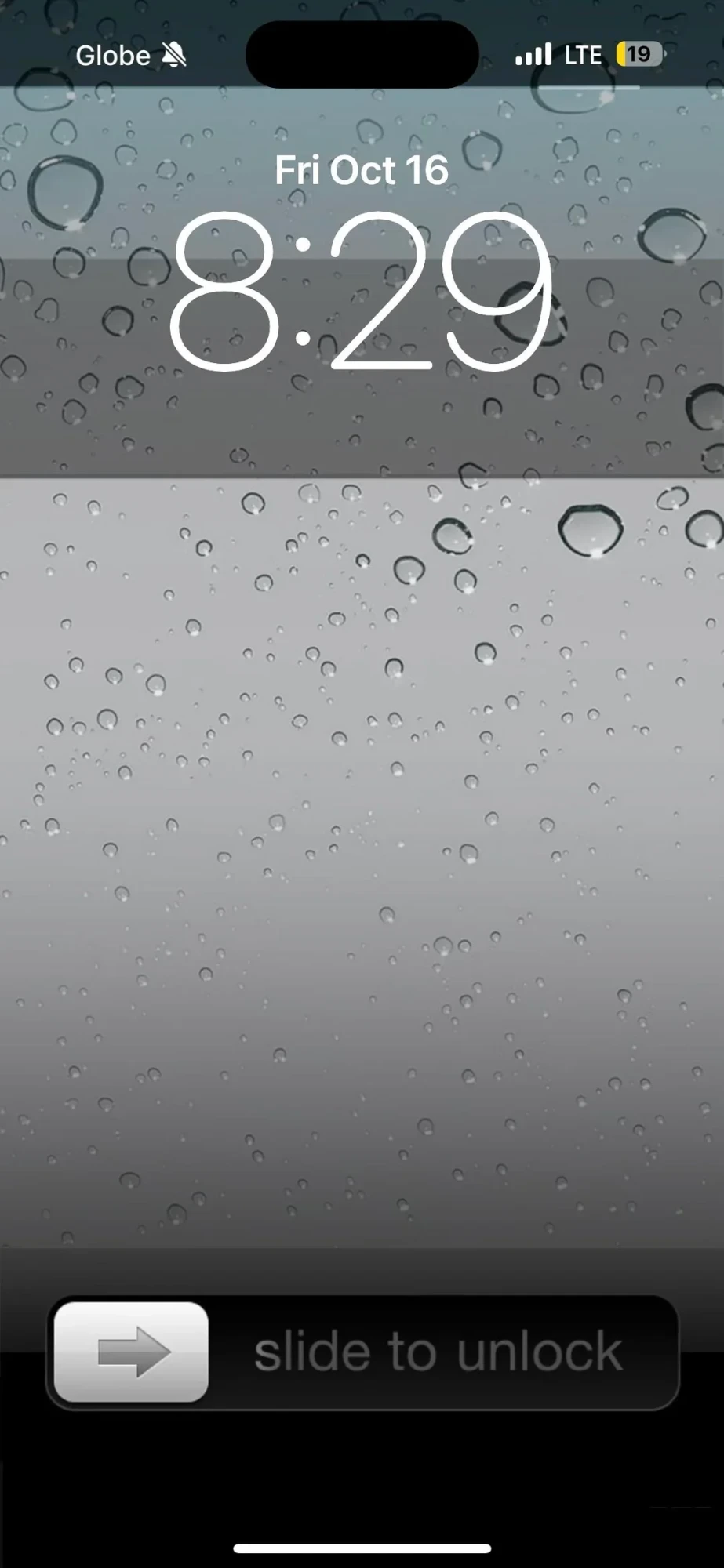
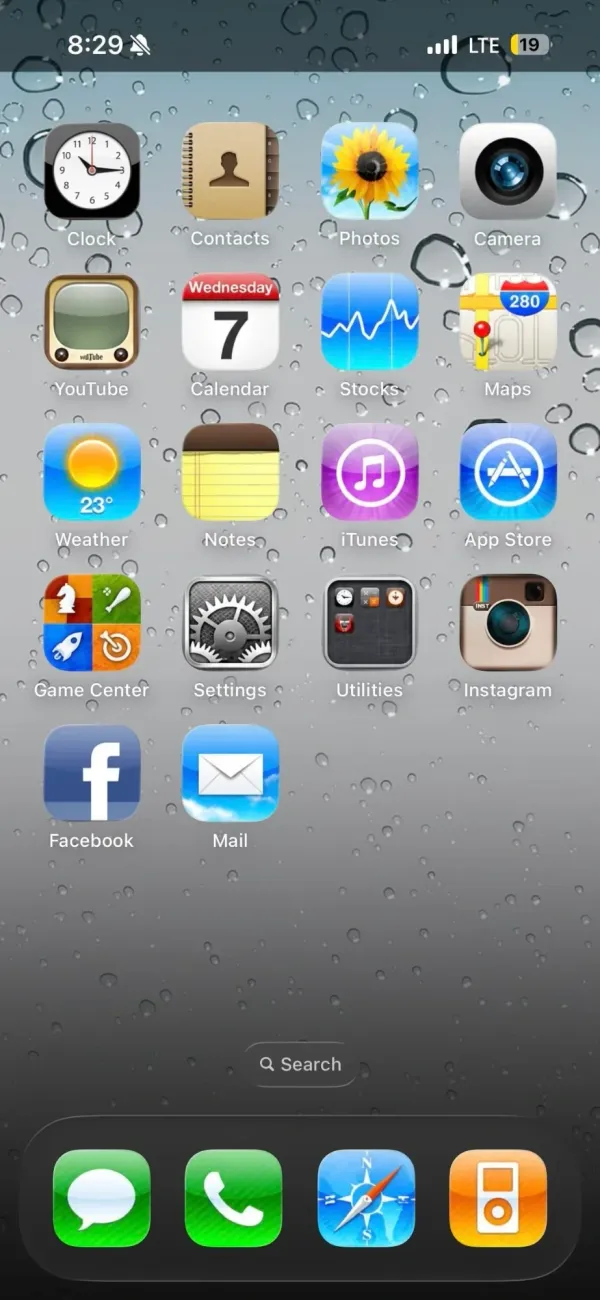
Glossy icons, a leather-bound Contacts book, grey glass covered in water drops. This is the iPhone from before iOS 7 flattened everything, rebuilt by a nostalgia-first iPhoner on a phone with a Dynamic Island. Only a few modern details give it away.
The same water drop wallpaper runs from the Lock Screen to the Home Screen, so the two read as one surface. Up top the Lock Screen keeps the outlined modern clock and date. The bottom carries the old slider bar, grey arrow knob and all. The Home Screen is a single page of 18 labeled icons in a four-column grid, the last row half full, with no widgets and iOS's own Search pill floating above the dock.
The icon set is Apple's apps as they looked then. Clock has the black-rimmed face, Calendar its red header, Photos the sunflower, Maps the 280 highway shield, Notes a yellow legal pad, iTunes a purple disc, Game Center the four-tile felt, and Settings a block of gears. YouTube gets the tan TV set, and the third-party apps play along with Instagram's brown camera and the old Facebook square. A Utilities folder shows its mini icons in the old dark grid. The dock holds Messages, Phone, Safari's compass, and an orange iPod.
One tell: the Calendar icon is stuck on Wednesday 7 while the Lock Screen reads Friday, October 16, so these are custom icons, not Apple's live ones. Where the iOS 6 revival home screen leaned on an iPod widget, this one skips widgets entirely, and iPhoners copying it trade live dates and badges for the texture.
A nostalgic iPhoner brings back iOS 4, water drops and all
Skeuomorphic icons down to a yellow legal pad for Notes and an orange iPod in the dock sit on that old grey glass, all on a phone with a Dynamic Island.
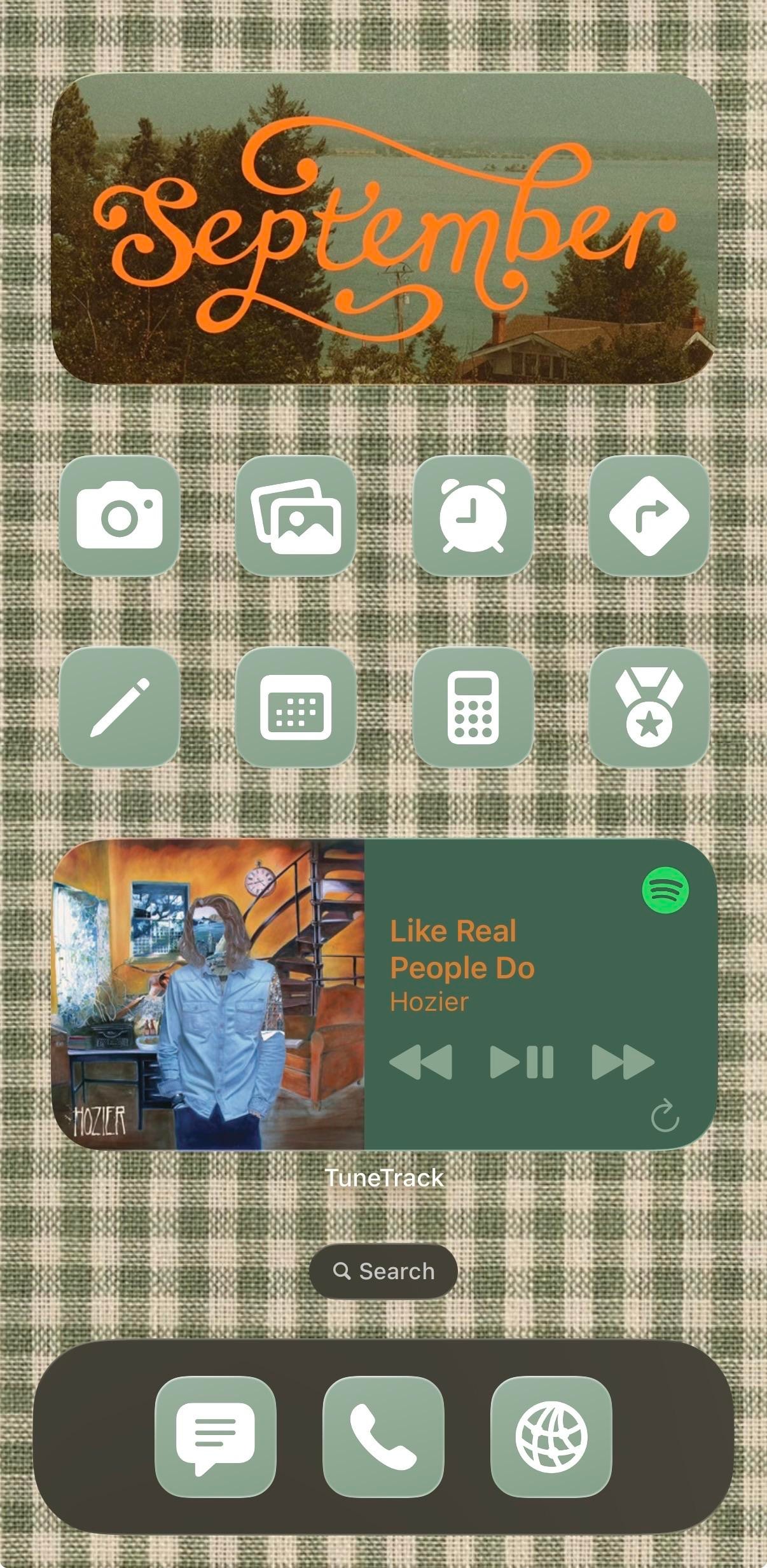
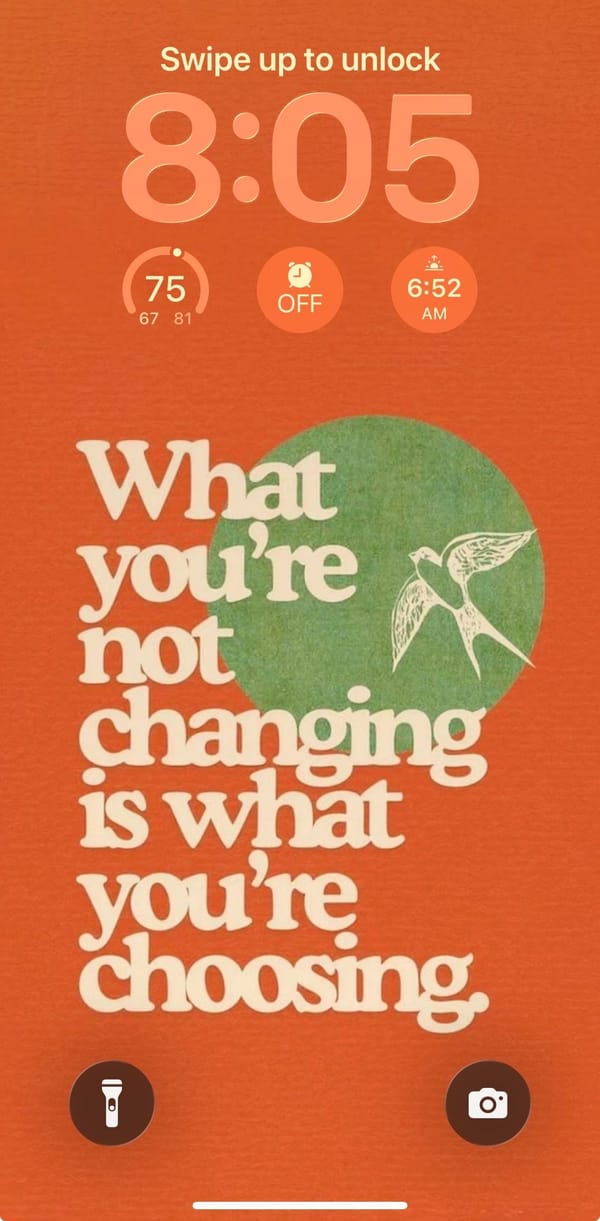
This phone has already decided it's autumn. The Lock Screen is a burnt-orange poster with a white swallow over a green circle and chunky retro serif reading "What you're not changing is what you're choosing," and the Home Screen answers it in sage-and-cream gingham, topped by a photo widget with September written across it in orange script. It belongs to a music-first iPhoner: the wallpapers don't match, the colors do.
The poster's green circle is the same sage as the icon tiles, and its cream lettering comes back in the gingham. Same three colors, two surfaces. Under the peach rounded clock sit three stock circle widgets for temperature, the next alarm, and sunrise. The Home Screen is one page: the medium photo widget with its faded lakeside shot, two rows of four icons, a medium now-playing card, and a dark olive dock. Every icon is the same sage square with a white glyph and no label. The grid reads as one block of color.
Five glyphs map to stock apps (camera, photo stack, alarm clock, calendar, calculator); the other three are a pencil, a turn arrow in a diamond, and a medal with a star. The centerpiece is TuneTrack, a third-party widget that mirrors Spotify's now-playing, and it's the only thing on the page that keeps its label. Hozier's "Like Real People Do" is on it, which suits the gingham a little too well. The dock holds a message bubble, a phone handset, and a globe in the same sage tiles.
Copying it costs a gingham image and a one-color icon set, then the discipline to stop at eight apps so the fabric has room to show. An iPhoner who gets that far can keep the widgets and should swap the quote, since that's the personal part of the build.
A gingham September home screen with Hozier in the middle
A music-first iPhoner's autumn build, with a retro poster quote on the Lock Screen and a gingham Home Screen that borrows its sage from the poster.
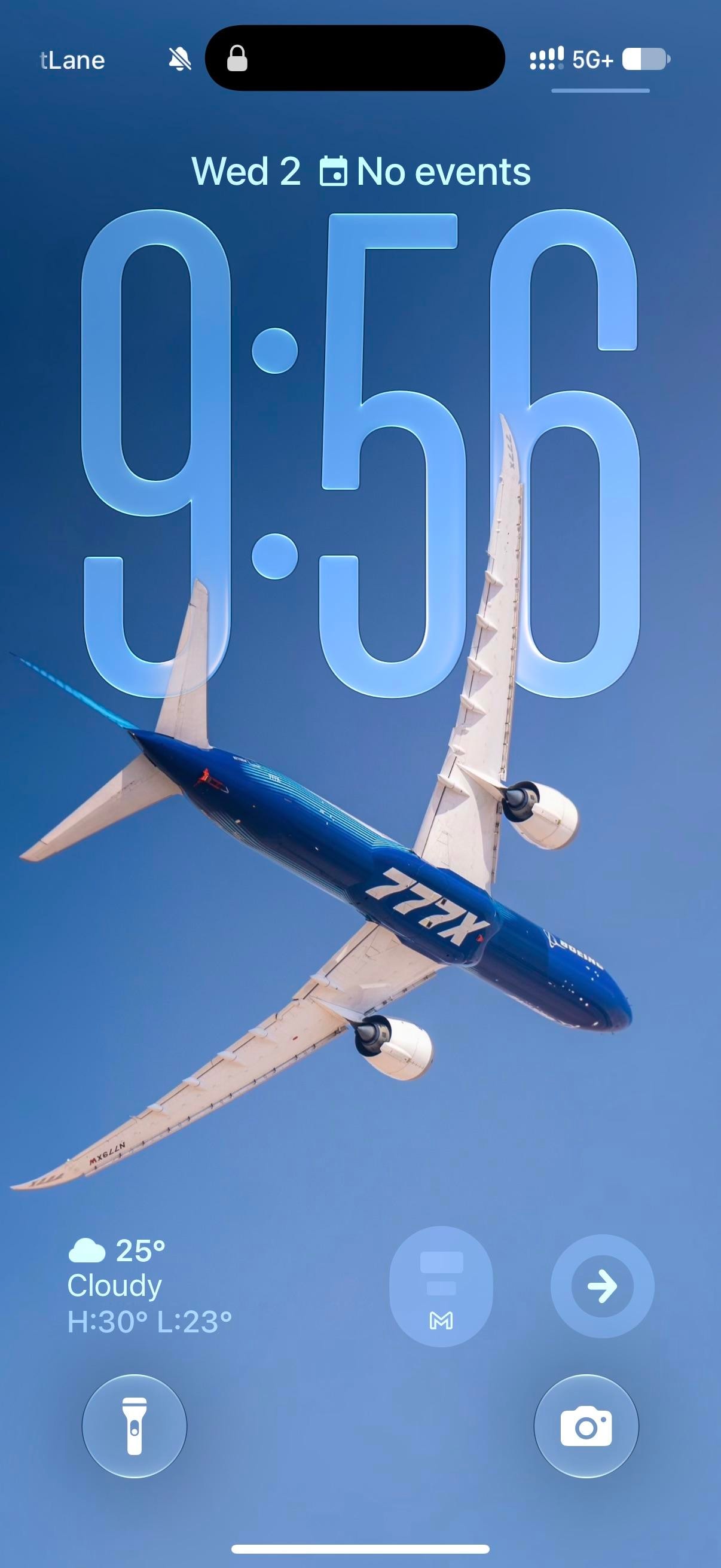
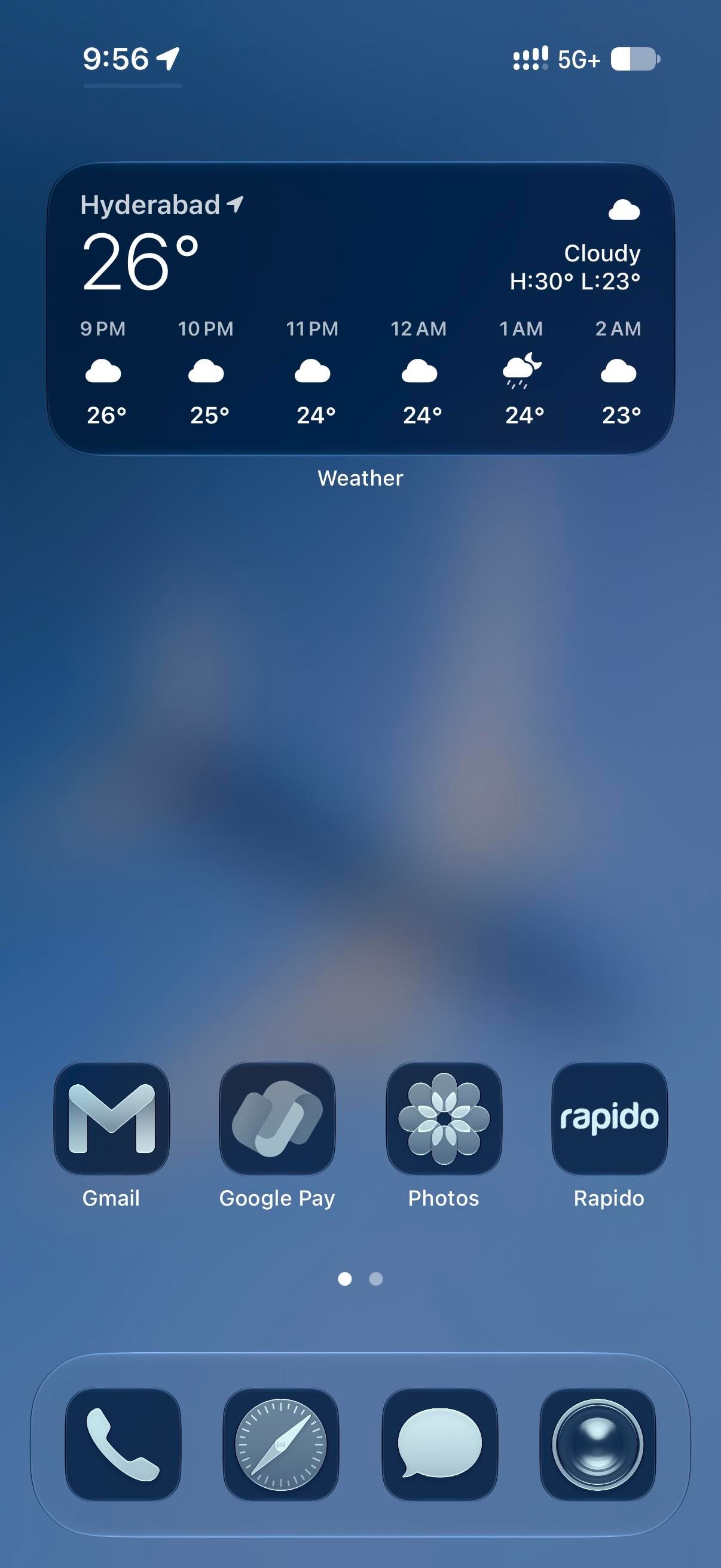
A Boeing 777X banks across a clear sky in the blue-and-white house livery. The clock sits behind it at the stretched size iOS 26 allows, glassy enough that the wing cuts in front of the last two digits. Everything after stays blue. The Home Screen blurs the plane into a gradient, and every icon takes the dark navy tint, Flightradar24 included, for a plane-spotting iPhoner running the whole phone in one hue.
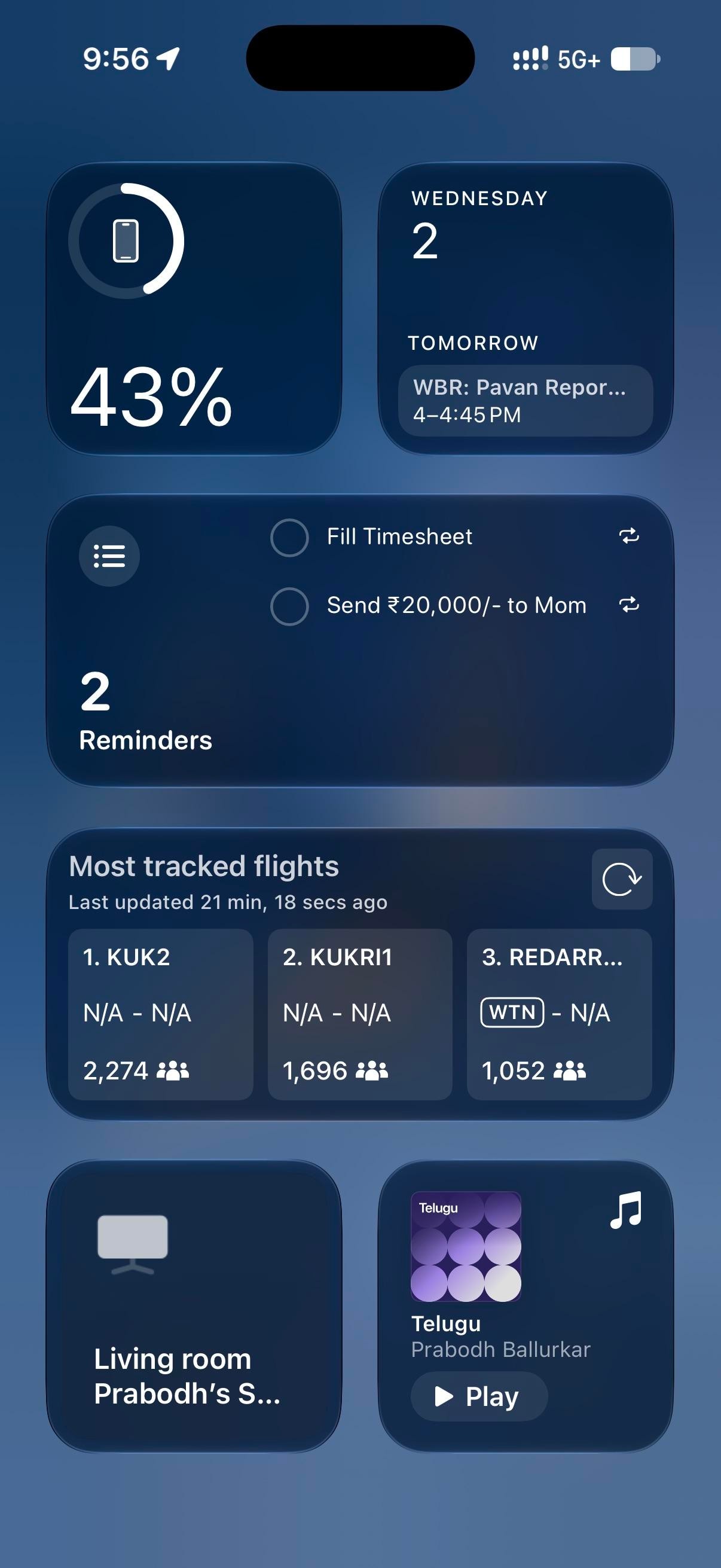
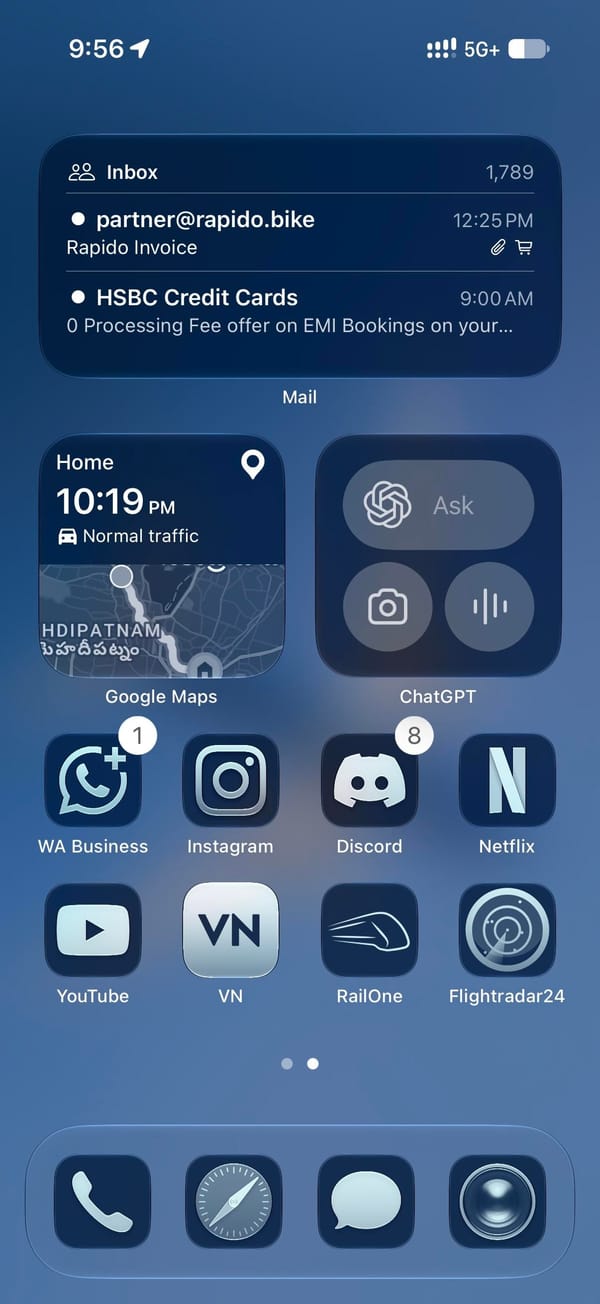
Page one holds a medium Weather widget and one row of four apps pushed down to the dock, leaving the blurred wing across the middle. Page two is denser: a medium Mail widget, small Google Maps and ChatGPT widgets, then eight apps in two rows. Today View, left of page one, is all widgets, led by Flightradar24's most-tracked-flights board over a Reminders list and a battery ring. The Lock Screen keeps its own widgets at the bottom edge, iOS 26 style: a weather readout and two round buttons, a Gmail M and a right-pointing arrow.
On this screen
Flightradar24, the theme's second half, on page two and in Today View
Google Maps, a small widget with the drive-home estimate
ChatGPT, a small widget with Ask, camera, and voice
RailOne and Rapido, trains and bike taxis, beside Google Pay on page one
WhatsApp Business, Instagram, Discord, Netflix, YouTube, and VN on page two
The dock is stock, tinted with the rest: Phone, Safari, Messages, Camera.
Page one is the part to copy, with its four apps parked on the bottom row under a widget you read rather than tap. The tint itself is one switch in the Home Screen's Customize sheet, and to my eye it's a rare tinted setup where third-party icons hold up as well as Apple's.
A plane-spotter's all-blue setup under a Boeing 777X
iOS 26's stretched glass clock sits behind a banking 777X, and every icon below takes the same navy tint, with a widget-only Today View doing the reading.
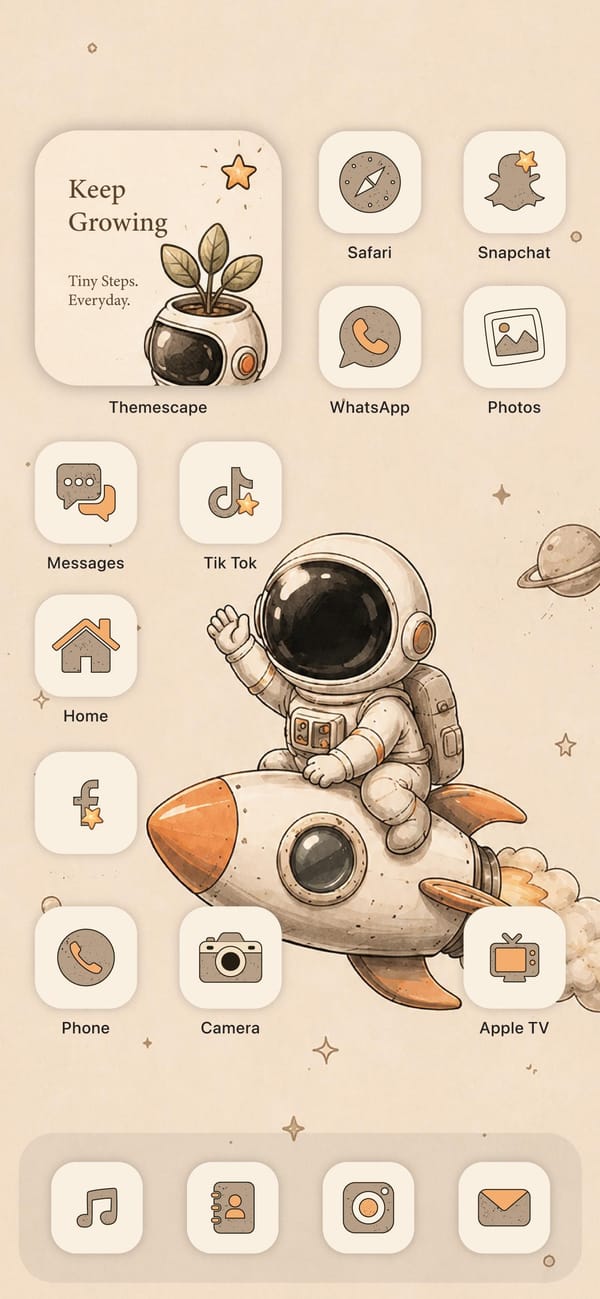
Every app on this screen has been redrawn by hand. It's the cozy end of iPhone theming, a warm beige setup for an aesthetic-first iPhoner, led by a cartoon astronaut waving from the back of a rocket.
The whole look comes from one icon pack, Themescape, which restyles every app in the same soft cream-and-tan look with orange accents. The wallpaper is a watercolor astronaut riding a rocket, stars and a little Saturn scattered across a beige sky, and the off-white icon tiles blend right into it. A widget up top reads Keep Growing, a plant sprouting from an astronaut helmet, so even the motivational card stays on theme.
Even the utilities get the treatment. Safari's compass, the Snapchat ghost, the WhatsApp phone, TikTok's note, and a little house for Home are all drawn in the same tan line art, and the dock swaps in matching Music, Contacts, Instagram, and Mail tiles. Nothing here is stock. It's a full re-skin, the kind that takes an afternoon in a theming app and some patience with the Shortcuts redirect custom icons still need.
There's a cost to all this charm: the soft contrast and word labels make apps slower to spot, so it fits an aesthetic-first iPhoner who puts mood ahead of quick access. What you get back is a phone that feels calm and handmade, a storybook you happen to text from.
A beige astronaut theme drawn entirely by hand
The Themescape icon pack restyles every app in soft cream and tan, wrapped around a watercolor astronaut wallpaper for an aesthetic-first iPhoner.
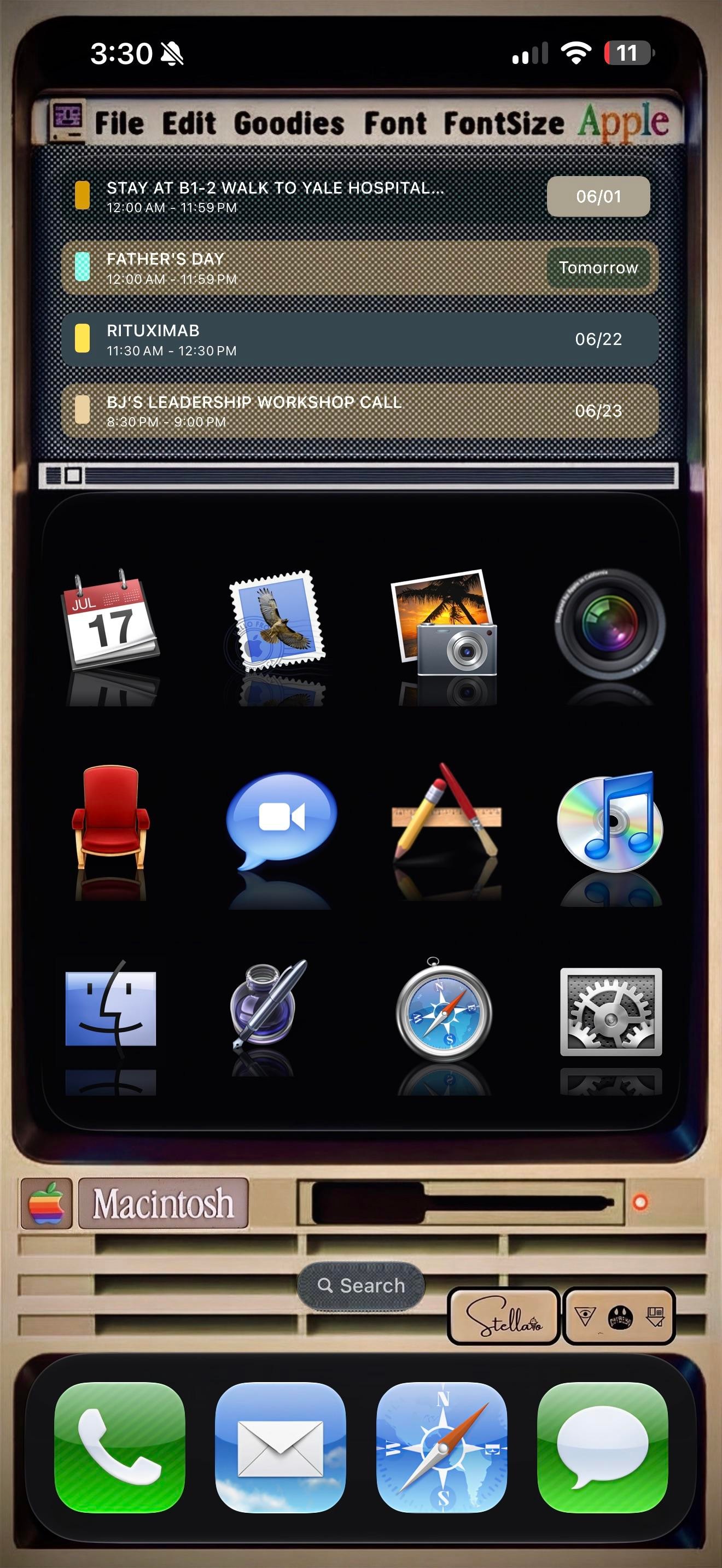
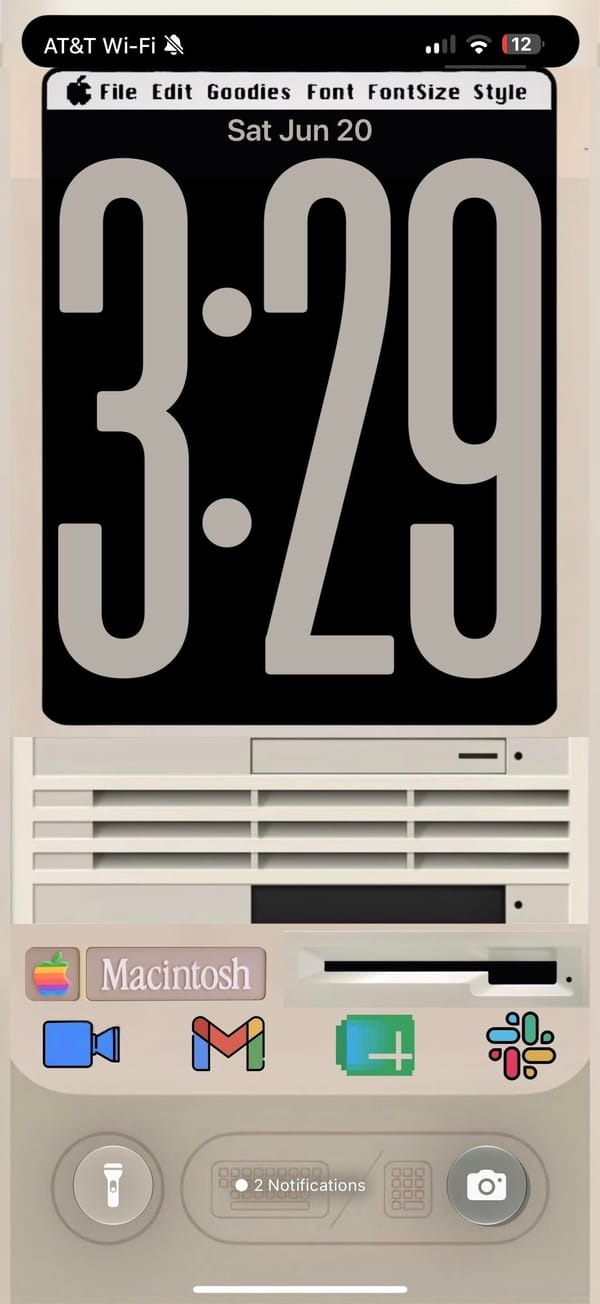
A rainbow Apple logo up top, a menu bar reading File, Edit, Goodies, Font, and a beige Macintosh parked where the wallpaper usually goes. This is a retro iPhoner rebuilding the classic Mac desktop on an iPhone, menu bar and all.
The theme, credited to a Stellario signature by the search bar, leans hard on skeuomorphism. The top of the home screen is a Widgy widget dressed as an old SimpleText window, complete with a title bar, a scroll track, and a working agenda list inside. Below it, twelve app icons sit on a glossy black shelf with mirror reflections, the exact look of early Mac OS X. The lock screen keeps the bit going, a chunky retro clock on a black monitor, then the cream Macintosh case underneath with its floppy slot, vents, and a Macintosh nameplate.
The icons are the love letter. Calendar is the tear-off July block, Mail is the old postage-stamp bird, Photos is the palm-tree iPhoto shot, and the Finder smiley, the silver Safari compass, and the geared System Preferences all come straight from an old Mac OS X dock. iTunes even shows up as a CD with the rainbow note, an app Apple retired years ago. The dock swaps in matching skeuomorphic Phone, Mail, Safari, and Messages, so nothing gives away that this is a modern iPhone until you read the status bar.
Copying this is a real commitment, since every icon is a custom Shortcut and the menu bar is just a widget faking it. But for a retro iPhoner who grew up on the beige Macs, or just misses when software had texture, it turns the phone into a tiny museum piece you actually carry.
A classic Macintosh theme down to the menu bar
A retro iPhoner rebuilds the classic Mac look, from the rainbow Apple logo to skeuomorphic Finder and iTunes icons over a beige Macintosh.
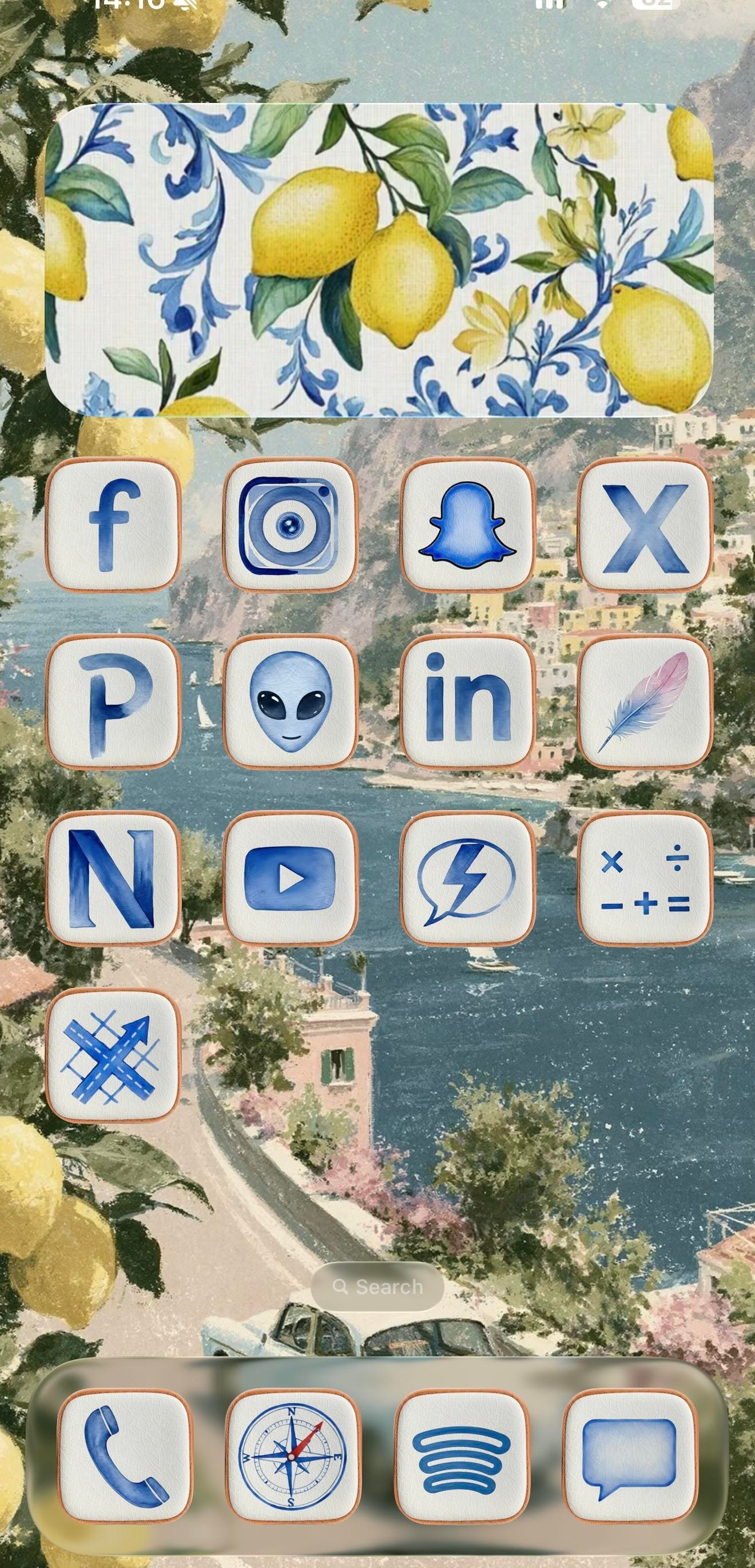
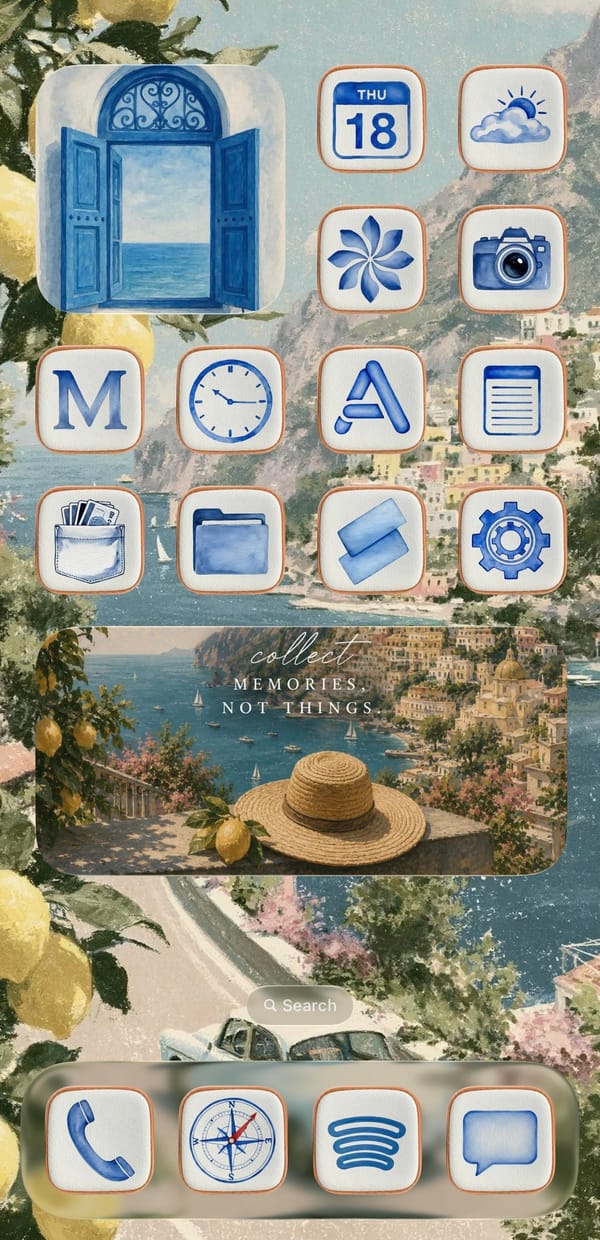
This is a setup for the iPhoner who'd rather be on the Amalfi Coast. Every surface leans into one watercolor Italian summer, from a painted Positano coastline to the lemons spilling in at the edges and the blue-and-white Sicilian tilework on the widgets.
The wallpaper is the anchor, a soft coastal painting of cliffside town, blue water, and a winding road that carries unbroken across both home pages. On top of it sit cream icon tiles with thin terracotta borders, each holding a blue watercolor glyph in place of the stock art. Decorative widgets do the rest of the mood work: a lemon-and-tile panel on page one, an open blue shutter window on page two, and a wide 'collect memories, not things' travel card over a straw-hat-and-lemon scene. It reads as a cohesive theme rather than a wallpaper with icons dropped on top.
Under the theme, the app lineup tells a more online story than the aesthetic lets on. Page one is almost entirely social: Facebook, Instagram, Snapchat, X, LinkedIn, YouTube, and a Pinterest P, alongside a few I can't name with confidence, a grey alien face, a lone feather, an N-monogram tile. Page two turns practical, with Calendar, Weather, Clock, Notes, Wallet, Files, and Settings under the same watercolor treatment. The dock holds four anchors across both pages: Phone, the stock Compass, Spotify's curves, and Messages.
Worth copying if you're an aesthetic-first iPhoner who wants a vacation on the Lock Screen without installing a single new app. The trick is consistency, one painted scene and one custom icon set repeated until the phone reads like a postcard. Pick the theme before the apps, and the rest falls in line.
An Amalfi Coast theme in watercolor blue
A traveler-at-heart iPhoner wraps a social-forward grid in blue watercolor icons, lemon tiles, and a painted Positano coast that runs across both pages.
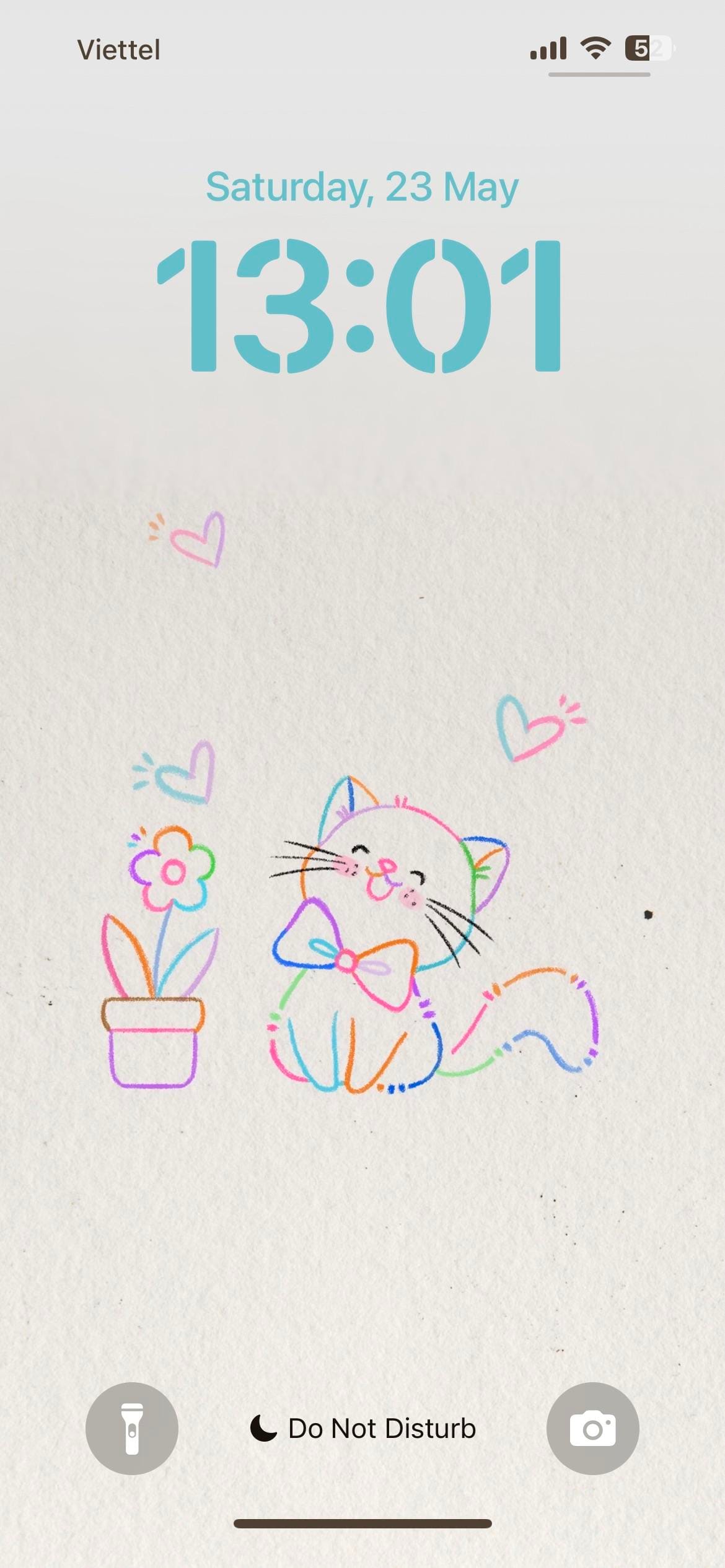
A themed iPhoner from the lock screen to the dock. The wallpaper is a light paper-texture illustration: a bow-tied cat and a potted flower in multicolor line art, surrounded by small hearts in pink, blue, and purple.
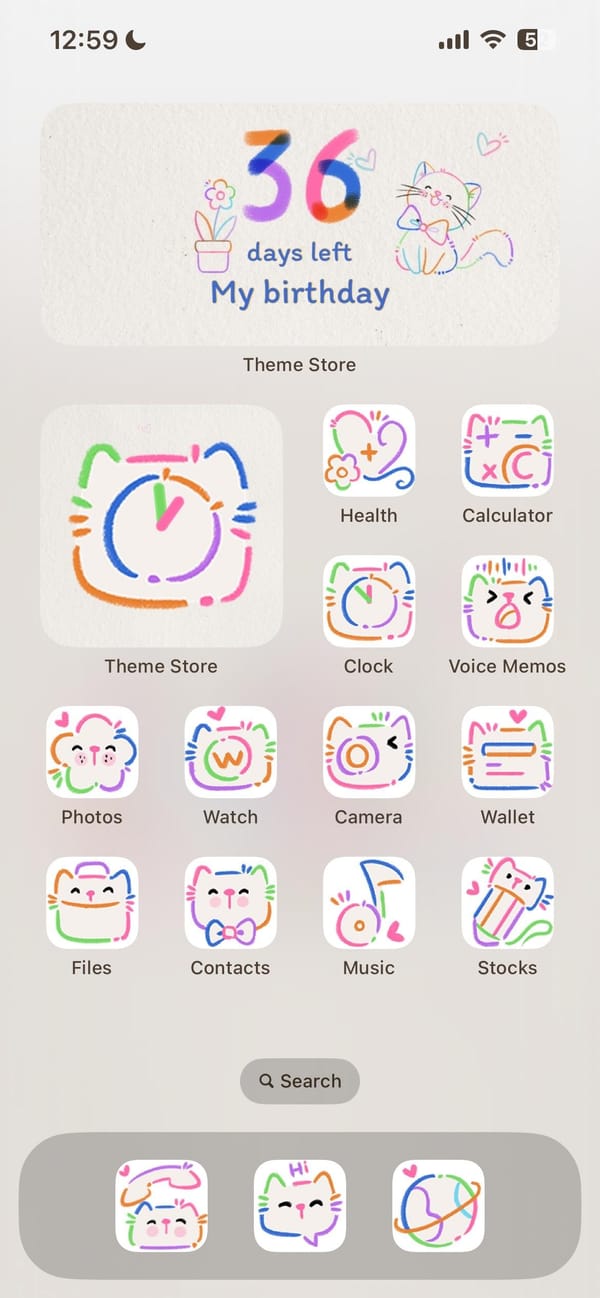
The same illustration carries from the lock screen directly into the home screen, which is one of those rare setups where both surfaces actually agree. Every system icon has been replaced with a doodle-style version: white rounded squares with hand-drawn cat faces, flowers, and abstract motifs in looping lines of orange, green, blue, pink, and purple. Nothing breaks the palette.
Theme Store sits as the oversized feature icon, which explains how this was built. Underneath it, the standard iOS set (Health, Calculator, Clock, Voice Memos, Photos, Watch, Camera, Wallet, Files, Contacts, Music, Stocks) wears the full doodle treatment. A birthday countdown widget at the top of the home screen doubles the cat-and-flower illustration as functional art. The dock holds three apps in the same hand-drawn style.
Worth copying for iPhoners who want a setup with no visual leaks, where the theme doesn't stop at the wallpaper.
Colorful cat doodles, lock screen to dock
A themed iPhoner setup where the same doodle-cat illustration runs from the lock screen through every icon to a birthday countdown widget.
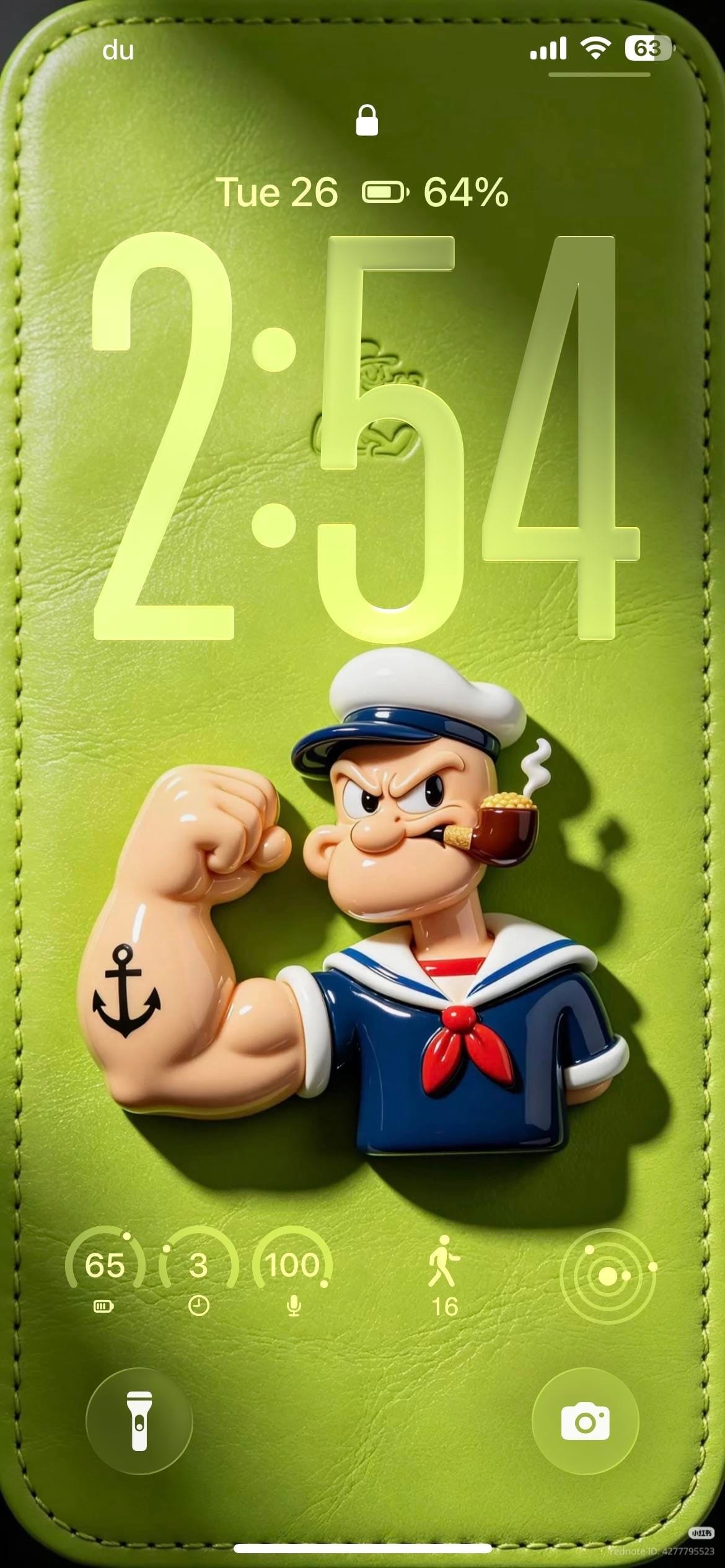
A themed iPhoner, all green and Popeye from the lock screen to the dock. The lock screen wallpaper is a photorealistic 3D render of the sailor himself: flexing his tattooed forearm on a green leather-textured surface, pipe in mouth, casting a shadow against the soft background.
The home screen carries the character forward through Widgy. A full-width widget displays a circular Popeye portrait alongside a day-view calendar and a weather carousel, and a single row of social apps below it keeps the lower half of the screen open for the yellow-green gradient.
Facebook, Instagram, Reddit, and Messenger fill that row, all wearing custom icons in deep green with dark backgrounds matched to the wallpaper. The dock holds Phone, Messages, and WhatsApp. Every visible app has been tinted or replaced to stay within the green palette. The lock screen adds a row of circular widgets for battery, steps, and a few quick indicators, all in the same lime outline style as the leather background.
Worth copying for iPhoners who want a single character or color theme to run from the lock screen all the way into the icon set.
Popeye themed lock screen and green icon set
A themed iPhoner setup built around Popeye, with a 3D sailor figure on the lock screen, matching green custom icons, and a Widgy portrait widget.
A dark-mode iPhoner home screen with no app icons in sight. Two full-width Widgy widgets stack across the entire screen above the dock, turning the home screen into a single-purpose dashboard of weather, time, calendar, and upcoming bills.
The top Widgy widget organizes four mini-panels: a large clock on the left, a weather card, a day-of-week card, and a bill-reminder slot tracking a Klarna payment. Below it, the second full-width widget carries a month calendar and an agenda list showing upcoming payments. No apps sit between the dock and the widgets.
The dock holds Phone, Messages, WhatsApp, and a social-and-utility folder. The wallpaper carries through to the lock screen: a moody green forest reflected in a still lake, shot in near-dark light with trees disappearing into mist above. Large glass-carved numerals overlay the trees. A commute ETA widget at the bottom left shows the estimated drive time to a saved home address.
Worth copying for iPhoners who want financial reminders and a calendar on the home screen without any icon grid getting in the way.
Dark forest home screen with two Widgy widgets and no icons
A dark-mode iPhoner with no icons on the home screen at all: two full-width Widgy widgets tracking weather, calendar, and bills on a misty forest wallpaper.